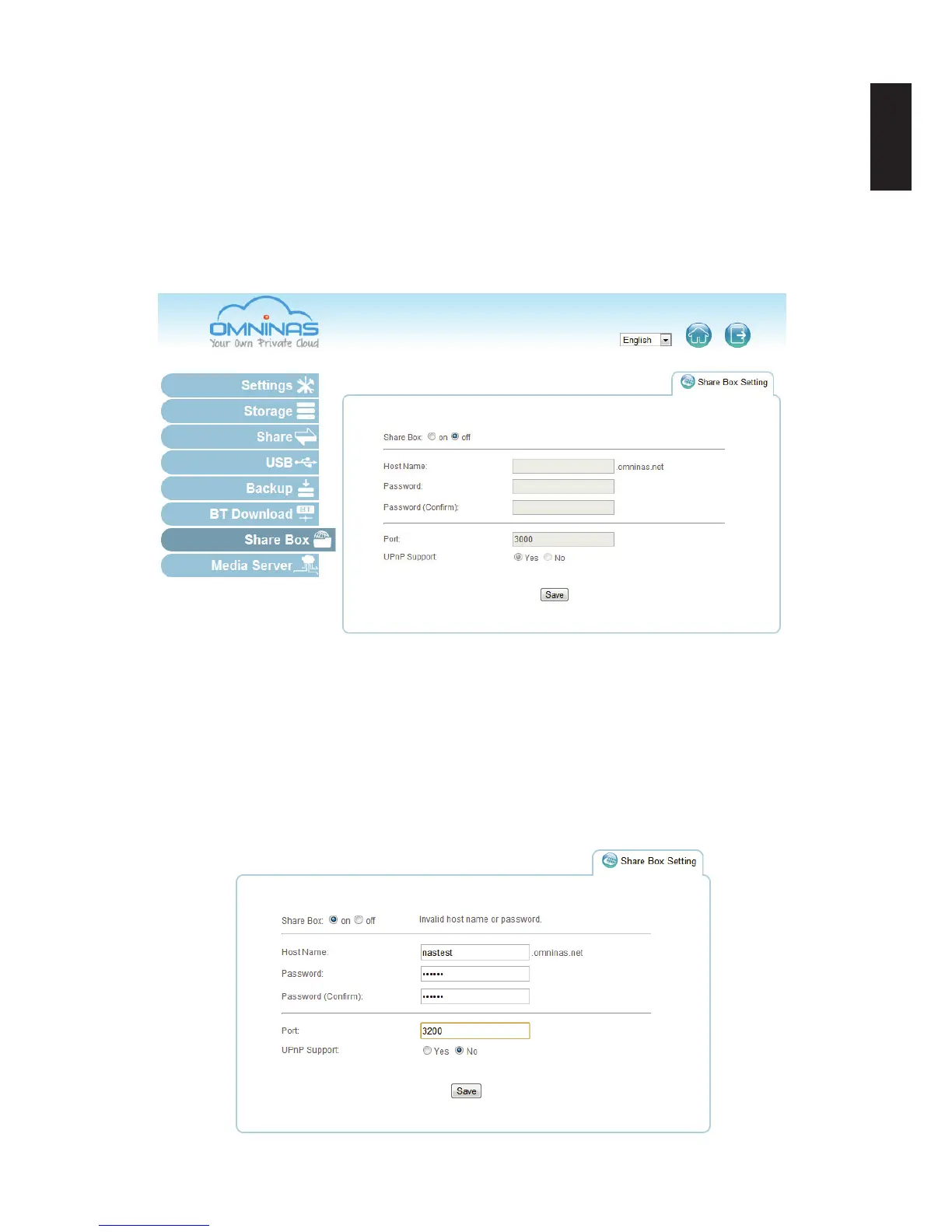
Share Box
The Share Box function allows you to setup remote access to your OMNINAS using a domain
name.
Setting Up Share Box
To enable remote access, see the following:
1. Select Share Box to open the Share Box Settings screen.
Share Box Menu
2. In the Share Box setting, select on to enable the Share Box (remote access) function.
3. In the Host Name eld, enter a host name for your server. This is the registered name
(unique name) that identies your OMNINAS.
4. In the Password eld, enter a password for your server. Enter the password again in the
Password (Conrm) eld.
5. Set the Port (Default: 3200) forwarding number. The port setting ranges from 3200 to 6400.
Conguring Share Box Settings



 To Next Page