EasyManua.ls Logo

Shuttle Omninas KD21 - File Management

Shuttle Omninas KD21
170 pages
Print Icon
To Next Page IconTo Next Page
To Previous Page IconTo Previous Page
Loading...
English
English
3-73
aPPlication services web interFace
3. Click Upload to add the le to the download task pane or click Cancel to return to BT
Download.
Opening File Selection
File Management
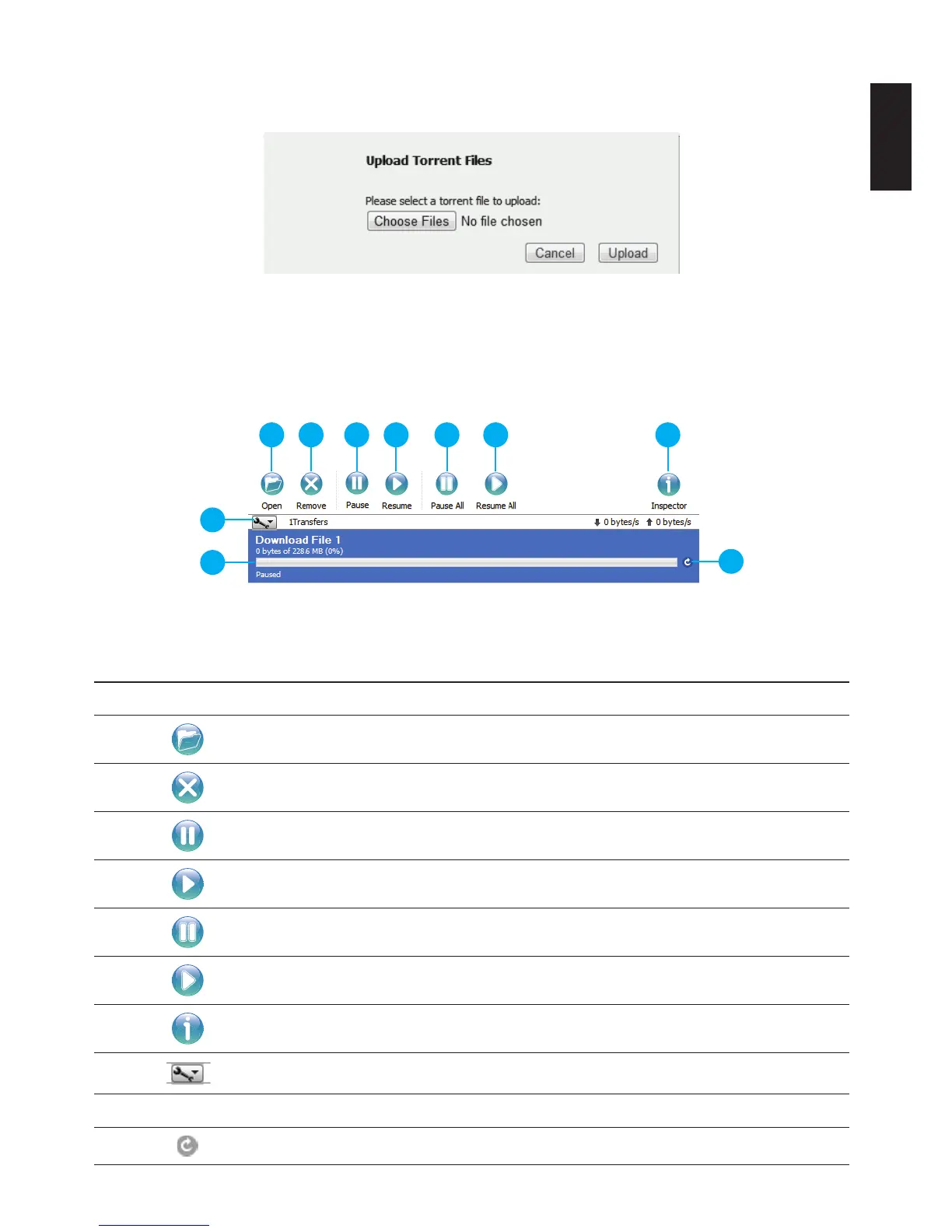
You can view the status and manage the download les by selecting the function buttons on the
download task pane.
1 2 3 4 5 6 7
8
9
10
File Management Menus
Rear View Identication
Item Icon DescrIptIon
1 Opens le selection screen
2
Removes selected le from task list
3
Pause selected download
4
Resume selected download
5
Pause all downloads
6
Resume all downloads
7
Opens inspector pane
8
Set preferences
9 Download progress bar
10
Resume and pause current download

Table of Contents

Other manuals for Shuttle Omninas KD21

Related product manuals