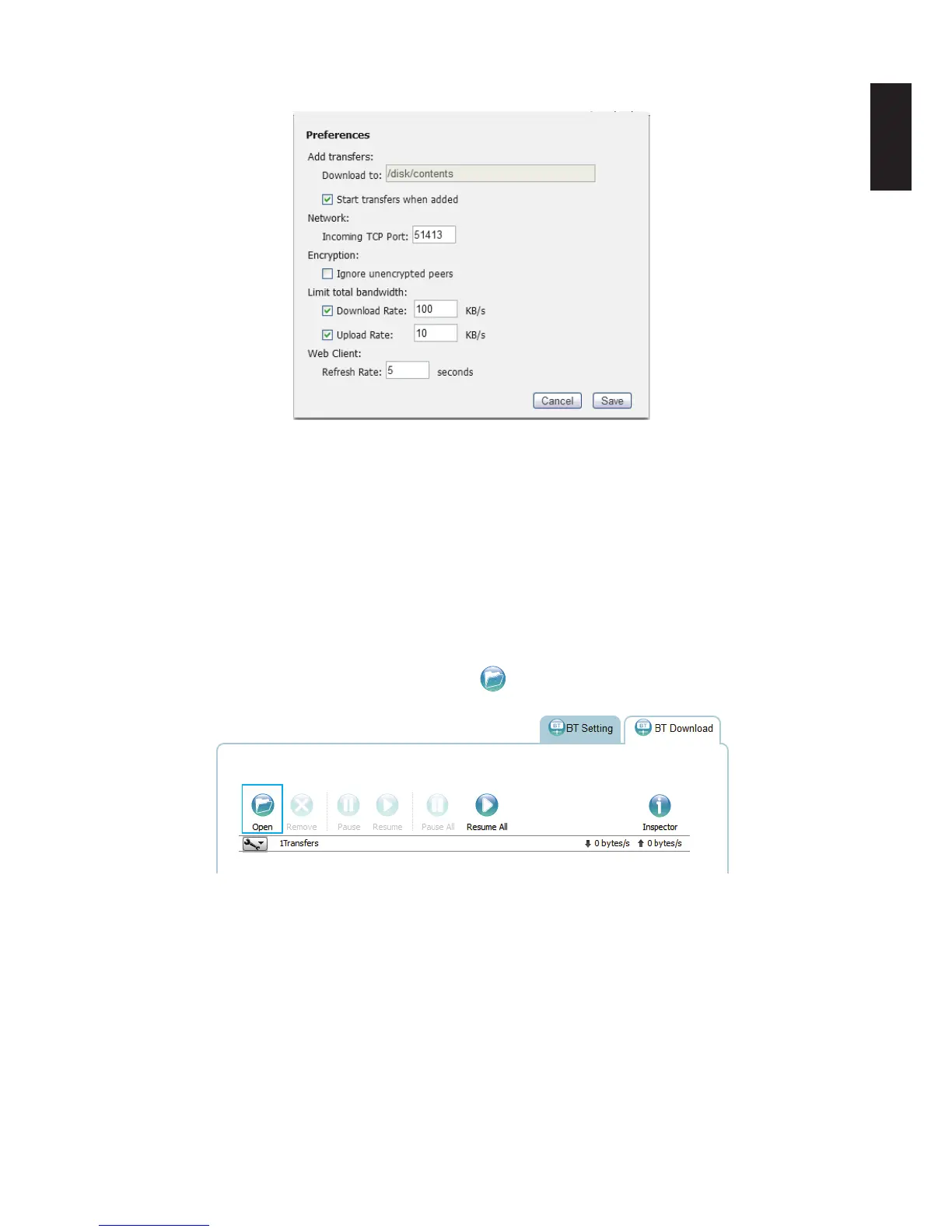
• Web Client: set the refresh rate for the web client.
Preference Screen
4. Click Save to continue or Cancel to return to the BT Download menu.
5. In Total Download Rate, set the download rate. 0 means unlimited rate. 500 KB/s is the
maximum rate.
6. In Total Upload Rate, set the upload rate. 0 means unlimited rate. 500 KB/s is the maxi-
mum rate.
7. In Sort by, select the criteria used to display the downloads (Default: Name).
Downloading Files
1. To download les using BT Download, click to open the le selection screen.
Opening File Selection
The File selection screen displays.
2. Click Choose Files and select a seed on your local drive.



 To Next Page