Unmounting an External Disk
To unmount the disk:
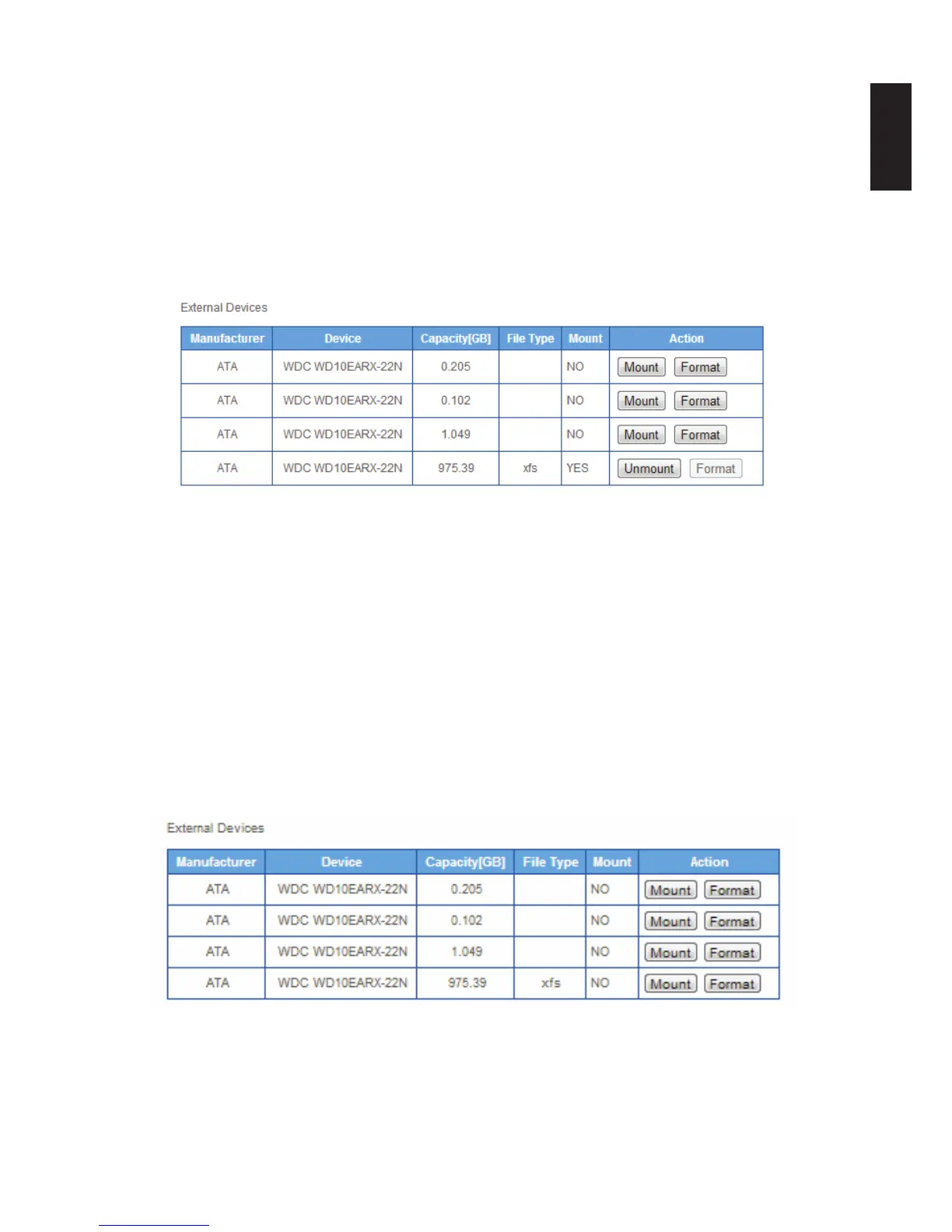
1. Select Storage -> Disk Manager -> to open the Disk Manager prompt.
2. In the External Devices menu, select a volume and click Unmount in the Action column.
A prompt displays the unmount procedure in progress.
After a successful Unmount, the Action column displays the Mount option in the target
volume.
Unmount External Drive Prompt
Formatting an External Disk
IMPORTANT:
The formatting process deletes any data on the disk. Make sure you backup your data be-
fore proceeding. Do not power off or reboot the system to prevent damage.
To format the disk:
1. Select Storage -> Disk Manager -> to open the Disk Manager prompt.
2. In the External Devices menu, select a volume and click Format in the Action column.
3. A prompt displays to verify the procedure.
4. Click OK to continue with the Format or Cancel to return to the previous menu.
Mount External Drive Prompt
Note:
New disk volumes (previously unformatted) are formatted using the XFS le system. Other-
wise, the formatting process uses the current le system or NTFS on the disk volume.



 To Next Page