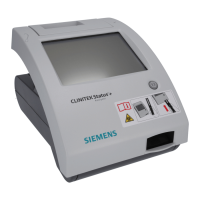
106 CLINITEK Status+ Analyzer Operator’s Guide
System Configuration
4. Select the results format options.
5. Select Next.
The Choose Format 2 of 2 screen displays.
6. Select the results format options.
Results Format Option Description
Screen 1 of 2
Units Selection • Conventional (default)
• SI (Systéme International)
•Nordic
Note Nordic units are available
only in English and Swedish. SI
units are available only in
Chinese. If you set the language
to Chinese, the Choose Format 1
of 2 screen does not display.
Plus System • Enabled displays the test
results in the Plus System.
Results that you record in the
Plus System use plus (+)
symbols instead of clinical
units, such as mg/dL.
Note For some languages, the
Normal System and the Plus
System test results are the
same, as shown in Appendix D,
Specifications, Tables of
Results‚ page 137.
• Disabled (default) displays
the test results in the Normal
System, not in the Plus
System.
Results Format Option Description
Screen 2 of 2




 To Next Page
