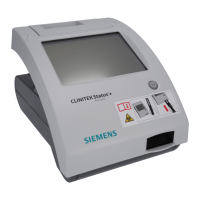
CLINITEK Status+ Analyzer Operator’s Guide 61
Maintenance
To disinfect the test table and the table insert, perform the following
steps:
1. Prepare one of the following solutions in a tall, narrow container
(such as an empty Multistix
®
bottle) to a depth of about 10 cm (or
4 inches):
• Presept, Cidex, Theracide, or Amphyl solution prepare
according to the product directions.
• Household Bleach (5% sodium hypochlorite) use as full
strength or dilute with water to as much as 1:20 (mix 5 mL
bleach with 95 mL water for a total of 100 mL).
• Isopropyl Alcohol (70% to 85%) use as full strength.
2. Remove the table insert from the test table.
3. Remove the test table by pulling it slowly out of the analyzer.
4. Drain the drip tray, if necessary.
5. Place the table insert and test table into the solution, with the
white calibration bar on the test table above the liquid level.
6. Soak the test table and the table insert for a minimum of 2 minutes
and a maximum of 10 minutes.
CAUTION
Any solutions other than the ones mentioned might damage
the test table and the table insert.
CAUTION
Be sure the cleaning solution does not come in contact with
the white calibration bar. Cleaning solution can discolor or
damage the calibration bar.
CAUTION
Do not soak the test table and the table insert longer than 10
minutes. You could damage them.





 To Next Page