SIGLENT
194 SDS2000X User Manual
13. Press the Settings softkey to enter the SETTINGS menu.
Figure 130: Transient SETTING Menu
14. Press the Initial I softkey, and then turn the universal knob to specify the initial load
current value. The initial load current will be used as a reference and to trigger the
oscilloscope.
15. Press the New I softkey, and then turn the universal knob to specify the new load
current value. The new load current will be used as a reference and to trigger the
oscilloscope.
16. Return to the ANALYSIS function menu.
17. Press the Apply softkey to perform turn on/off analysis.
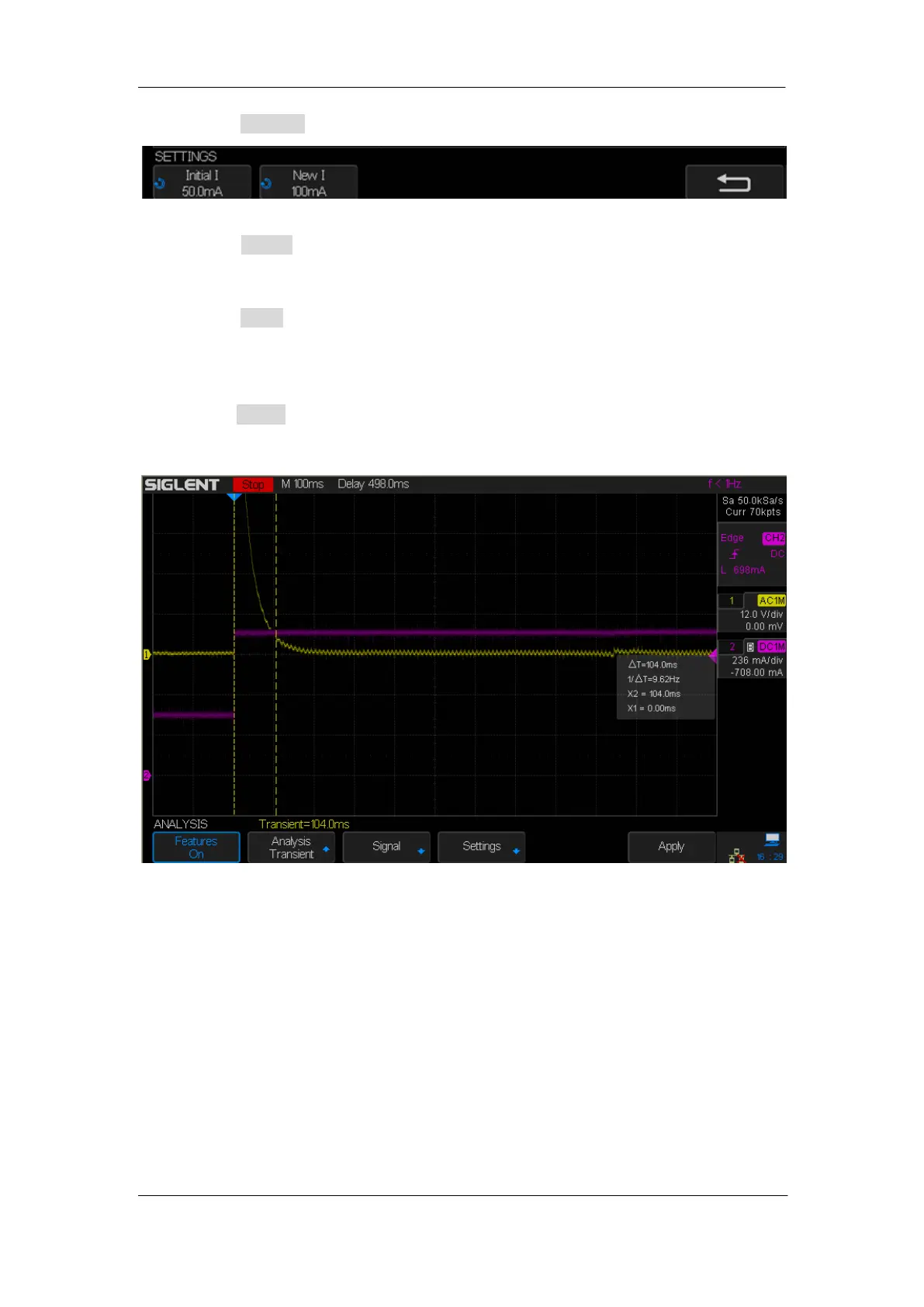
Follow the instruction on screen. When the analysis has completed, results are
displayed along the bottom of the display.
Figure 131: Transient Analysis
Transient response time = t2 – t1, where:
t1 = The first time a voltage waveform exits the setting band.
t2 = The last time it enters into the setting band.
Setting band = +/- overshoot% of the steady state output voltage.










 To Next Page