SIGLENT
210 SDS2000X User Manual
To Output Arbitrary Waveform
1. Press the Wave Gen button on the front panel to enable the AWG function and enter
the WAVEFORM function menu.
2. Connect the SDS2000X to a PC which is running the EasyWave software using a
USB cable.
3. Double click the EasyWave icon to open the program.
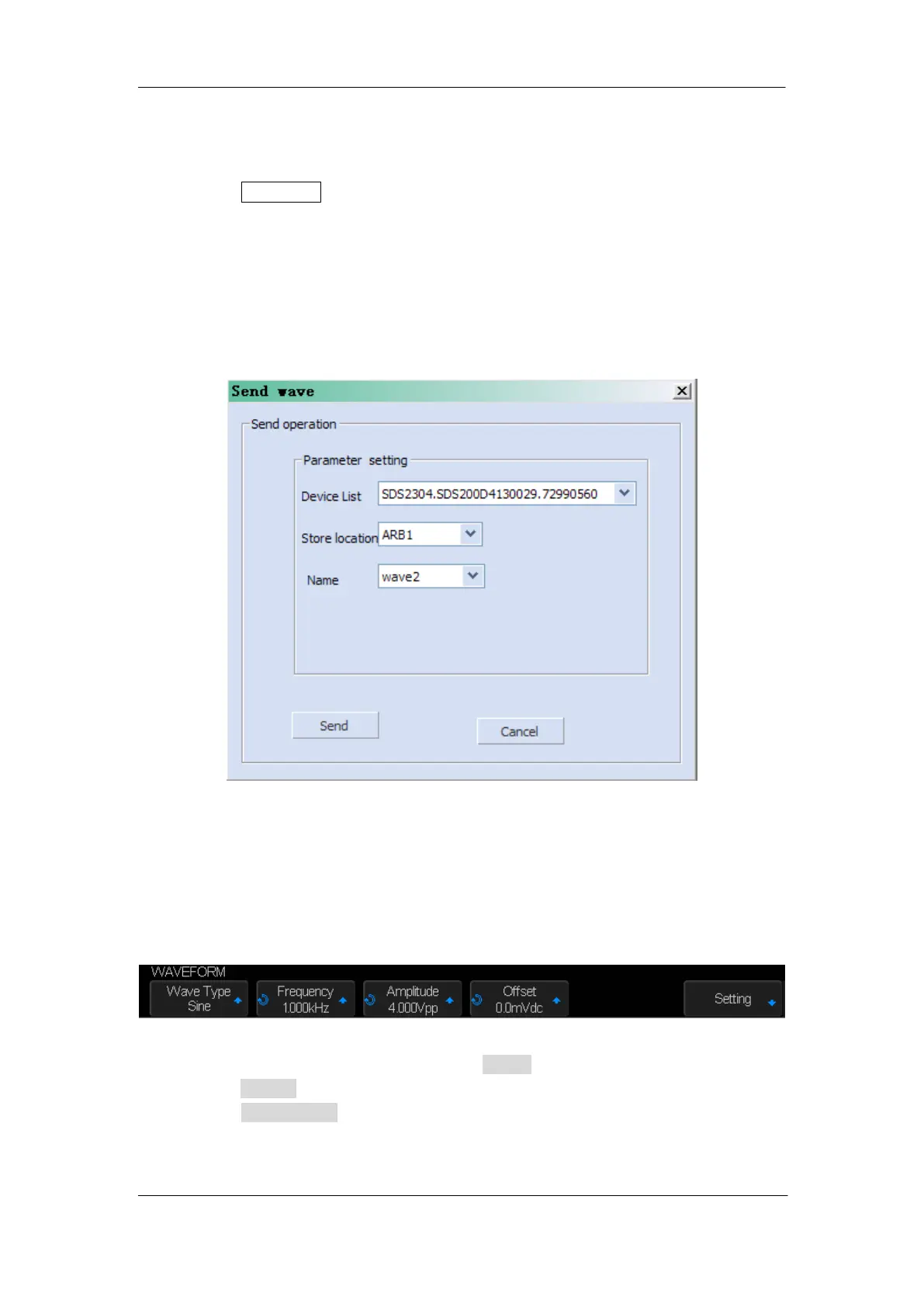
4. Select a waveform file or draw an arbitrary waveform; then click the Send wave option
which at the bottom of the interface and it will pop-up the dialogue which shows as the
picture below:
Figure 143: Send Wave Dialogue
5. Click the Store location area and select the location to keep the arbitrary waveform.
6. Click the Send option, then the oscilloscope will pop-out the message ―Dealing with
waveform data, please wait…‖
7. A few seconds later the oscilloscope will prompt ―Succeed to save waveform‖, and it
will enter the WAVEFORM function menu, the Wave Type sets to ArbX (the location
chose above)
Figure 144: AWG Menu
8. To delete the arbitrary waveform, press the Delete softkey.
9. Press the Setting softkey to enter the SETTING function menu.
10. Press the Output Load softkey to select High-Z or 50Ω.










 To Next Page