EtherHaul Operation, Administration and Maintenance Manual
Page 105
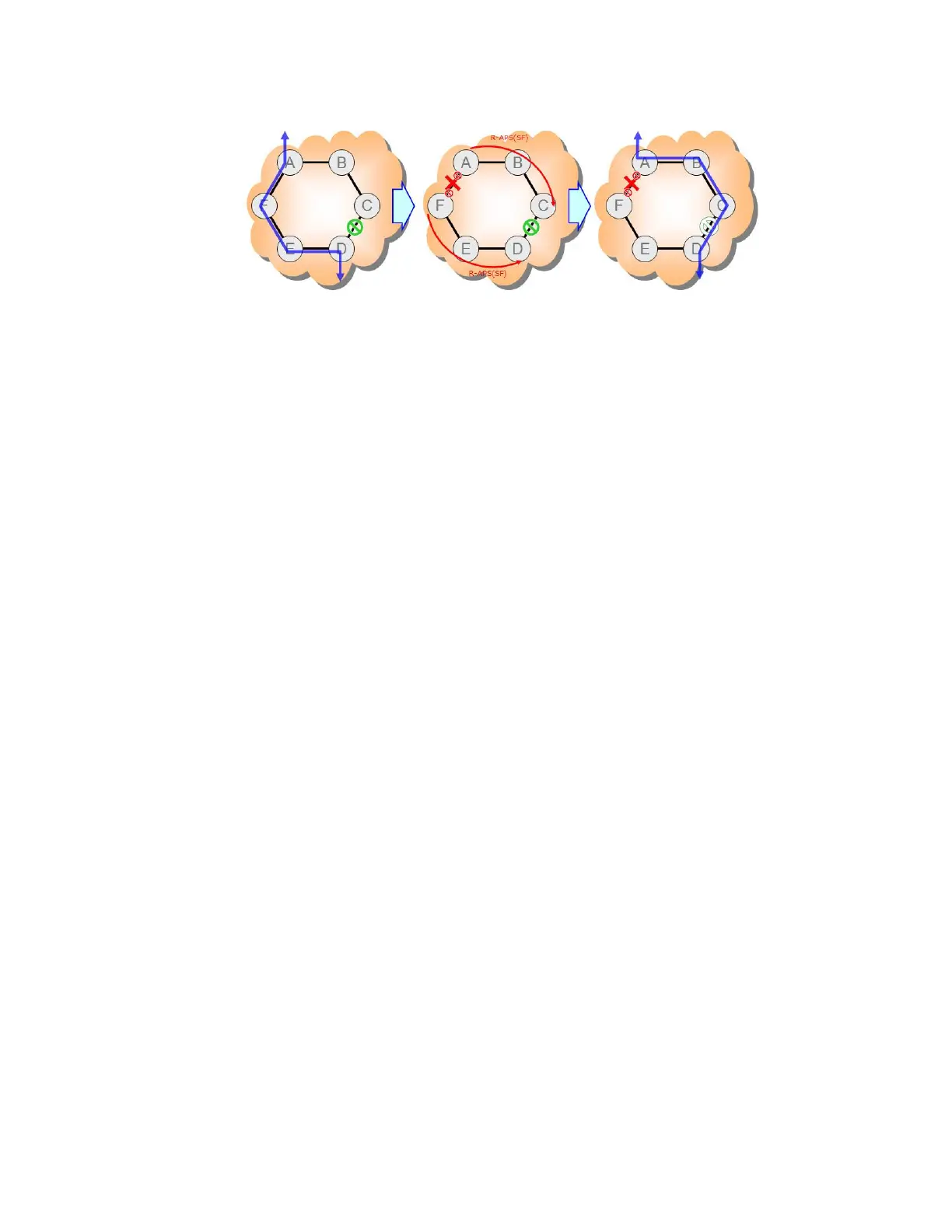
Figure 12-1 Basic ERP Protection Mechanism
12.2 Supported ERP Features
Among the ERP features supported by the EtherHaul are:
Backwards compatibility to previous versions
Revertive and non-revertive behavior
Flush logic with the Node-ID and BPR (Blocked Port Reference) mechanism
Administrative commands (manual and forced switch, clear)
Ability to block RPL at both ends of the link (RPL owner and RPL neighbor)
Multiple logical ERP instances over a given physical ring
Link failure detection can be based over CCM's or Physical link down.
By default the failure detection based on link down detection.
Using CCM’s for failure detection required MEP settings 300Hz (every 3.3 ms) for
sub 50ms switchover.
12.3 ERP Ring Commands
To set a ring, use the following command:
CLI>set ring
set ring <ring-index-list> [ring-id <value>] [type <value>] [fdb-
id <value>] [role <value>] [cw-port <value>] [acw-port <value>]
[raps-md-level <value>] [raps-svid <value>][raps-cvid <value>]
[version <value>] [revertive <value>] [hold-off-timer <value>]
[guard-timer <value>] [wtb-timer <value>] [wtr-timer <value>]
[action <value>]
<ring-index-list> : <list 1..16>
To display ring statistics, use the following command:
CLI>show ring all statistics
ring 1 raps-tx : 1443 <--- ACW-RPL (owner) originate RAPS
ring 1 raps-rx : 1443 <----------- Received RAPS



 To Next Page