EtherHaul Operation, Administration and Maintenance Manual
Page 54
The ARP table is used to map between IP addresses and physical addresses. You can
map specific IP address to specific MAC address and create or modify entries in the ARP
table.
7.4 Users Administration
7.4.1 Users
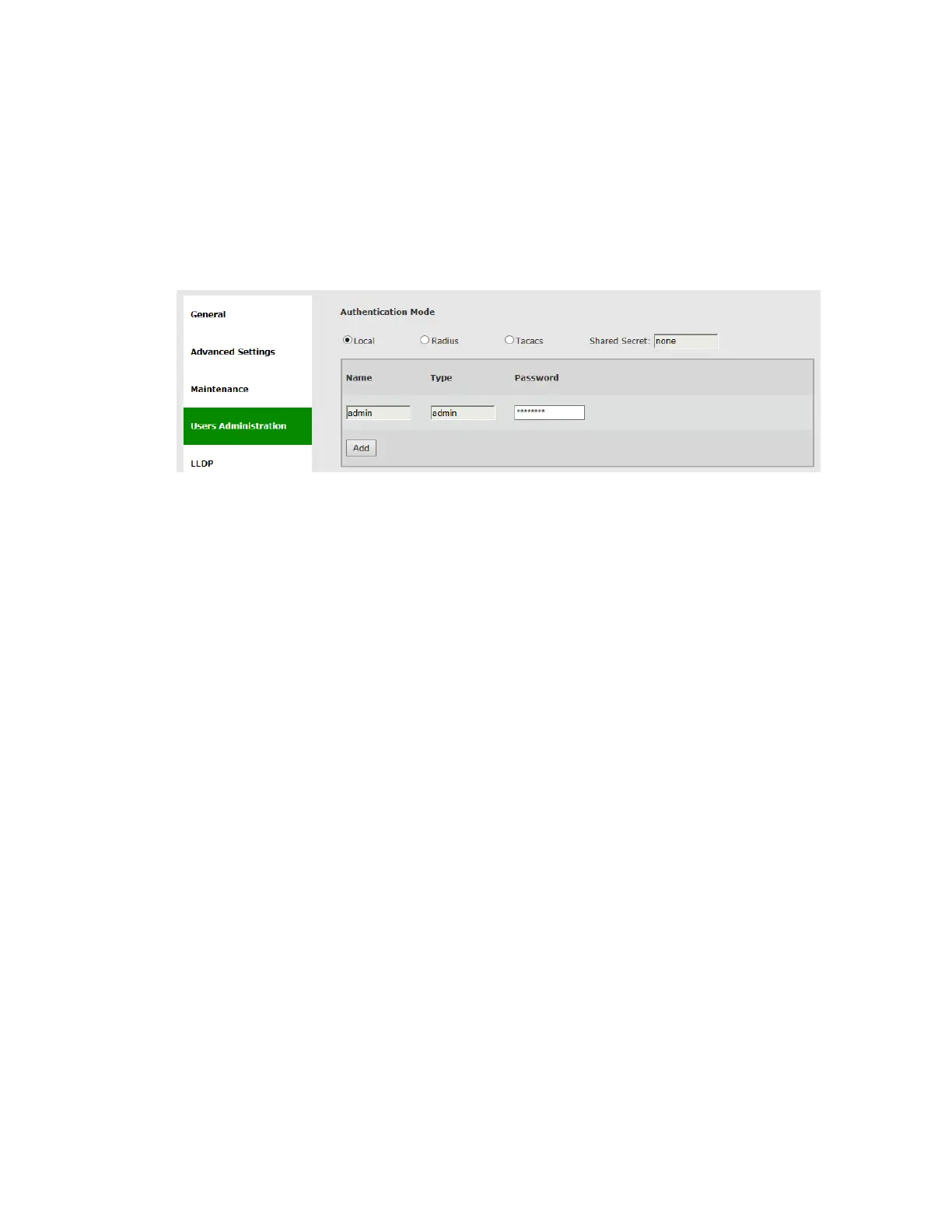
Figure 7-10 Network Page: Users Administration – Local Authentication
Internal user management and external Radius or TACACS server are supported.
The Users administration page will be updated based on the selected Authentication
Mode.
For internal user management (standard user/passwords that are configured in the
device), select Local as the Authentication Mode.
The EtherHaul supports 4 types of users that can be defined locally:
User – Read-only access. Cannot view user names, passwords, and other
security settings.
Tech – Read-only access for all configuration settings. Can clear statistics,
alarms, and log lists, and run diagnostics.
Super – Read-write access for all configuration settings but user names,
passwords, and other security settings.
Admin – Full read-write.
A single default admin user is defined with user name admin and password admin.
Up to 32 different users can be defined with the different typed. Note that only one
admin type user can be defined and the user name admin cannot be changed (only the
password can be changed).
For Radius or TACACS AAA configuration, refer to the TACACS+/RADIUS Users
Administration section under System Administration chapter of this manual.



 To Next Page