EtherHaul Operation, Administration and Maintenance Manual
Page 64
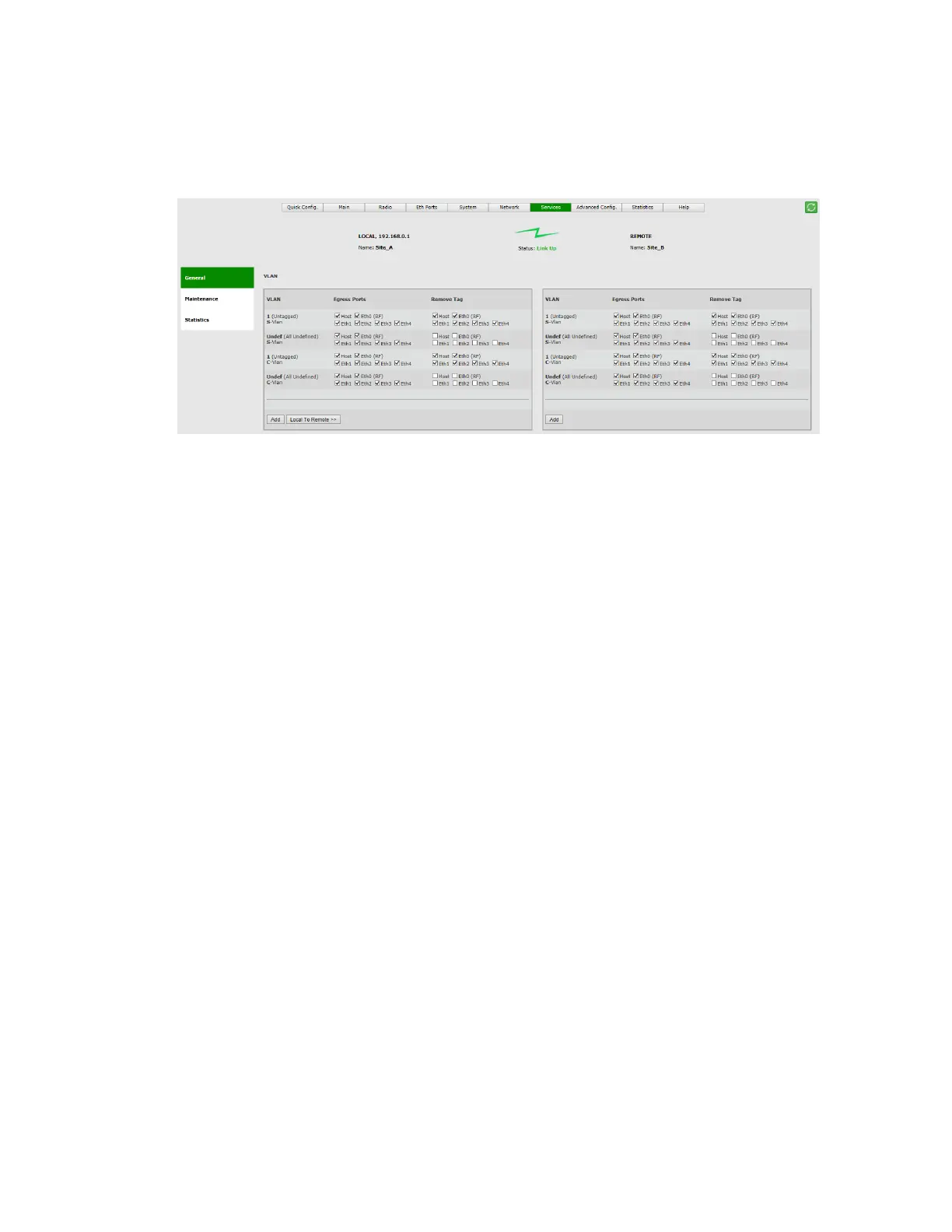
Egress Ports: On what ports the VLAN ID is transmitted.
Remove Tag: If a port is checked, the VLAN ID is removed (untagged) on egress
(when it goes out of the port).
Figure 8-4 Services Page: General - VLAN
The default configuration above displays the VLAN processing:
S-VLAN 1 (Untagged): all frames with no S-VLAN are tagged internally (using
PVID) with S-VLAN ID 1 and can go out (egress) on all ports. On egress, the
added S-VLAN ID 1 is removed, providing transparent connection.
S-VLAN Undef (All Undefined): all frames with any S-VLAN (meaning, all S-VLANs)
can go out (egress) on all ports. On egress, the S-VLAN they came in with is not
removed, providing transparent connection.
C-VLAN 1 (Untagged): all frames with no C-VLAN are tagged internally (using
PVID) with S-VLAN ID 1 and can go out (egress) on all ports. On egress, the
added S-VLAN ID 1 is removed, providing transparent connection.
C-VLAN Undef (All Undefined): all frames with any C-VLAN (meaning, all C-
VLANs) are tagged internally (using PVID) with S-VLAN ID 1 and can go out
(egress) on all ports. On egress, the added S-VLAN ID 1 is removed, providing
transparent connection for all C-VLANs.
To add a vlan:
Click Add and configure the VLAN you wish to add.
When adding a C-VLAN, the port Network Type would change to customer-uni to
allow C-VLAN configuration.
When adding an S-VLAN, the port Network Type will not change and will remain
provider-uni.



 To Next Page