EtherHaul Operation, Administration and Maintenance Manual
Page 146
Loopbacks can be applied with a timeout (up to 24 hours). When timeout expires, the
loopback will be removed.
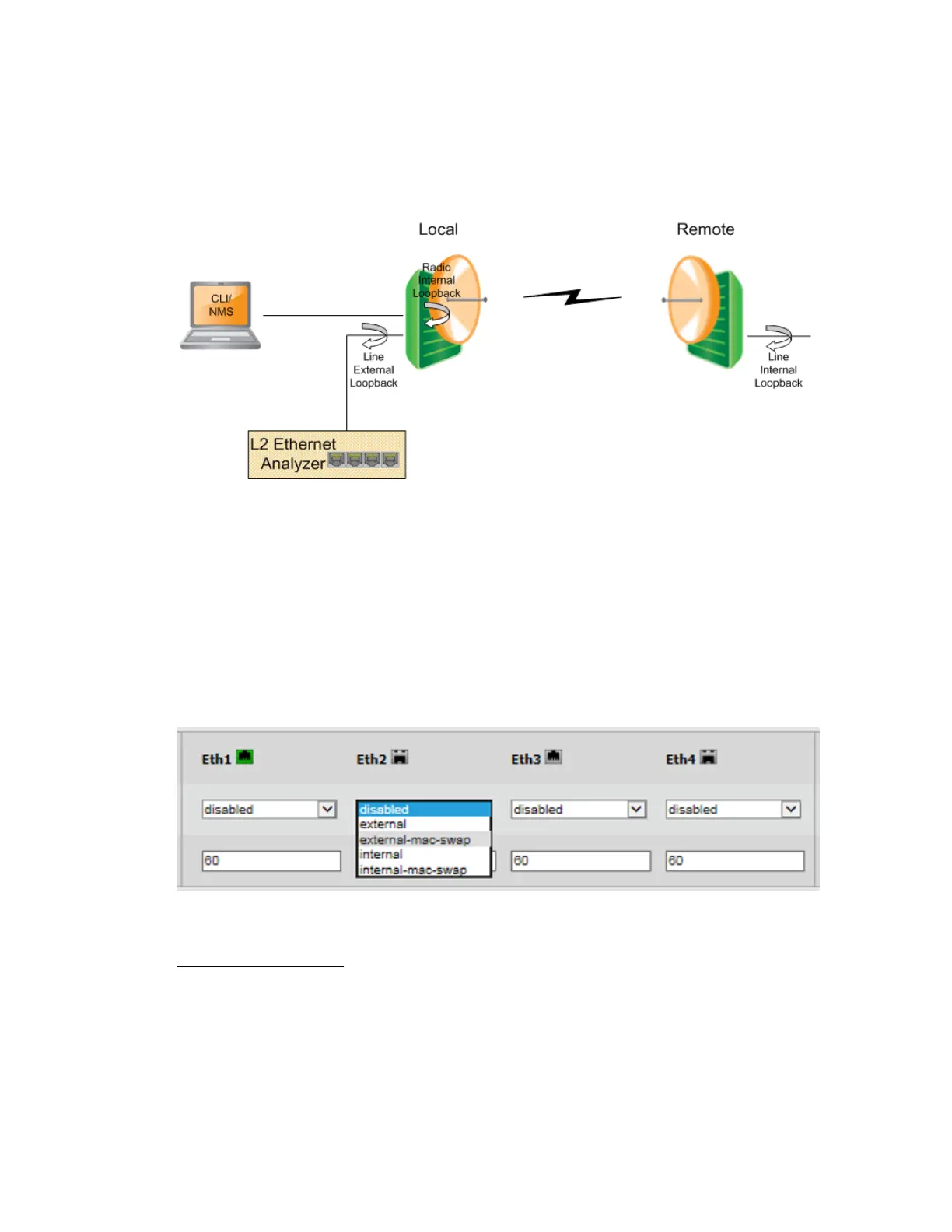
15.5.1 Loopbacks Diagram
Figure 15-1 System Loopback Points
15.5.2 Ethernet Line Loopbacks
The loopback can be applied separately for each one of the interfaces (Eth1 to Eth4) and
can be set with or without MAC Address swapping.
Set the loopback mode for the desired Ethernet port and set the loopback-timeout in
seconds (up to 24 hours, 0= no timeout).
Ethernet loopbacks can be set in the Maintenance section of the Eth Ports page.
Figure 15-2 Ethernet Line Loopback
External Line Loopback
The Ethernet traffic from the customer’s end-equipment or Ethernet analyzer is looped
on the Ethernet interface. It enables testing the connection (cable/fiber) and the
interface between end-equipment and the local system.
When testing a link from one side (local), apply an external line loopback should be
applied on the local unit.



 To Next Page