EtherHaul Operation, Administration and Maintenance Manual
Page 66
8.3.2 Port Network Type Configuration
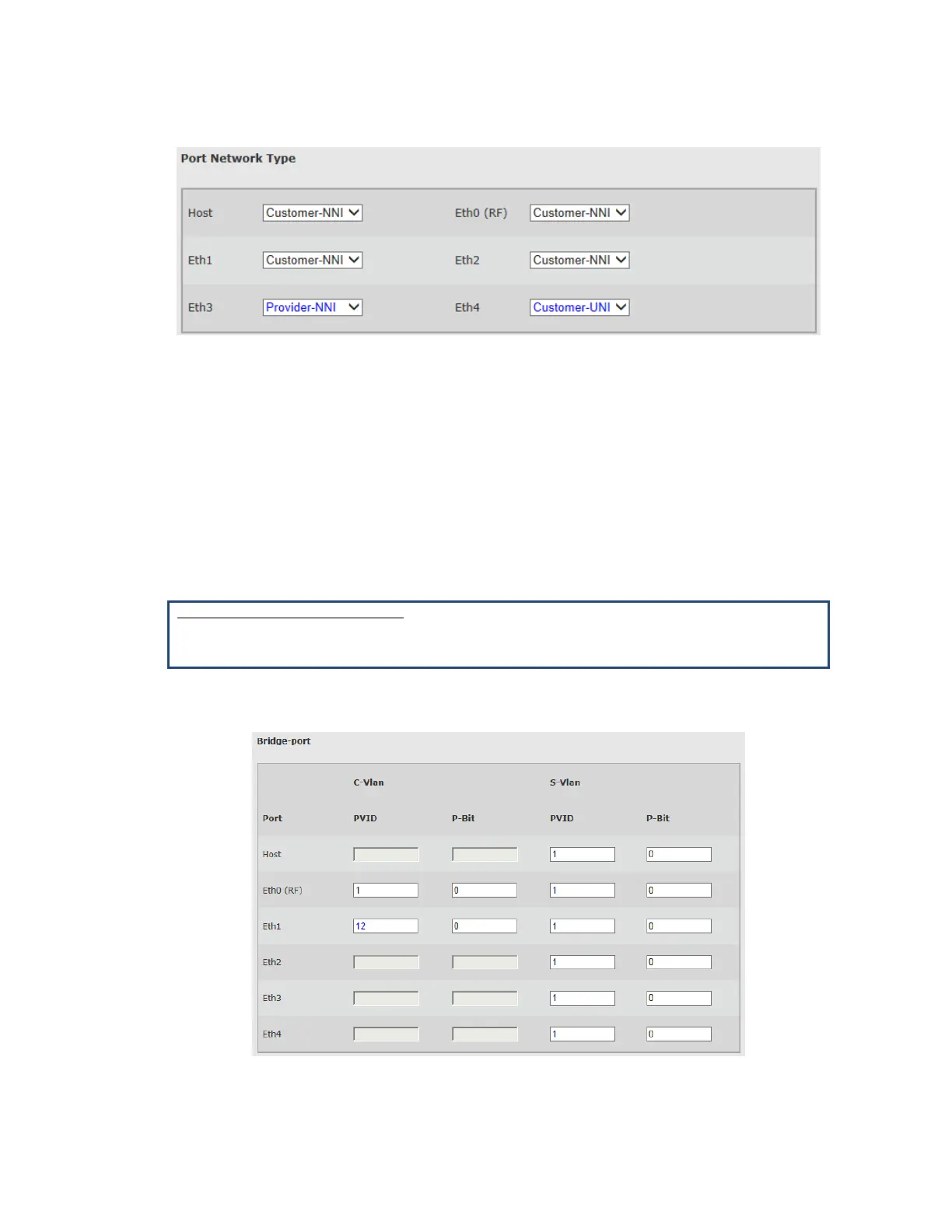
Figure 8-6 Services Page: General – Port Network Type
The default port Network Type is Customer-NNI (for EH-1200F/FX and EH-600T
systems).
You can change the Network Type manually or all the system to configure it
automatically using the VLAN configuration.
In addition, the system has built-in scripts to change the Network Type between
Customer NNI and Customer UNI. Refer to the Scripts section under the System
chapter of this manual for details.
CLI
Setting port network type:
set eth <eth> [network-type <value>]
<eth> : host | eth0 | eth1 | eth2 | eth3 | eth4
<network-type value> : provider-nni | customer-uni | customer-nni
8.3.3 Bridge Port (PVID) Configuration
Figure 8-7 Services Page: General – Bridge Port



 To Next Page