EtherHaul Operation, Administration and Maintenance Manual
Page 39
6.3 Maintenance
6.3.1 File Transfer
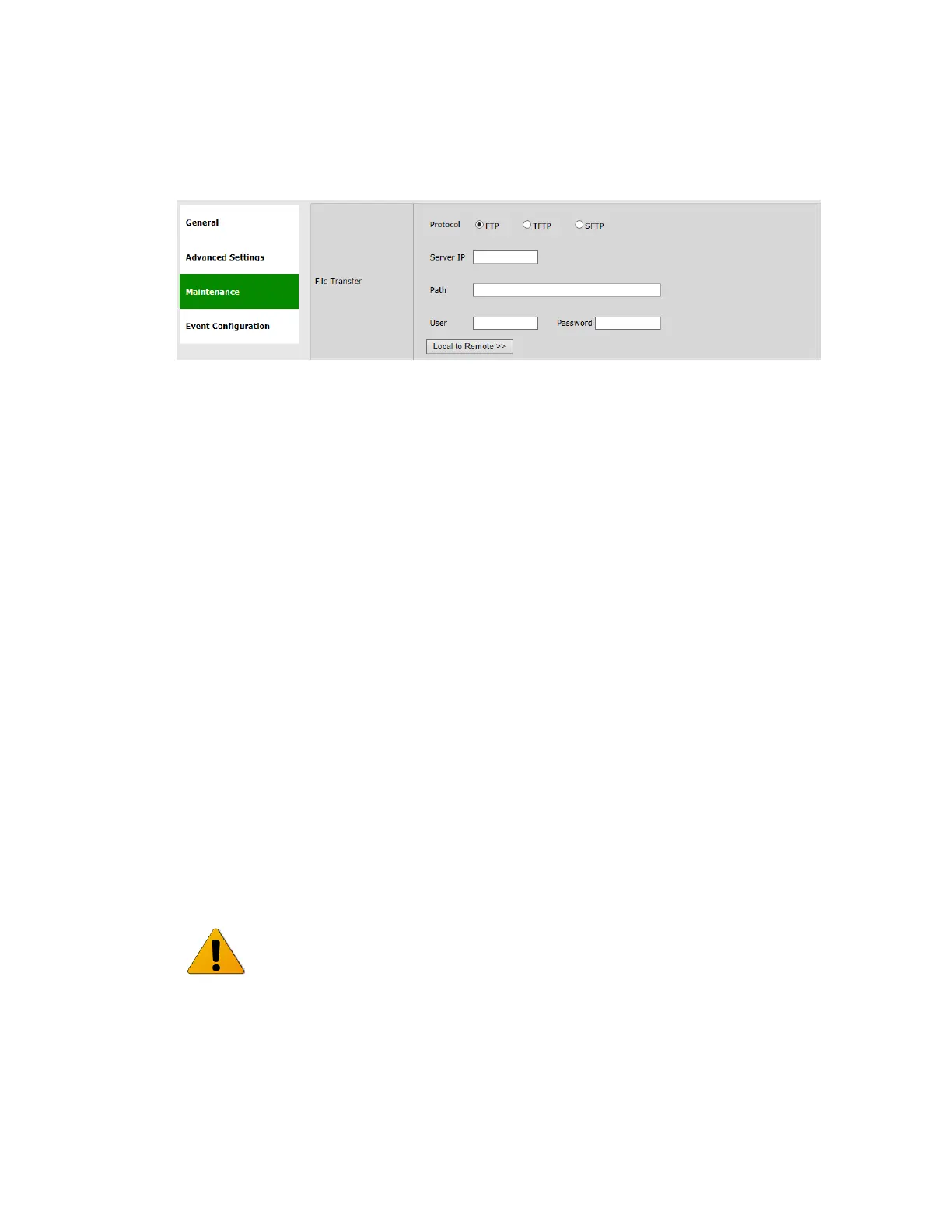
Figure 6-3 System Page: Maintenance – File Transfer
The administration of the file system is controlled by the File Transfer session. It
includes the configuration files, SW version, licenses, scripts, inventory and more.
An external FTP, TFTP or SFTP server is required for file transfer.
In order to transfer files, FTP/TFTP/SFTP server must be running and the file transfer
attributes must be configured.
This section allows configuring the following parameters:
Protocol – FTP, TFTP or SFTP.
Server IP – the IP address of the server where the FTP/TFTP/SFTP server is
running on.
Path – the path of the stored file (or target destination) relative to the directory
used for file transfers as configured in the server. If left blank, file transfer will
be from/to the server's Root (or Home) directory.
User – user name, as defined in the server. Leave blank if anonymous user
defined.
Password – password, as defined in the server. Leave blank if anonymous user
defined.
When using FTP, make sure that the FTP service is free and not blocked by
Firewall/Antivirus or occupied by other software or services.
If you run into problems using FTP license upgrade, try using TFTP (often not blocked
or used by other software services).



 To Next Page