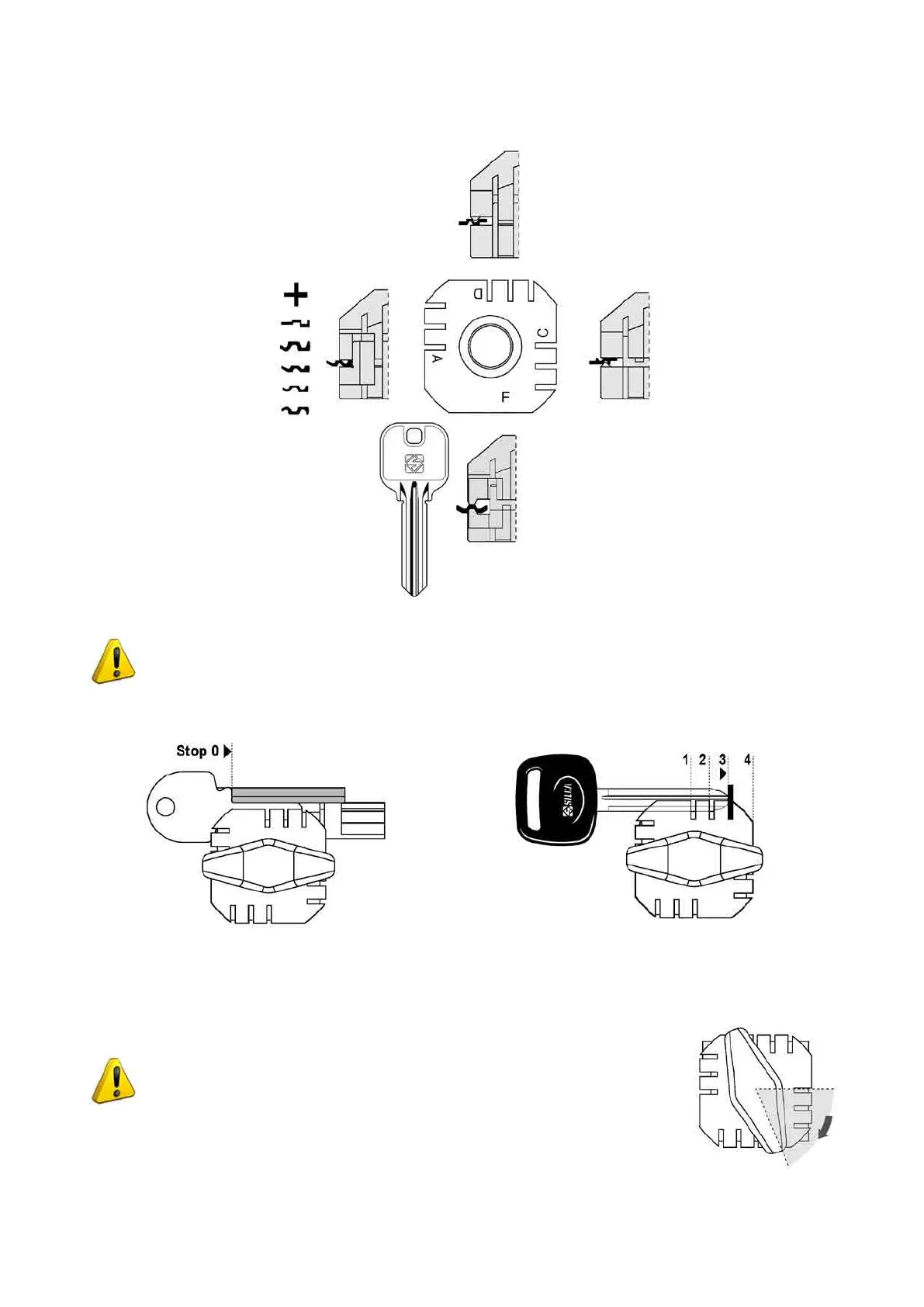
CLAMP UC199 JAPAN
Fig. 18
ATTENTION: the position of the clamps (CUTTING and READING) cannot be inverted.
KEY STOP POSITIONS
Fig. 19 - Keys with Stop 0 Fig. 20 - Keys with tip stop
• Totkeyswithtipstopsintotheclamps,usethebarprovidedinsertedintothespecialgrooves(Fig.20),or
up against the right-hand side of the clamp.
ATTENTION: when closing the clamp, do not apply excessive pressure to
the knob. Turning the knob approximately 70° (equal to a force of 3Nxm)
issufcienttosecurethekey(Fig.21).
Fig. 21
Operating Manual UC199
Copyright Silca 2012
17



 To Next Page