MV-32/64 Multiviewer www.snellgroup.com Operation
Issue 1 Rev 11 Page 50 © 2014 Snell Limited
4.11.11.1 Router IP Connection Setup
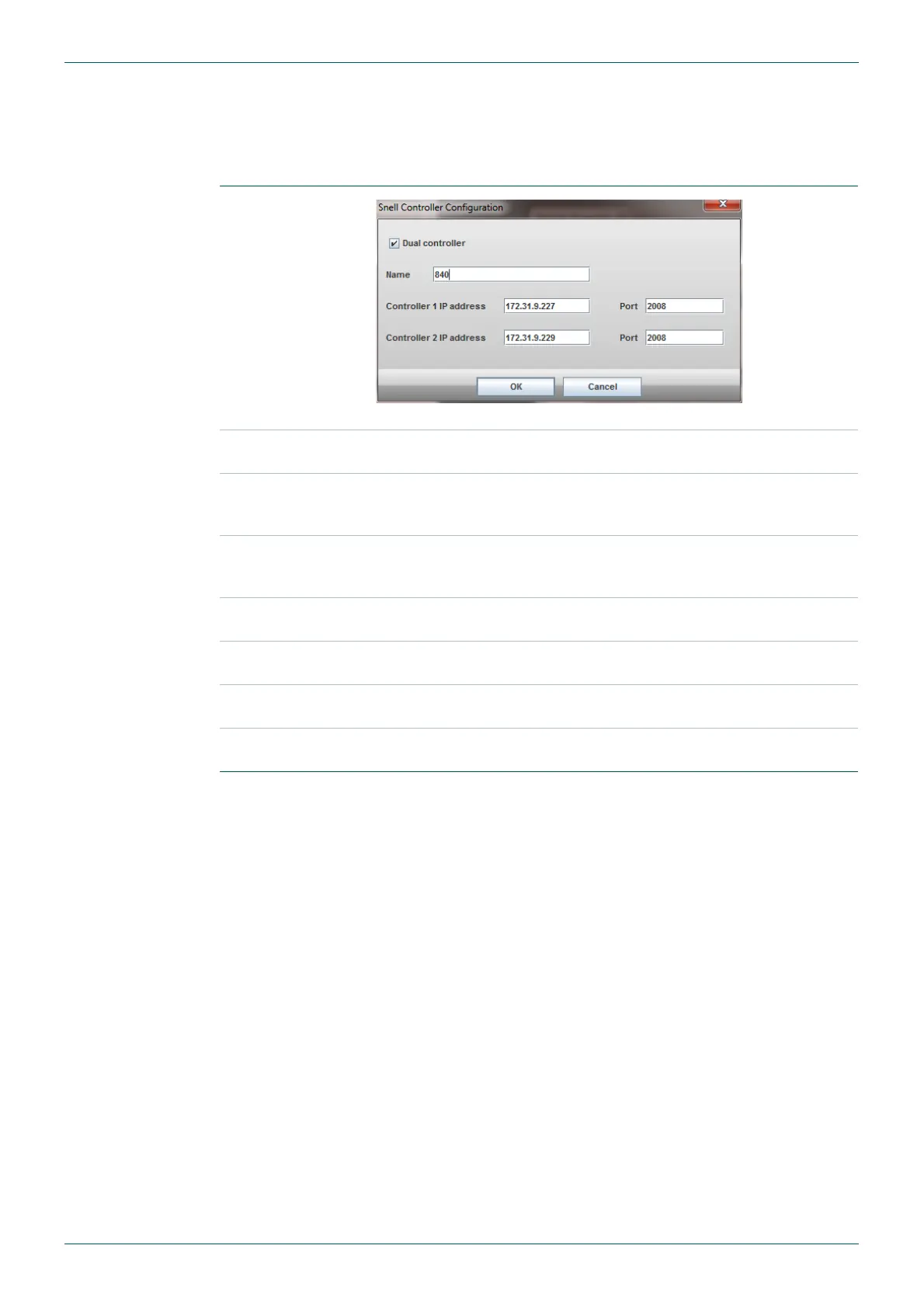
To set up a new Snell controller over IP, click the New button. To edit an existing network
connection highlight the connection in the list box and click on the Edit button. In both case
the settings window will be displayed:
New or Edit button
Fig 38. Snell Router IP Connection Settings.
Delete button
To delete a controller select the controller to be deleted from the List
box (Fig 37.) and click on the Delete button.
Dual Controller
Tick this box if there is a main and backup router controller available
in the router. This will allow the IP addresses of both controllers to be
entered.
Name
Enter a suitable name for the router. This will be the name used in the
list of controllers that can be chosen when setting up the router table
(Table 27.).
Controller 1 IP
address
Enter the IP address of the main router controller in a dual controller
system or just the single controller if only one is present.
Controller 1 Port
Enter the TCP port of the main router controller in a dual controller
system or just the single controller if only one is present.
Controller 2 IP
address
Dual Controller Systems only:
Enter the IP address of the backup router controller (if applicable).
Controller 2 Port
Dual Controller Systems only:
Enter the TCP port of the backup router controller (if applicable).
Table 26. Setting or Editing Router IP Connection Details.



 To Next Page