MV-32/64 Multiviewer www.snellgroup.com Operation
Issue 1 Rev 11 Page 75 © 2014 Snell Limited
4.16.5.11 Clock Properties Tab (Clock object)
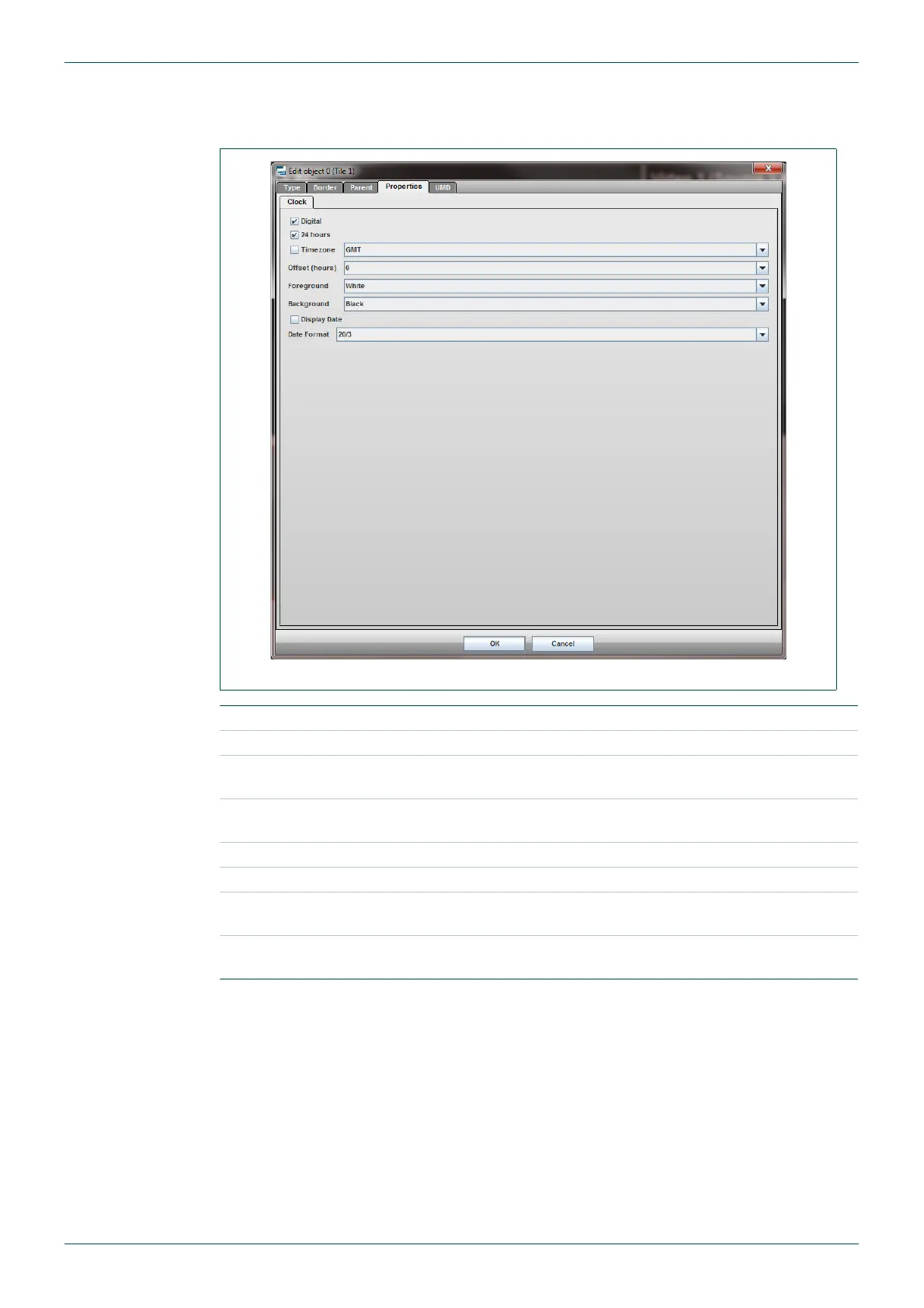
This tab only exists in tiles that are of Clock type.
Fig 61. Edit Object - Properties - Clock Tab.
Digital Tick for digital clock type, un check for analog type.
24 hours Tick for 24 hour clock (applicable to digital clock type only).
Timezone
Tick to set the clock time to GMT, or within the range of GMT -1 to
GMT +12.
Offset (hours)
Applies offset from -12 to +12 hours (works in combination with
Timezone setting, if ticked).
Foreground Set the clock color (digital clock only).
Background Set the clock background color (digital clock only).
Display Date
Check to display today's date as well (applicable to digital clock type
only)
Date Format
Sets the format of the date when displayed (applicable to digital clock
type only)
Table 44. Edit Object - Properties - Clock Tab.



 To Next Page