5
2019 Stenograph, L.L.C. All Rights Reserved.
5
Luminex Users Guide
Chapter 2 Hardware
Chapter 2, Hardware, provides information about the hardware components of your Luminex. This
includes details on battery charging and use; communication ports and setup; function touch sensors
for accessing menus; touch screen, status LCD icons; adjusting the Tilting screen; resetting the
writing machine; and assembling and attaching the tripod.
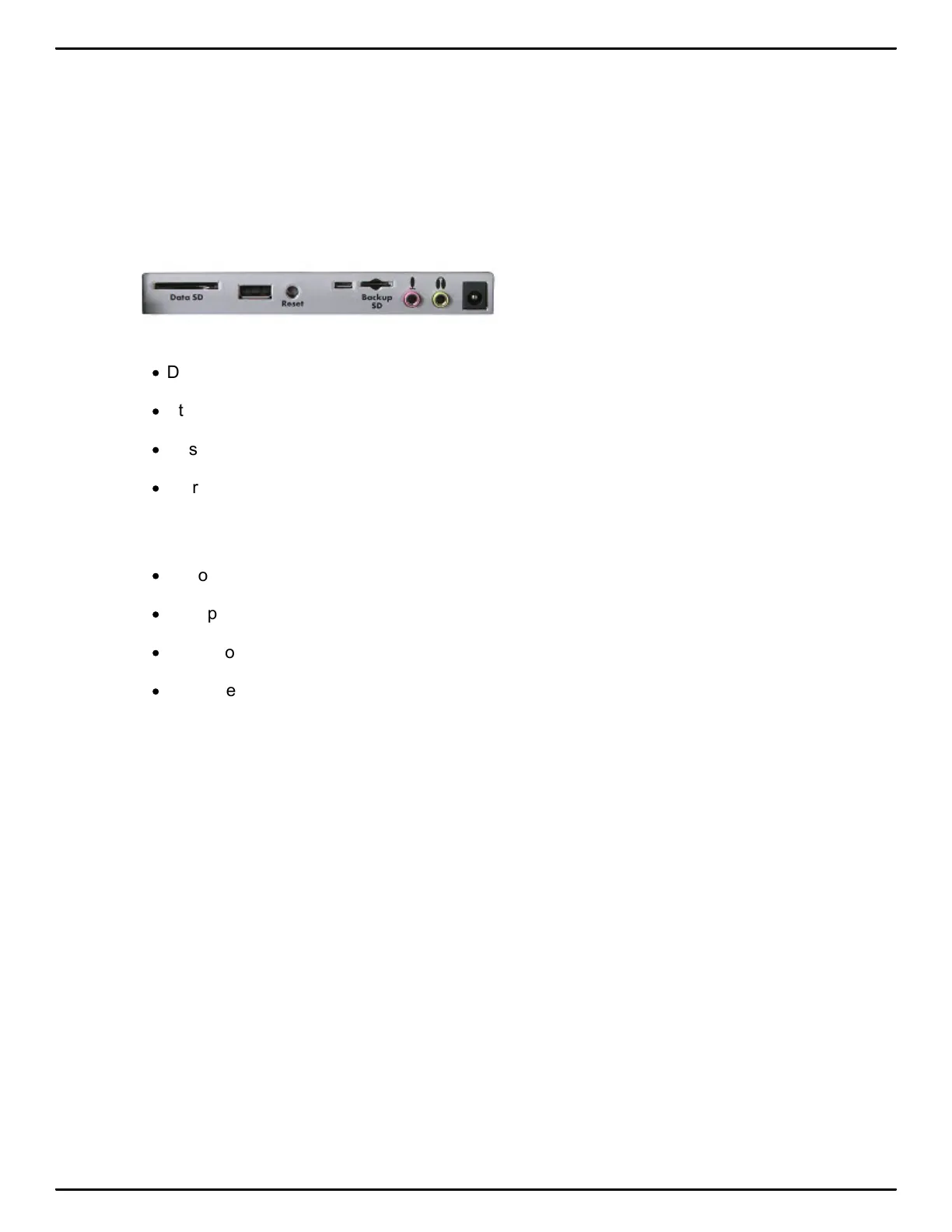
Luminex Ports
·
Data SD port holds your SD Data Card.
·
Standard USB port is designed for a thumb drive for copying files.
·
Reset button reboots your Luminex.
·
Micro USB port holds the micro end of your USB cable for USB communication between writer
and computer and/or as a virtual serial connection to CAT systems that do not support
Stenograph’s USB communications protocol.
·
Micro Backup SD port holds your micro Backup SD card.
·
Microphone jack when recording audio.
·
Headphone jack for monitoring live audio and/or audio playback.
·
Power receptacle for charging the Luminex.



 To Next Page