11
2019 Stenograph, L.L.C. All Rights Reserved.
11
Luminex Users Guide
Chapter 2 Hardware
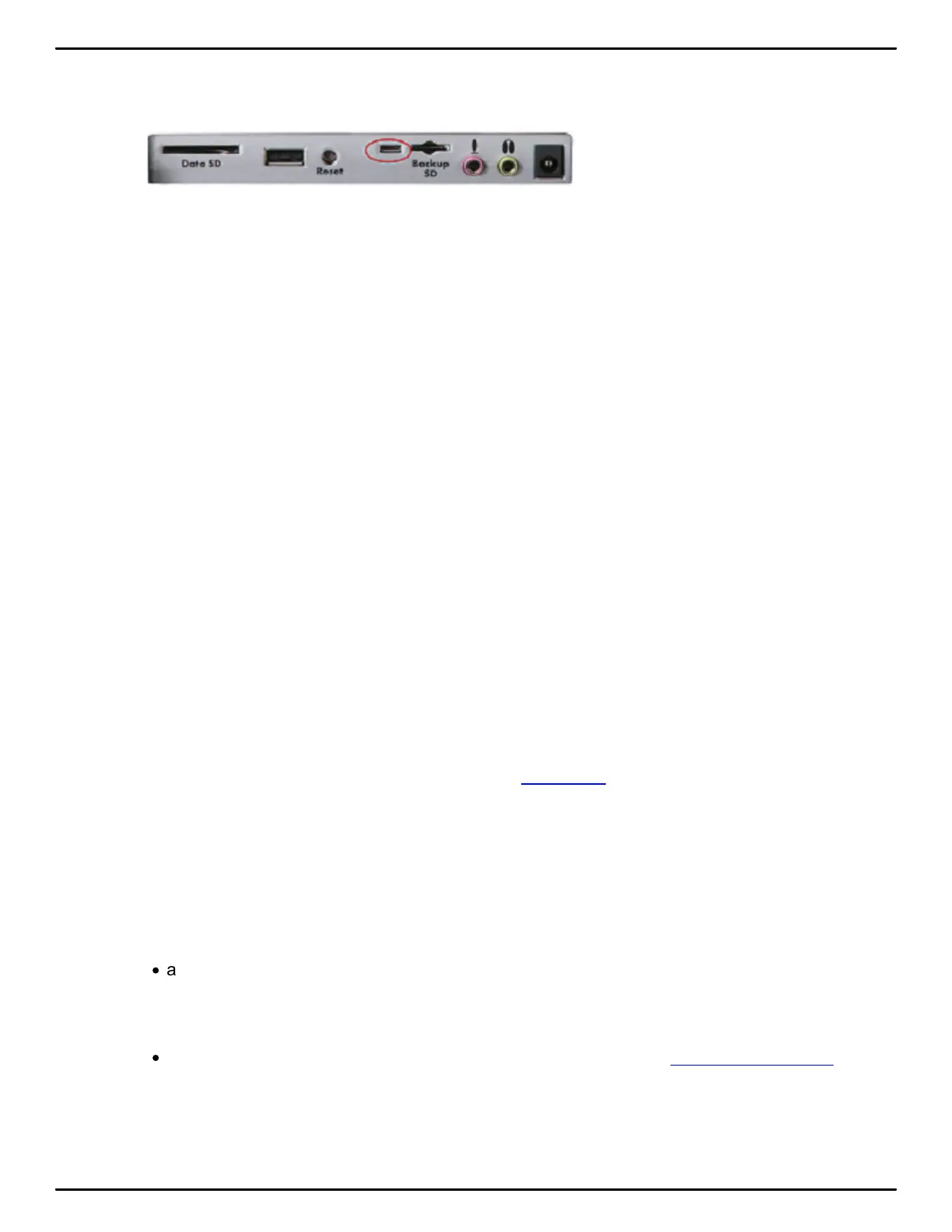
4. Plug the USB cable into your computer’s USB port and the micro end of the USB cable into the
Luminex USB port.
Lum inex Back Port Panel
5. Navigate to the location where you installed the Stenograph Utility files. At the Writer Utilities main
menu, click the Install USB Drivers button and the drivers will begin to install.
6. Once the drivers install, the Stenograph Writer Drivers Setup Complete dialog box displays. Touch
Enter (Finish) to close the wizard.
Powering with the USB Cable
When the Luminex is connected to your computer for realtime via the micro USB cable, the main
battery continues to power the writing machine. In most situations, the USB port can power the
Luminex and may charge the battery when the main battery is not fully charged.
When the main battery becomes low while using the micro USB connection, low battery messages
display on the Luminex, but all features continue to operate. The USB port provides power to run all
the Luminex components except Bluetooth communications. When powered by the micro USB port,
the Luminex tilting screen displays at about half of the Backlight brightness setting.
To use the micro USB cable, you must install the Luminex USB driver on your computer.
Updating with the USB Cable
Software updates for your Luminex, when available, can be easily downloaded from the Stenograph
web site. Once downloaded onto your computer, you can load the software update onto your Luminex
over a USB cable. To update Luminex software, see Appendix A more information about updating the
Luminex.
Connect for realtime writing
To connect your Luminex to your computer for realtime writing, you must have one of the
following:
·
a USB cable connection which requires using a micro USB compatible CAT software, such as
Case CATalyst V4.096 or higher. A micro USB cable is included with your Luminex. Check with
your CAT software vendor for compatibility information.
·
a virtual serial port connection via the micro USB cable. The virtual serial port connection is
compatible with any CAT software that accepts a serial connection and Stentura protocol.



 To Next Page