10
2019 Stenograph, L.L.C. All Rights Reserved.
10
Luminex Users Guide
Chapter 2 Hardware
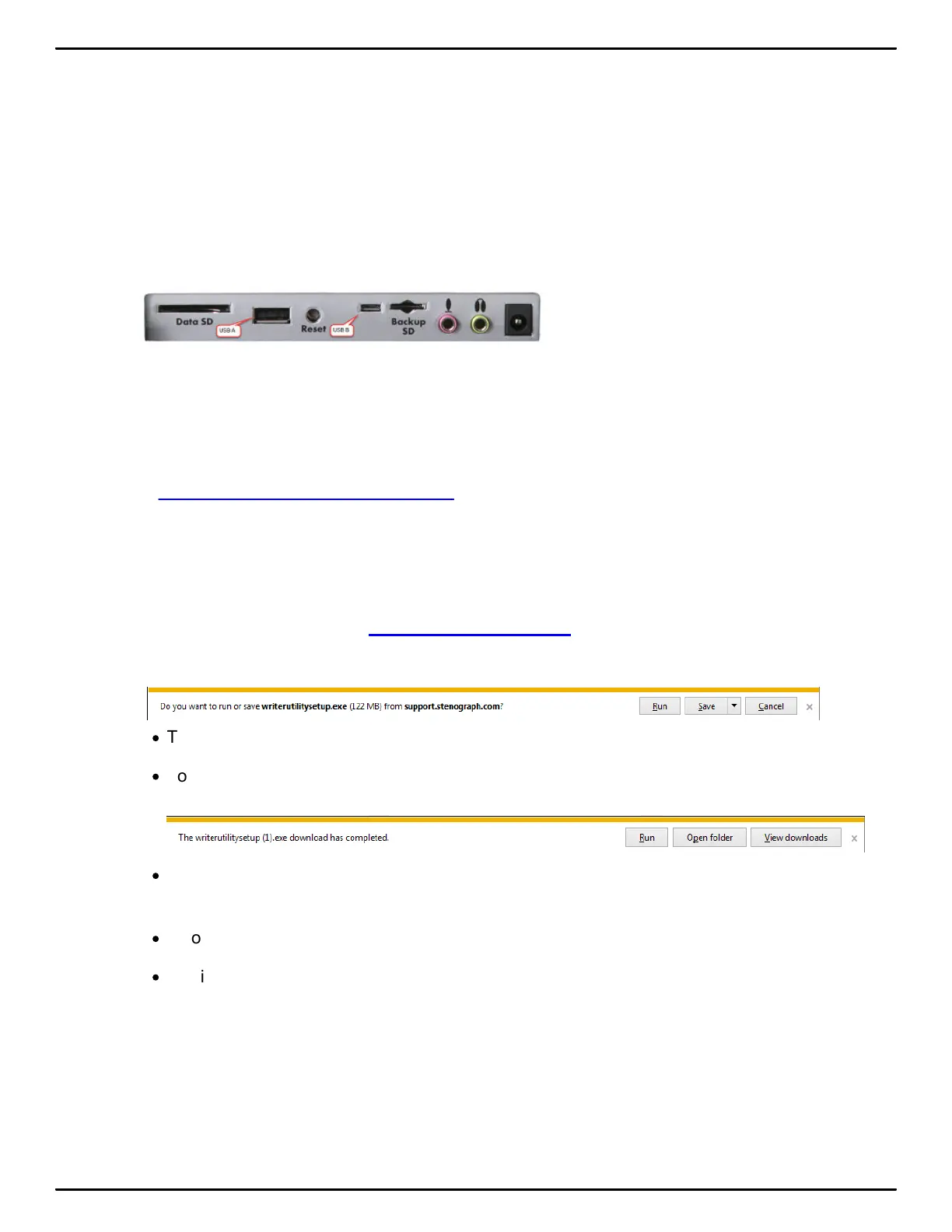
Communication Ports
There are two types of USB ports on your Luminex. The standard USB A (host) port allows you to
insert a thumb drive to copy files from the memory or from the Data SD card. The micro USB-B
(client) port provides connection access for the USB realtime cable between the writing machine and
Case CATalyst and any other CAT system that supports the Stenograph USB protocol. The micro
USB port also allows for a virtual serial connection for other CAT systems. To use the USB cable
connection, it is necessary to install the Luminex USB drivers.
Install the Luminex USB Drivers USB:
The Luminex USB driver must be installed on your computer in order to write realtime with the micro
USB cable, load dictionaries and install updates. The USB driver installation also installs the USB
driver that creates a virtual serial port. If your CAT vendor does not support a USB realtime
connection, the driver allows for serial communication between the Luminex and other CAT software.
See USB Virtual Serial Port Communication for more details.
You can use the USB Realtime and Read communications with USB compatible CAT software such
as Case CATalyst version 4.096 or higher.
Locate the Let Us Help You Get Started insert that came with your Luminex. You can easily download
the Luminex USB drivers and utilities to personalize your Luminex, convert writer files and access the
Luminex User Guide by going to stenograph.com/utilitycd. Depending on your settings, clicking
the link will automatically start the Stenograph Writer Utilities download.
1. At the Do you want to run or save writerutilitysetup.exe... prompt, select to do one of the following:
·
To run the Writer Utility Setup, select Run. The Stenograph Utility Setup screen displays.
·
To Save the setup file to your hard disk, select Save. If you selected Save, once the exe is
downloaded, do one of the following:
·
To run and install the Writer Utility setup, select Run. The Stenograph Utility Setup screen
displays.
·
To open the folder where the Writer Utility was installed, click Open folder.
·
To display the Download folder contents, click View downloads.
2. Once the writer utility program is downloaded, you can install the Luminex drivers. Turn your
computer On and make sure it is fully booted.
3. Turn your Luminex On.



 To Next Page