9
2019 Stenograph, L.L.C. All Rights Reserved.
9
Luminex Users Guide
Chapter 2 Hardware
beep. The micro USB cable plugged into a powered computer may be able to charge the battery but
may not begin charging immediately if the battery is in a very low voltage state. The battery indicator
on the title bar may reflect that it is charging, but it may not actually be charging if the battery voltage is
extremely low.
Use the Luminex Diagnostic feature to check the specific voltage level of the battery.
Battery Gauge
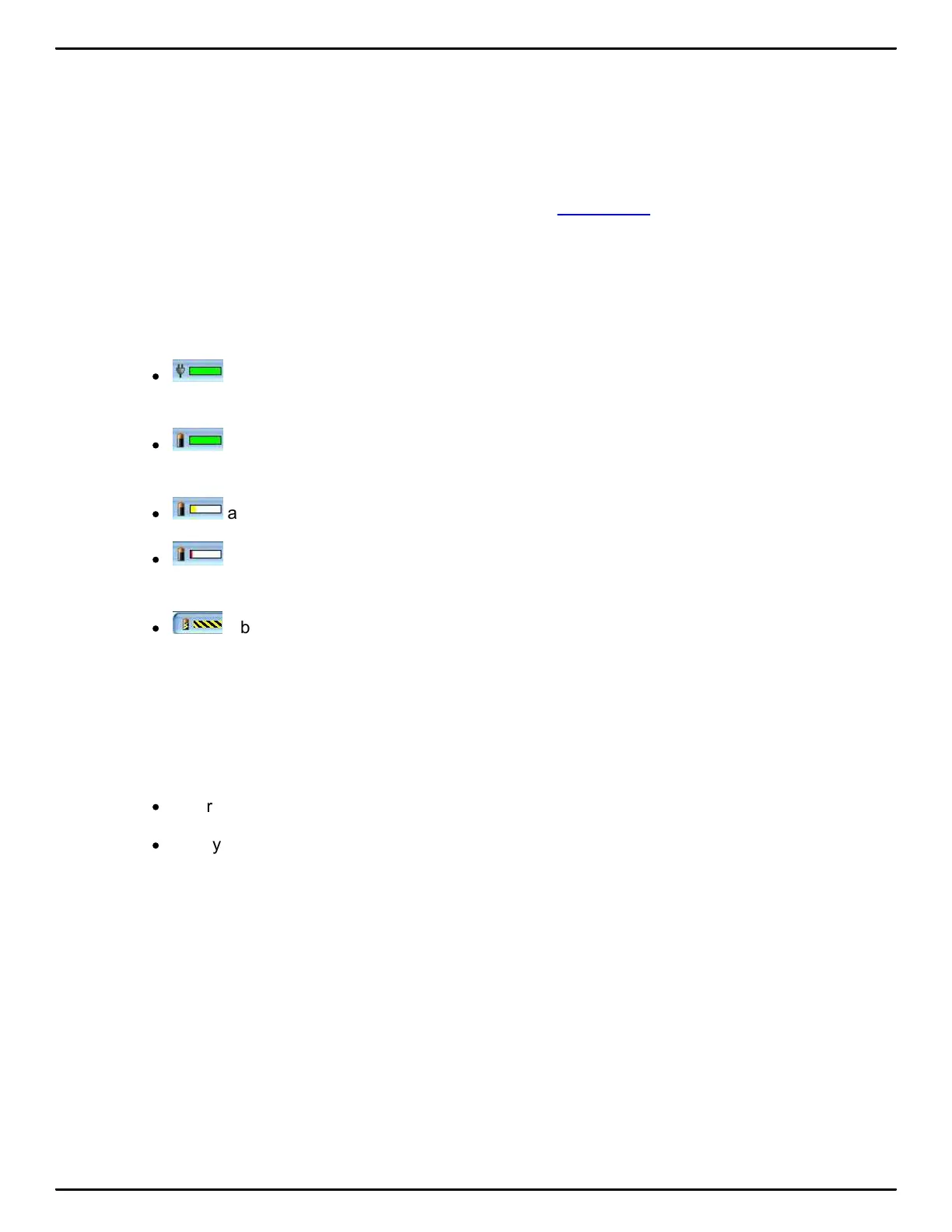
The battery gauge on the title bar of the Tilting screen provides a general indicator of the battery
voltage level. It changes appearance as the voltage level of the battery changes:
·
an electrical plug with a full green gauge indicates the Luminex is plugged into the AC
adapter/charger and the main battery is fully charged.
·
a battery with a full green gauge indicates the main battery is fully charged. As the
charge of the battery level drops, the green bar becomes smaller.
·
a battery with a partial yellow gauge indicates the battery is low.
·
a battery with a short red gauge indicates the battery is almost completely drained. The
battery icon flashes on and off.
·
a battery with black and yellow running stripes indicates the Luminex is plugged into the
AC adapter/charger and the batteries are charging.
Battery Messages
The Tilting screen displays two warning messages as the main battery level becomes low:.
·
Battery, Danger -- Battery Low.
·
Battery, Danger -- Recharge Battery Now.



 To Next Page