20
2019 Stenograph, L.L.C. All Rights Reserved.
20
Luminex Users Guide
Chapter 2 Hardware
Secure Digital (SD) Cards
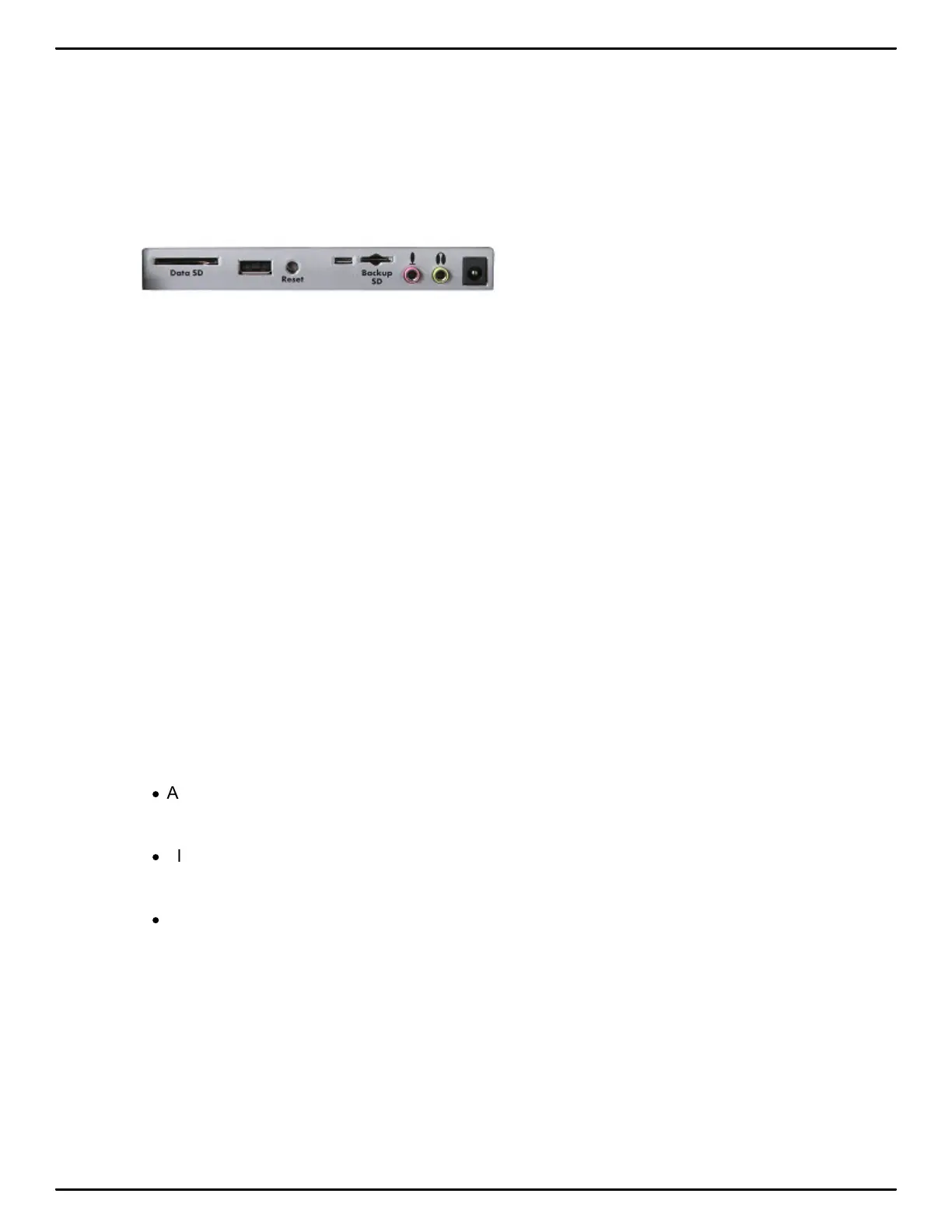
A Secure Digital (SD) card is a memory card that can hold large amounts of data. The Luminex uses
two SD cards, a Data SD card and a Backup SD card. The Data and Backup SD cards are located
on the back of the Luminex. The Backup SD card is a micro sized SD card and is recessed and must
be in the Backup SD card slot in order to use the Luminex.
The Luminex requires a minimum size of a 4 GB SDHC card for the Data SD card slot and the
Backup SD card slot. The maximum card size supported is a 32 GB SDHC card for the Data SD and
the Backup SD card slots. SDHC stands for Secure Data High Density. The Data SD card stores
steno notes, timestamps, job dictionaries and audio files. The Backup SD card serves as a backup
storage for steno notes, timestamps and audio files.
The Backup SD card must be formatted in the Luminex and properly seated in the Backup SD card
slot to operate the Luminex. When you insert an SD card into the Backup SD slot on the Luminex, you
are prompted to format the card if it has not previously been formatted in the writing machine.
The Backup SD card is designed as a backup and is not intended for archiving steno notes.
Stenograph recommends you carry at least one additional SD card in the event the Data SD card
becomes full or in a rare instance that an SD card in the Luminex becomes unusable. The Luminex is
inoperable without a Backup SD card.
Secure SD Care
The SD Card Cards Stenograph recommends are SimpleTech®, Kingston® or SanDisk® SD cards,
although any high quality SD card is acceptable.
SD cards are fast and durable yet still require basic handing care:
·
Avoid excessive heat, cold, and moisture. Although the SD card is vulnerable to static, airport
security should not damage a card.
·
Always insert your card properly. SD cards are “keyed” so that they can only be inserted in one
direction. If you cannot easily insert the card into the slot, reposition the card and try again.
·
Do not attempt to remove a card while it is in use. SD cards are fast but still require a second or
two to complete operations. Using or removing a card while the Luminex is On may corrupt
the data on the card. Stenograph strongly recommends turning Off the Luminex before
removing either a Data SD or Backup SD card.



 To Next Page