17
2019 Stenograph, L.L.C. All Rights Reserved.
17
Luminex Users Guide
Chapter 2 Hardware
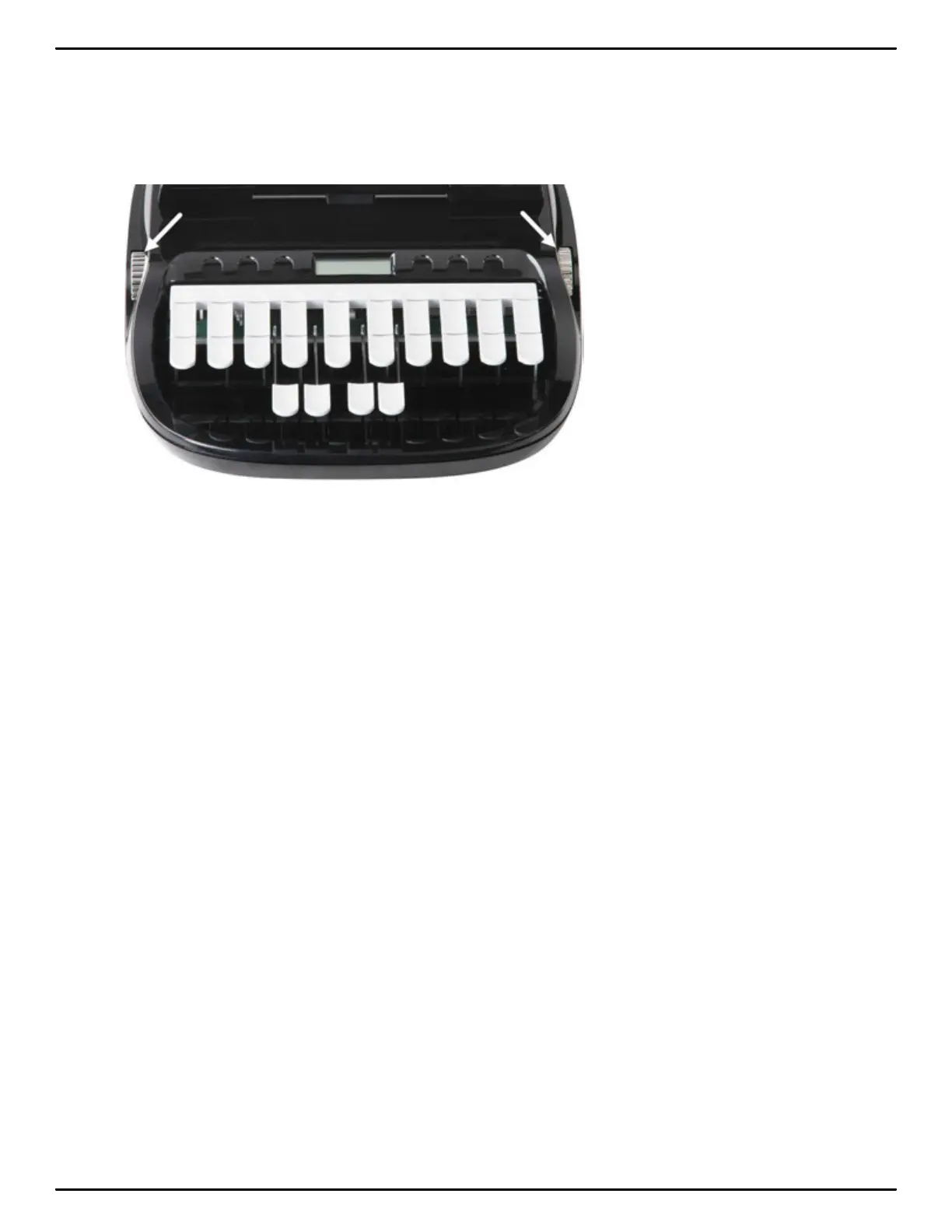
Keyboard Depth and Tension Controls
There are two thumbwheels on the Luminex, one on each side of the keyboard, that control the
keyboard depth and keyboard tension.
The depth of stroke adjustment wheel, on the left, determines the height of the number bar and all the
steno keys. This affects how far the keys go down when you press them. There are 10 available
settings to meet your needs.
The keyboard tension adjustment wheel, on the right, controls how soft or firm the keys feel. The
extensive range, between the top and bottom stopping positions on the wheel, allows you to
customize the tension to your particular writing touch. Do not force the wheel past either stopping
position.
Adjust Depth of Stroke:
To adjust the depth of stroke:
1. Face the front of the Luminex.
2. Do one of the following:
• To shorten the stroke depth, roll the left thumbwheel toward the front of the Luminex.
• To lengthen the stroke depth, roll the left thumbwheel toward the back of the Luminex.
Adjust Keyboard Tension
To adjust the keyboard tension:
1. Face the front of the Luminex.
2. Do one of the following:
• To decrease keyboard tension for a softer touch, roll the right thumbwheel toward the front of
the Luminex.



 To Next Page