12
2019 Stenograph, L.L.C. All Rights Reserved.
12
Luminex Users Guide
Chapter 2 Hardware
·
a Bluetooth wireless kit. Stenograph provides technical support for Luminex Bluetooth wireless
communication when the Bluetooth Wireless Communication kit sold by Stenograph is used.
Technical support for other wireless adapters is not supported.
·
a WiFi Network for a WiFi connection between the Luminex and Case CATalyst.
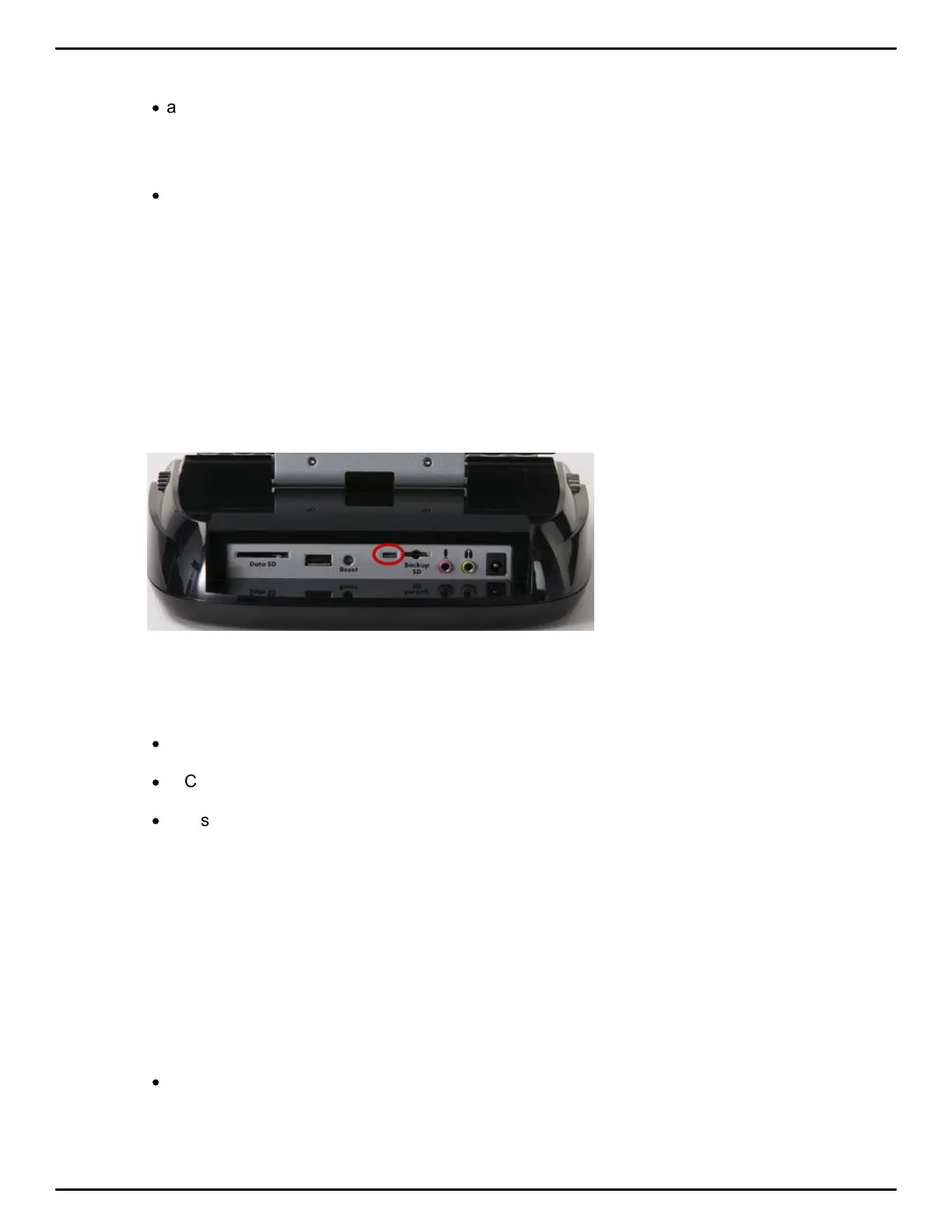
Micro USB Cable Communications
You must be using a USB compatible CAT software and have installed the Luminex USB driver on
your computer.
1. Ensure your Luminex and computer are turned On and are fully booted.
2. Each end of the USB cable has a different connection plug. Insert the micro end of the USB cable
into the USB B (client) micro port on the back of the Luminex and the other end into a USB port on
the computer.
3. Start your CAT software.
4. Set your realtime options. In Case CATalyst V16.04 and higher, select Stenograph Writer USB on
the Translate Realtime tab.
·
In Case CATalyst V10 - V16.03, select Diamante - USB or élan - USB.
·
In Case CATalyst V4.096 - V9, select élan - USB.
·
Please check with your CAT software vendor if you are not using Case CATalyst.
5. Write a few strokes on the Luminex before starting realtime. If you loaded a dictionary onto your
Luminex, the translated steno displays on the tilting screen.
The USB realtime connection allows you to disconnect and reconnect the USB cable and maintain
the realtime connection. For example, if you disconnect from the USB port to report a bench
conference and then reconnect when finished, the USB realtime connection will feed the strokes
written during the bench conference. Please check with your CAT vendor to see if this capability is
available with your CAT software if you are not using Case CATalyst.
6. When you are finished writing realtime using a USB cable, it is important that you complete the
following steps in order. This ensures your computer shuts down properly.
·
Touch End on the Luminex to close the file. If the option, Prompt to confirm ending job is active,
touch End again at the prompt.



 To Next Page