41
2019 Stenograph, L.L.C. All Rights Reserved.
41
Luminex Users Guide
Chapter 3 Writing on the Luminex
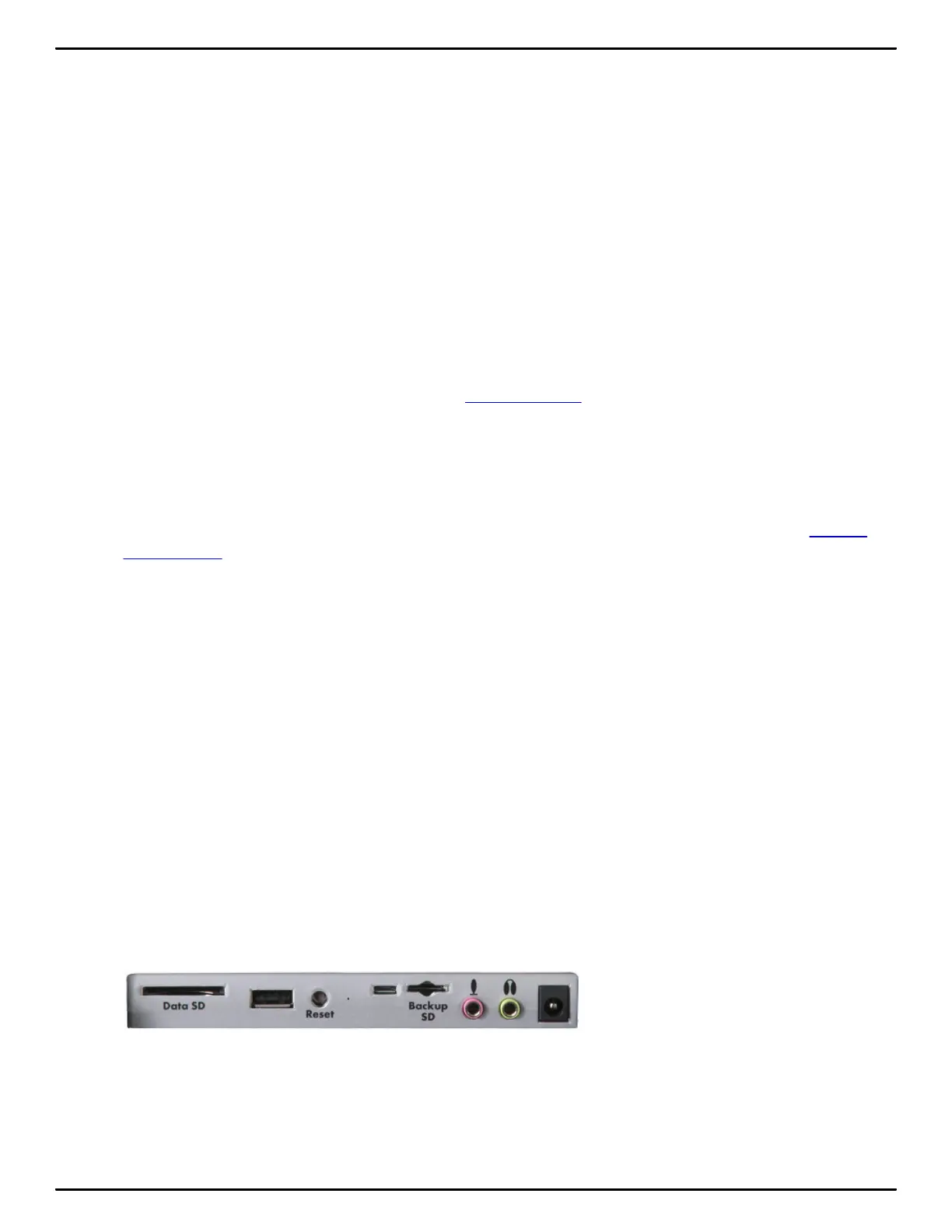
Backup SD Card
The Backup SD card stores steno notes, timestamps and audio files as a backup to the Data SD
card. In a situation where there is no main battery, not enough charge in the main battery or no AC
adapter/charger power, the Luminex uses FailSafe Mode to save the steno notes, timestamps and
audio files to the Backup SD card.
It is necessary to insert a Backup SD card into the Luminex in order to operate the writing machine. If
you remove the Backup SD card while the writing machine is On, the Luminex beeps and displays the
message: Backup SD Card Missing!!! Insert Card or Turn Off. You must reinsert the card to use the
Luminex.
The Luminex requires a minimum 4GB SDHC card. Luminex supports SDHC cards 4GB to 32 GB.
The Backup SD card must be formatted in the Luminex. When you insert an SD card into the Backup
SD slot on the Luminex, you are prompted to format the card if it has not previously been formatted in
the writing machine.
You can view files on the Backup SD card when working on the Luminex. The Backup SD card is
designed as a backup and is not intended for archiving steno notes. Once the Backup SD card is full,
the new files overwrite the oldest file or files. Stenograph recommends carrying an extra SD card.
In the rare event it is necessary to retrieve a file from the Backup SD card, you can use the Backup
Card Reader utility. The Backup SD card must be removed from the Luminex and inserted into a SD
Flash Card Reader that connects to your computer. A built-in SD card slot reader on your computer
cannot read the Backup SD card. Ensure you reinsert the Backup SD card into the Luminex when
finished. The Luminex requires that a Backup SD card is in the steno machine in order to operate.
Format the Backup Card
The Backup SD card must be formatted in the Luminex. The card is verified when inserted into the
Backup SD slot on the Luminex. You are prompted to format the card if it has not been formatted in
the writing machine. Formatting a Backup SD card erases all the files and data stored on the Backup
SD card. Confirm that all the files on the card are no longer necessary.
To format the Backup SD card:
1. Hold the Backup SD card straight without angling and gently insert it into the Backup SD slot on the
Luminex until you hear a soft click. If the card does not easily insert, do not force it. Remove the
card and reinsert it.
2. Turn the Luminex On.
3. From the Opening menu, touch Storage, Backup, SG Format. A message prompts you to
continue.



 To Next Page