19
2019 Stenograph, L.L.C. All Rights Reserved.
19
Luminex Users Guide
Chapter 2 Hardware
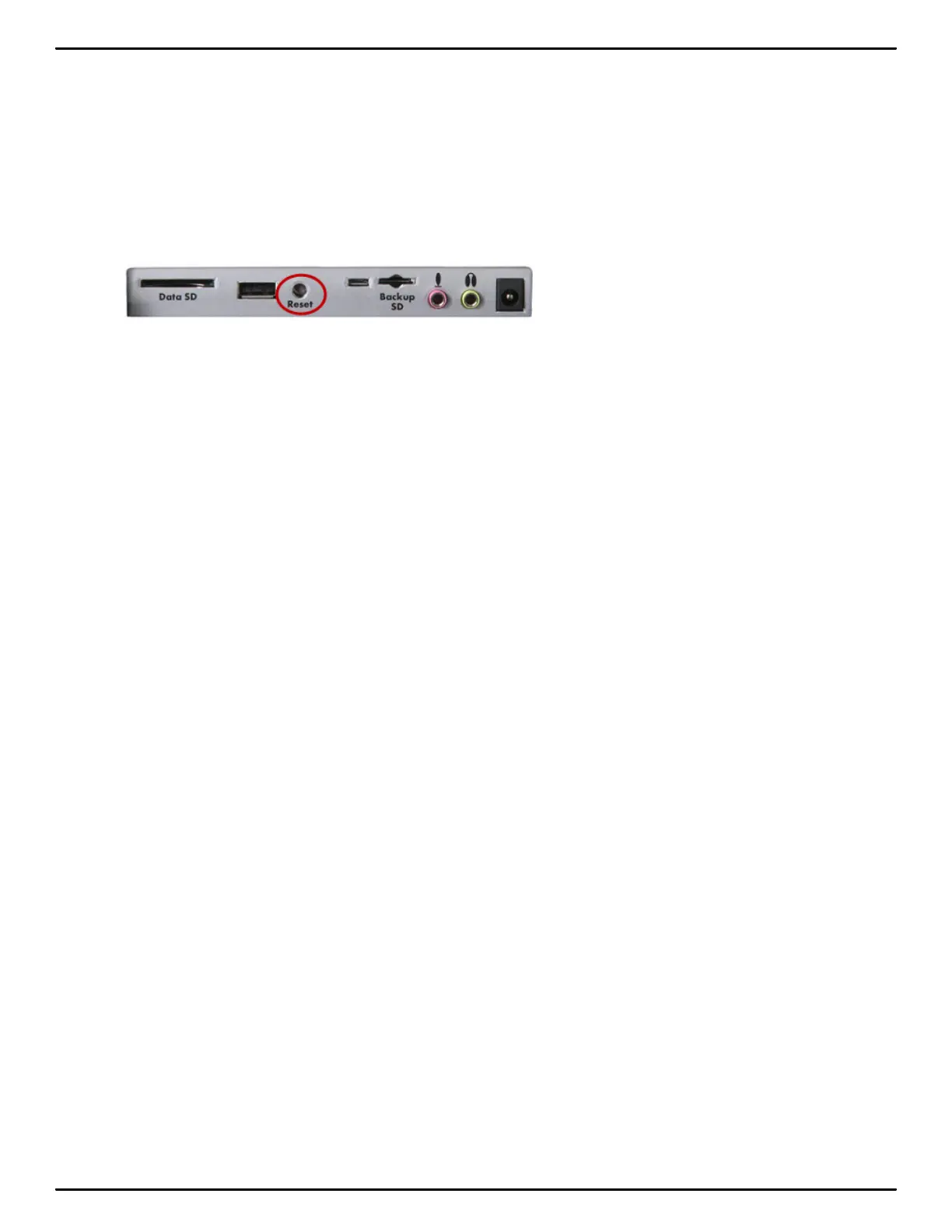
Reset
The Reset button is a small, recessed button located close to the middle of the back of the Luminex
and a little to the right of the standard size USB port. Like other computer equipment, the Luminex can
seem unresponsive when it receives a series of commands it does not recognize. If the Luminex
appears unresponsive, press the Reset button on the back of the Luminex. When you press
the Reset button, the Luminex reboots and is then ready to use.
If you had a file open before pressing Reset, the Luminex ends the job and the file closes. A message
displays about recovering the file. Once the file is open, you can start writing to append to the previous
job.



 To Next Page