70
2019 Stenograph, L.L.C. All Rights Reserved.
70
Luminex Users Guide
Chapter 3 Writing on the Luminex
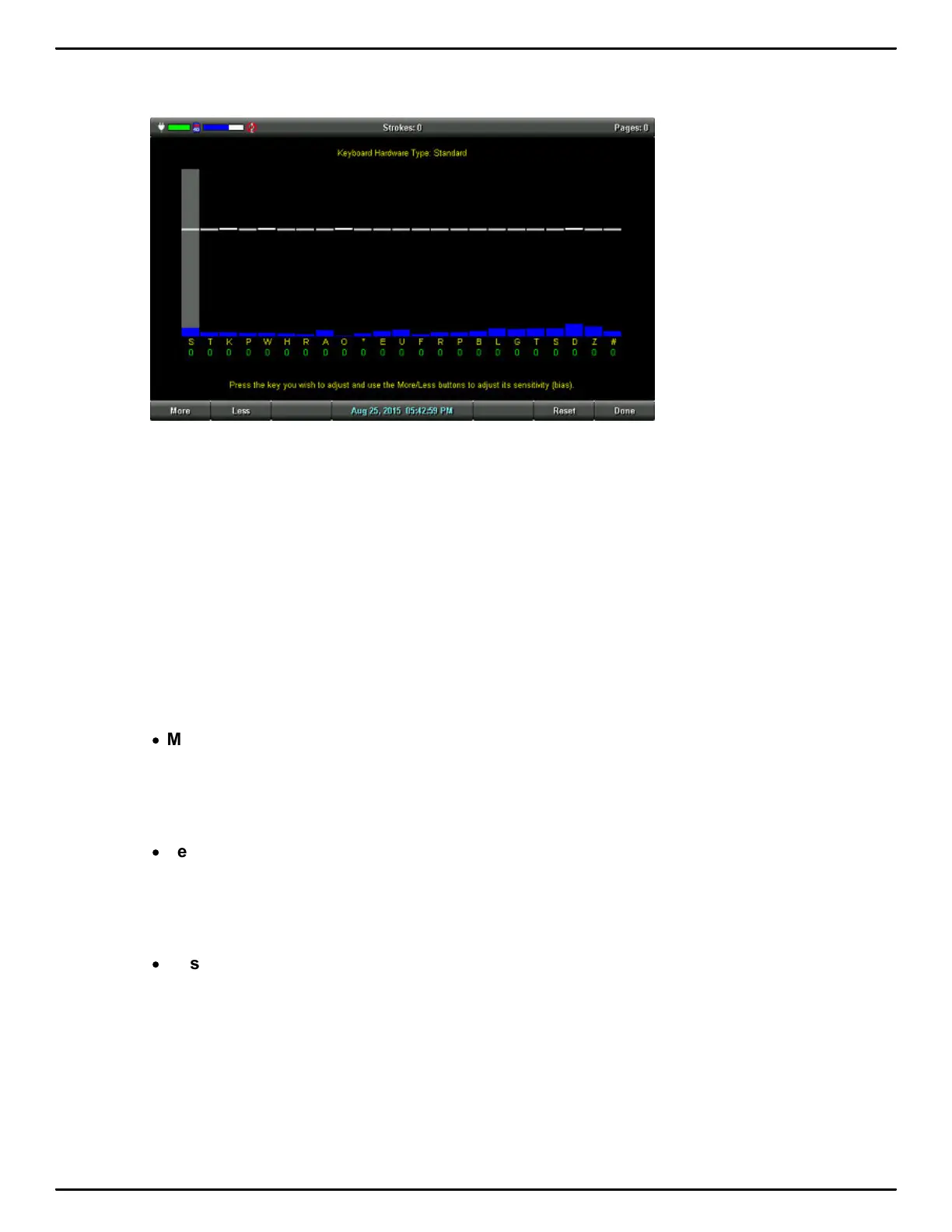
3. The Keyboard Hardware Type screen displays.
Keyboard at rest with the deepest depth of stroke setting.
The line of white bars at the top of the screen represents the bottom of the keyboard. Each
individual white bar indicates the point the key must reach or move slightly past in order to register
as a stroke. The horizontal position of the line varies depending on the depth of stroke setting. For
example, a deeper depth of stroke places the line closer to the top of the screen. A very short depth
of stroke, places the white lines in the graphic closer to the bottom. The number below each key is
the current setting. Zero is the factory default
4. Press the key you want to adjust with enough pressure to move it past the white bar and then
release it. The gray vertical bar highlights the key selected for adjustment.
In the screen shot above, the initial S is selected for adjustment.
5. Perform one of the following adjustments:
·
More - Increase the key sensitivity when the key is not showing in the steno notes and you want
it to register. Increase the sensitivity using increments of 5. It is strongly recommended that you
make the first incremental setting and assess the change. Turn on CNN or the equivalent and
write against the broadcast for 20 - 30 minutes.
·
Less - Decrease the key sensitivity when the key is showing in the steno notes and is not
wanted. Decrease the sensitivity using increments of 5. It is strongly recommended that you
make the first incremental setting and assess the change. Turn on CNN or the equivalent and
write against the broadcast for 20 - 30 minutes.
·
Reset - Return all the key settings to the factory default.
6. When finished, touch Done. You are prompted to save the settings to a profile. If you made the
adjustment while write a proceeding, you are prompted to save the settings to a profile after you
End the job. No prompting occurs if you selected to Reset all the key settings to the factory default.



 To Next Page