EasyManua.ls Logo

Stulz EC Tower ECD 91 - Page 107

Stulz EC Tower ECD 91
206 pages
Print Icon
To Next Page IconTo Next Page
To Previous Page IconTo Previous Page
Loading...
107 © STULZ GmbH – all rights reserved EN/01.2019/G22
ec tower technical manual
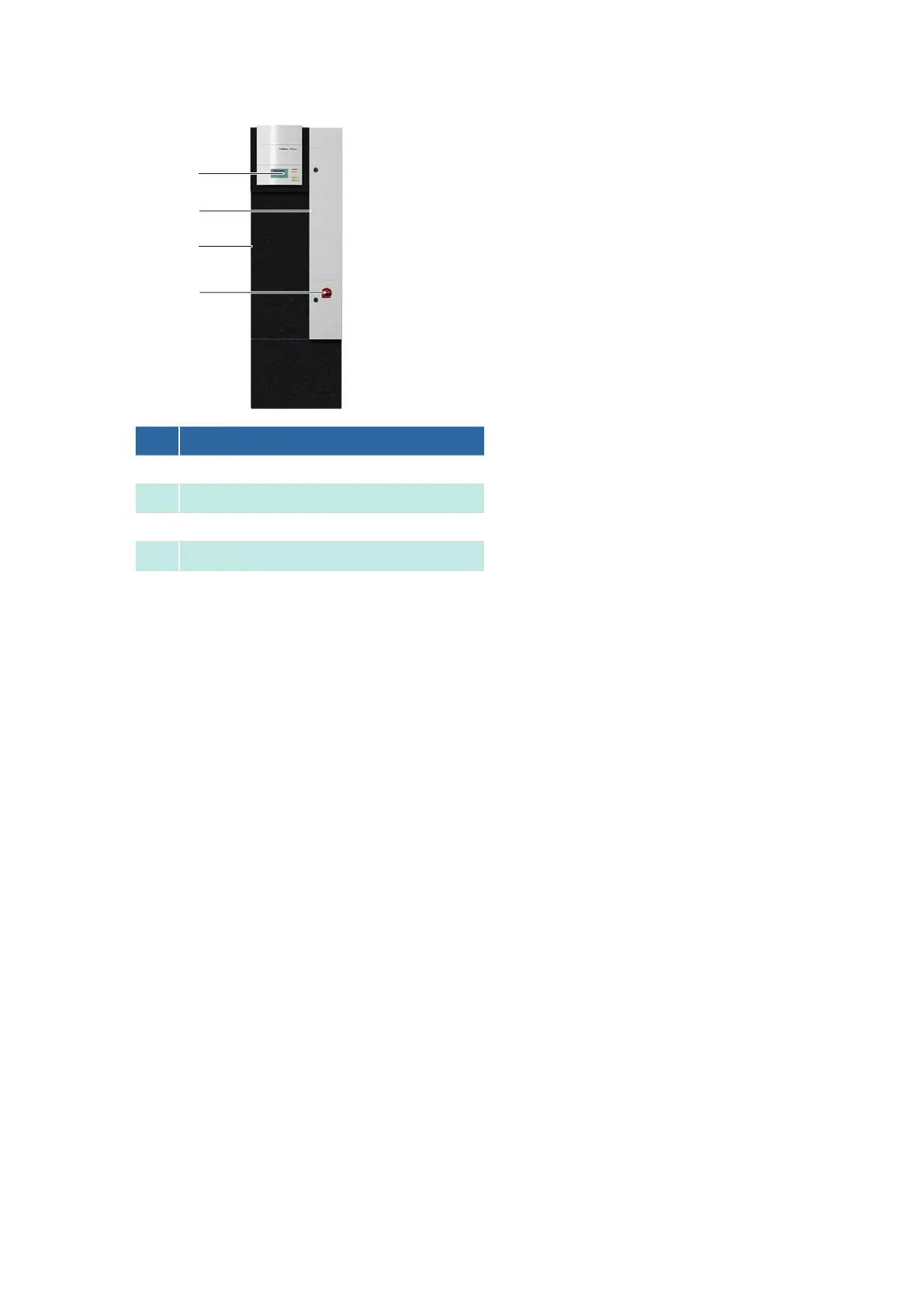
No. Description
1

2
Door of junction box 1
3
EC Tower
4

3
1
4
ECD 91 - Front view
2
Procedure
1. 
2. Switch off the unit via the master switch.
3. 
4. Switch off the circuit-breaker (F20) by turning it to setting 0.
5. Secure the air conditioning unit so it cannot inadvertently be switched back on.
6. 
7. Wait until the fan has come to a complete stop.
8. Route the cable of the T/H sensor (B03) into the EC Tower.
9. 
removed without tools.
10. Connect the T/H sensor (B03
 
11. 
12. Close the door of junction box 1 using the supplied triangular socket wrench.
Enabling the T/H sensor B03 on the C7000AT controller


13. 
14. To do this, select Config > Components > Sensor.
15. In Supp.air temp. > active enter 1.
16. In Supp.air hum. > active enter 1.
- The sensor (B03) is now active.

Table of Contents

Related product manuals