36 EN/01.2019/G22 © STULZ GmbH – all rights reserved
EC TOWER TECHNICAL MANUAL
1. Switch off the EC Tower on the C7000AT
controller.
2. Switch off the master switch on the EC Tower.
3. Wait until the fan has come to a complete stop.
4. Secure the EC Tower so it cannot inadvertently
be switched on.
5. Afx a “DO NOT SWITCH ON” warning sign to
the EC Tower.
6. Open the door of junction box 1 using the sup-
plied triangular socket wrench.
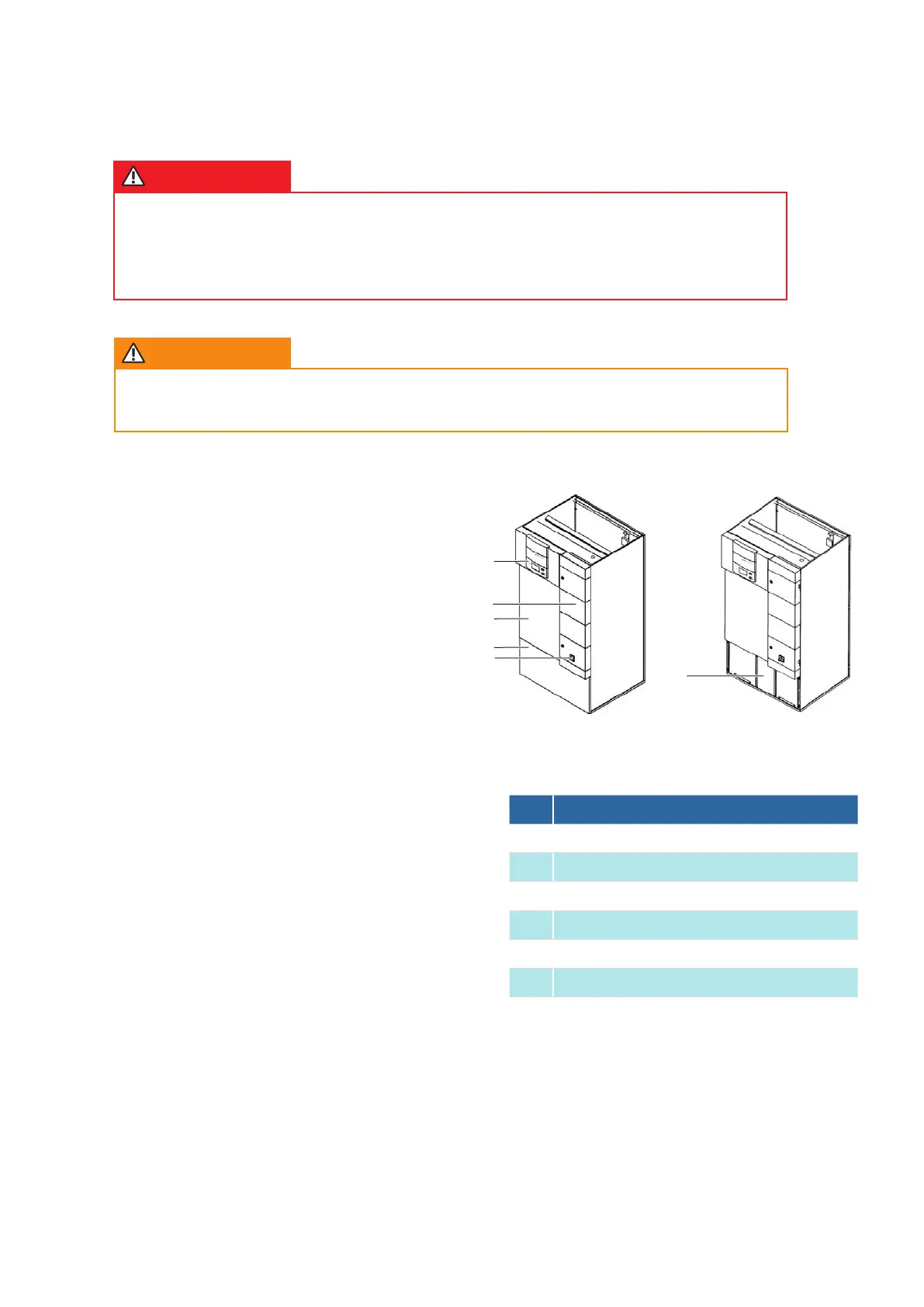
7. Remove the central front panel.
8. Remove the lower front panel. The front panel
is secured with ball studs and can be removed
without tools.
9. Access to junction box 2: Remove the four
screws in the sheet metal cladding of junction
box 2.
No. Description
1 C7000AT controller
2 Door of junction box 1
3 Central front panel
4 Lower front panel
5 Master switch
6 Junction box 2
Opening a Downflow unit
6
3
4
2
1
5
7.2 Opening the EC Tower
DANGER
Danger of death from electric shock!
• Switch off the unit on the controller before opening the EC Tower.
• Then switch off the EC Tower via the master switch.
• Afx a “DO NOT SWITCH ON” warning sign to the EC Tower.
WARNING
Danger of loss of limbs if fan is running on!
• Wait until the fan has come to a stop before opening the EC Tower.



 To Next Page