48 EN/01.2019/G22 © STULZ GmbH – all rights reserved
EC TOWER TECHNICAL MANUAL
3. Determine which steam cylinder you require (see table: Cross-reference of steam cylinders to EC Tower
size).
- Order the required steam cylinder from the Service Center.
4. Replace the steam cylinder.
- Steam cylinder replacement is described in the: Steam humidifier OEM User Manual (see section “6.2
Replacing the steam cylinder“ on page 173).
7.7 Connecting the steam humidifier to the feed water
NOTE
For the water connection, we recommend installing the following additional components:
• Aqua-stop
• Stop cock
• Mechanical ultra-ne lter
• Water warning system with sensor and solenoid valve (optional extra)
7.7.1 On-site preparations
Perform the following on-site preparations to ensure the correct function of the steam humidifier:
Procedure
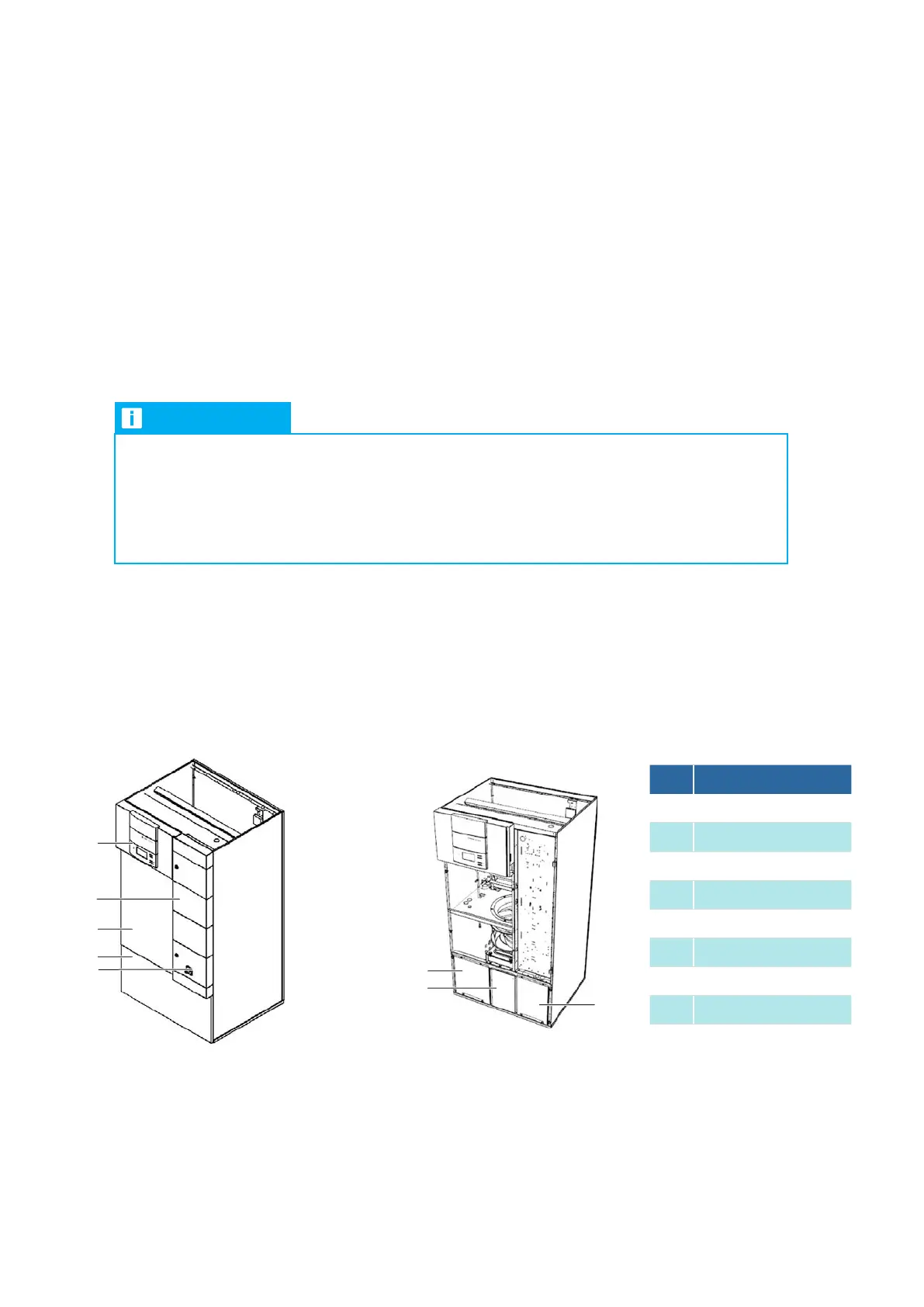
1. Open the door of junction box 1 using the supplied triangular socket wrench.
2. Remove the central front panel.
3. Remove the lower front panel. The front panel is secured with ball studs and can be removed without tools.
4. Remove the left and right-hand cover panels next to junction box 2.
3
4
1
5
2
6
7
8
7.7.2 Connecting the Downflow unit to the feed water
No. Description
1 C7000AT controller
2 Door of junction box 1
3 Central front panel
4 Lower front panel
5 Master switch
6 Left cover panel
7 Junction box 2
8 Right cover panel



 To Next Page