69 © STULZ GmbH – all rights reserved EN/01.2019/G22
EC TOWER TECHNICAL MANUAL
9.3.3Replacing the filter in the filtration box in Downflow units
5
3
4
1
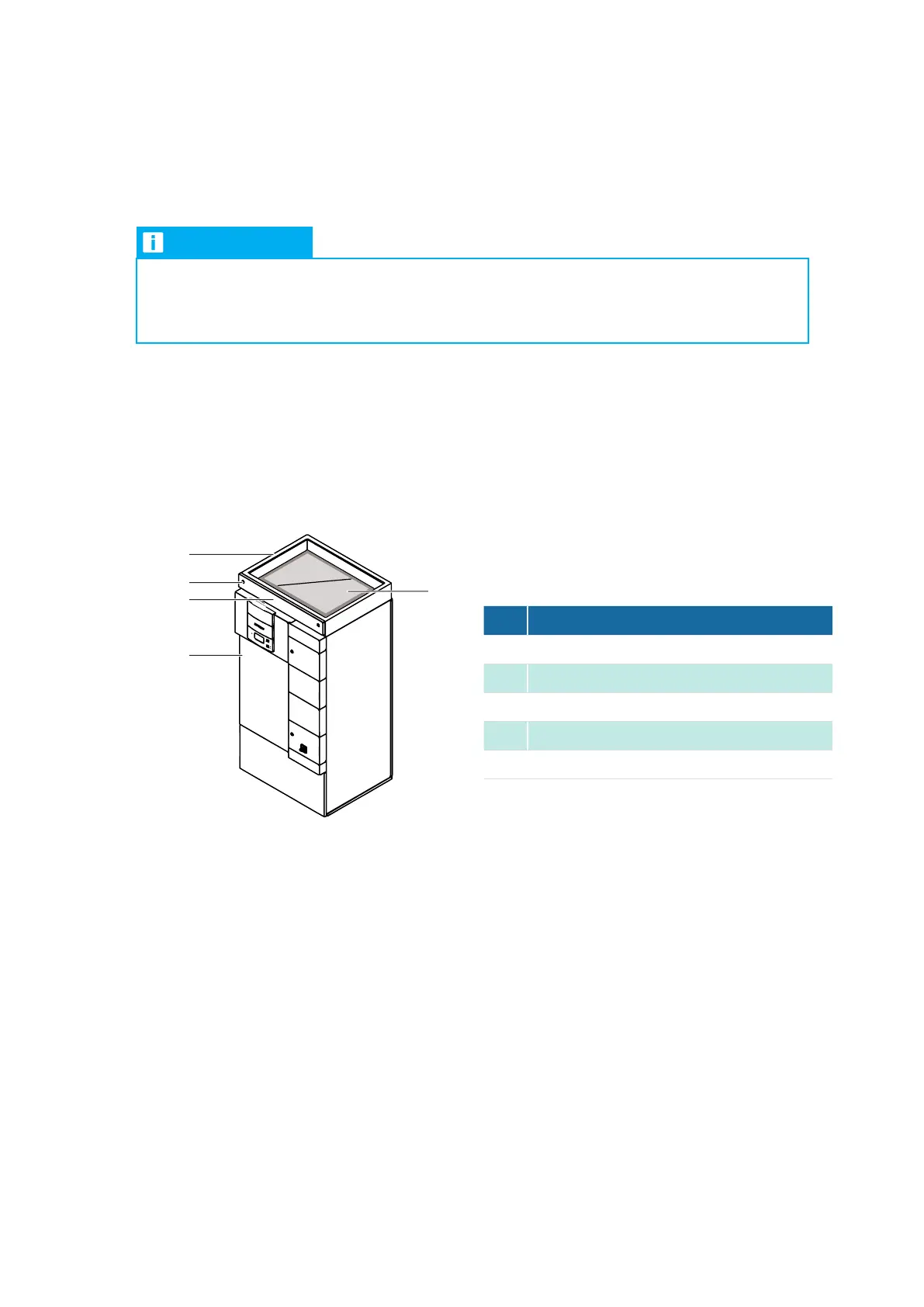
ECD 181 with filtration box
2
Procedure
1. Switch off the EC Tower on the C7000AT controller.
2. Switch off the master switch on the EC Tower.
3. Wait until the fan has come to a complete stop.
4. Secure the EC Tower so it cannot inadvertently be switched on.
5. Afx a “DO NOT SWITCH ON” warning sign to the EC Tower.
6. Open the service flap using the supplied triangular socket wrench.
7. Pull the long and short plastic hoses out of the filter.
8. Pull the filter out of the filtration box.
9. Push the new filter into the filtration box.
- Make sure that the side of the filter with the cross brace is facing upward.
10. Close the service flap.
EC Tower
51-5670-16 ECTower_Vorlage.indd 1
03.08.16 16:31
If a Downflow unit is connected to an air duct, remove the standard filter of the EC Tower. Mount an additional
filtration box with filter on the Downflow unit. For installing the filtration box, see section: “13.10Installing the
filtration box“ on page 103.
Location of filter in Downflow units
In Downflow units, the filter is located in the filtration box. The filter can be accessed via the service flap.
NOTICE
Cleaning the filter with compressed air can destroy it!
• Do not clean soiled lters with compressed air.
• Replace soiled lters.
No. Description
1
Filtration box
2
Filter
3
EC Tower
4
Service flap
5
Lock of service flap



 To Next Page