66 EN/01.2019/G22 © STULZ GmbH – all rights reserved
EC TOWER TECHNICAL MANUAL
Procedure
1. Switch off the EC Tower on the C7000AT controller.
2. Switch off the master switch on the EC Tower.
3. Wait until the fan has come to a complete stop.
4. Secure the EC Tower so it cannot inadvertently be switched on.
5. Afx a “DO NOT SWITCH ON” warning sign to the EC Tower.
6. Open the door of junction box 1 using the supplied triangular socket wrench.
7. Open the central front panel with the filter by removing the ball studs at the top.
8. Pull the long and short plastic hoses out of the central front panel.
9. Remove the filter holder.
10. Remove the filter from the central front panel.
11. Position and align the new filter in the central front panel.
12. Install the filter holder.
13. Position the central front panel with filter on the EC Tower.
14. Fasten the end of the long plastic hose between the front panel and the filter.
15. Fasten the end of the short plastic hose between the filter and the filter holder.
16. Secure the central front panel on the EC Tower.
17. Close the door of junction box 1 using the supplied triangular socket wrench.
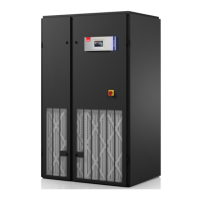
9.3.2Replacing the filter of Downflow units
NOTICE
Cleaning the filter with compressed air can destroy it!
• Do not clean soiled lters with compressed air.
• Replace soiled lters.
NOTICE
Incorrect removal of a soiled filter can cause contamination of the heat exchanger!
• Exercise care when removing a soiled lter from the EC Tower.
• Take care to ensure that no dirt gets onto the heat exchanger when removing the lter.



 To Next Page