149 © STULZ GmbH – all rights reserved EN/01.2019/G22
ec tower technical manual
3.5 7-segment display
The InterfaceIIIk features a two-digit 7-segment display. DIP switches S27 and S28 determine which val-
ues are shown on the display
S27 S28 In Program 8
OFF OFF Frequency setpoint (Hz)
ON OFF
Frequency actual value (Hz)
(can only be displayed if the InterfaceIIIk is set as the master via
S21. No other unit may be set as the master in the X/Y remote
control bus!)
OFF ON
ON ON
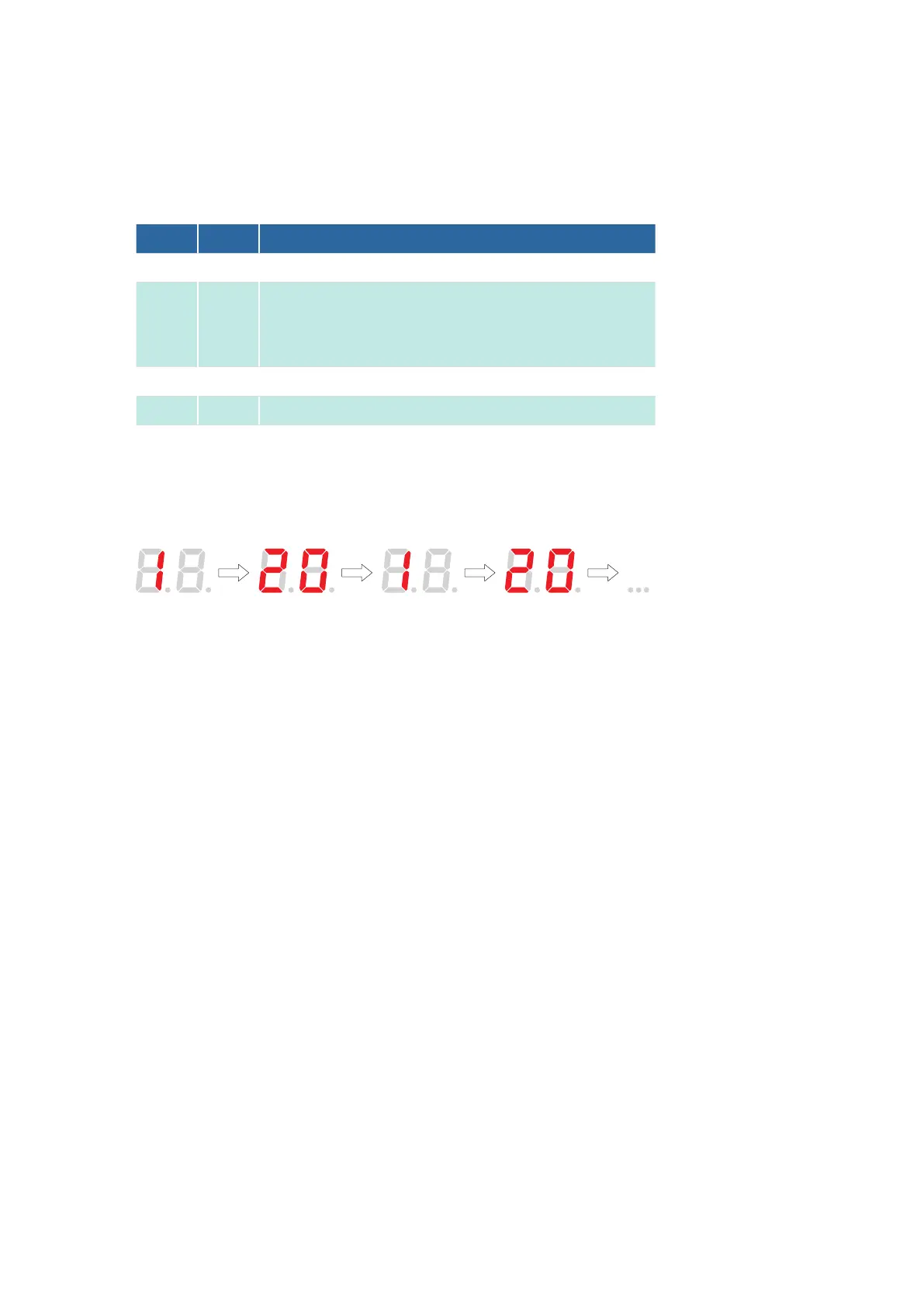
Three-digit numerical values are shown on the two-digit display by the display switching back and forth
between the hundreds digit and the tens/units digits.
The illustration below illustrates how the 7-segment display would show the number 120.
4. InterfaceIIIk functions
4.1 Analog input functions
Analog input X3S is only evaluated if a signal is present at digital input X2b-D4.
4.1.1 Direct frequency request via a 010V DC signal
X3S, a frequency setpoint is set in the outdoor unit
compressor. The frequency setpoint for the outdoor unit in question is permanently stored in the Interface III
k. The Interface III k can be set to the appropriate outdoor unit model via DIP switches S15 to S18. More
details on setting the outdoor unit model using DIP switches S15 to S18 can be found in the description of
Program 8.
Direct frequency request is possible in the following program:
- Program 8.
For a direct frequency request with cascading, the compressor frequencies of two outdoor units can be
adjusted via an analog 010VDC signal from an external controller. The options “Cascading without signal
overlap” and “Cascading with signal overlap” can be selected via DIP switches.
Direct frequency request is possible with the following device series from Mitsubishi Heavy Industries:



 To Next Page