5. Remove the system unit cover.
Refer to “Removing the System Unit Cover” on page 32 in Chapter 4.
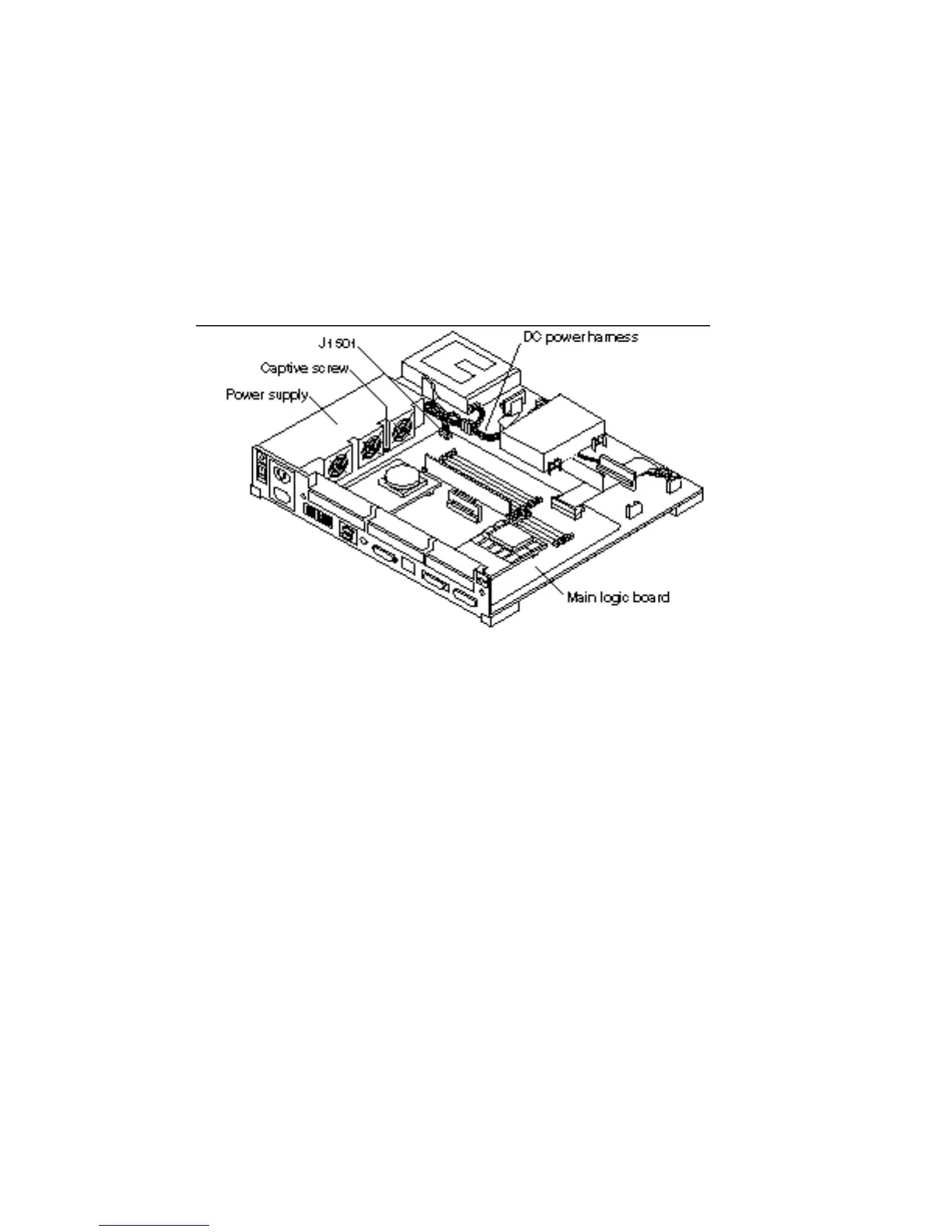
6. Disconnect the power supply connector from the main logic board (J1501).
See Figure 11–1.
7. Disconnect the power supply connector from the DC power harness.
See Figure 11–1.
8. Loosen the captive screw that secures the power supply assembly to the chassis.
See Figure 11–1.
Figure 11–1 Disconnecting the Power Supply
9. Slide the power supply assembly toward the front of the chassis.
Sliding the power supply assembly unlocks the power supply from the power
supply mounts. See Figure 11–2.
116
SPARCstation 10 Service Manual ♦ Revision A, July 1993














 To Next Page