Installing the DC Power Harness
Follow these steps to install the DC power harness:
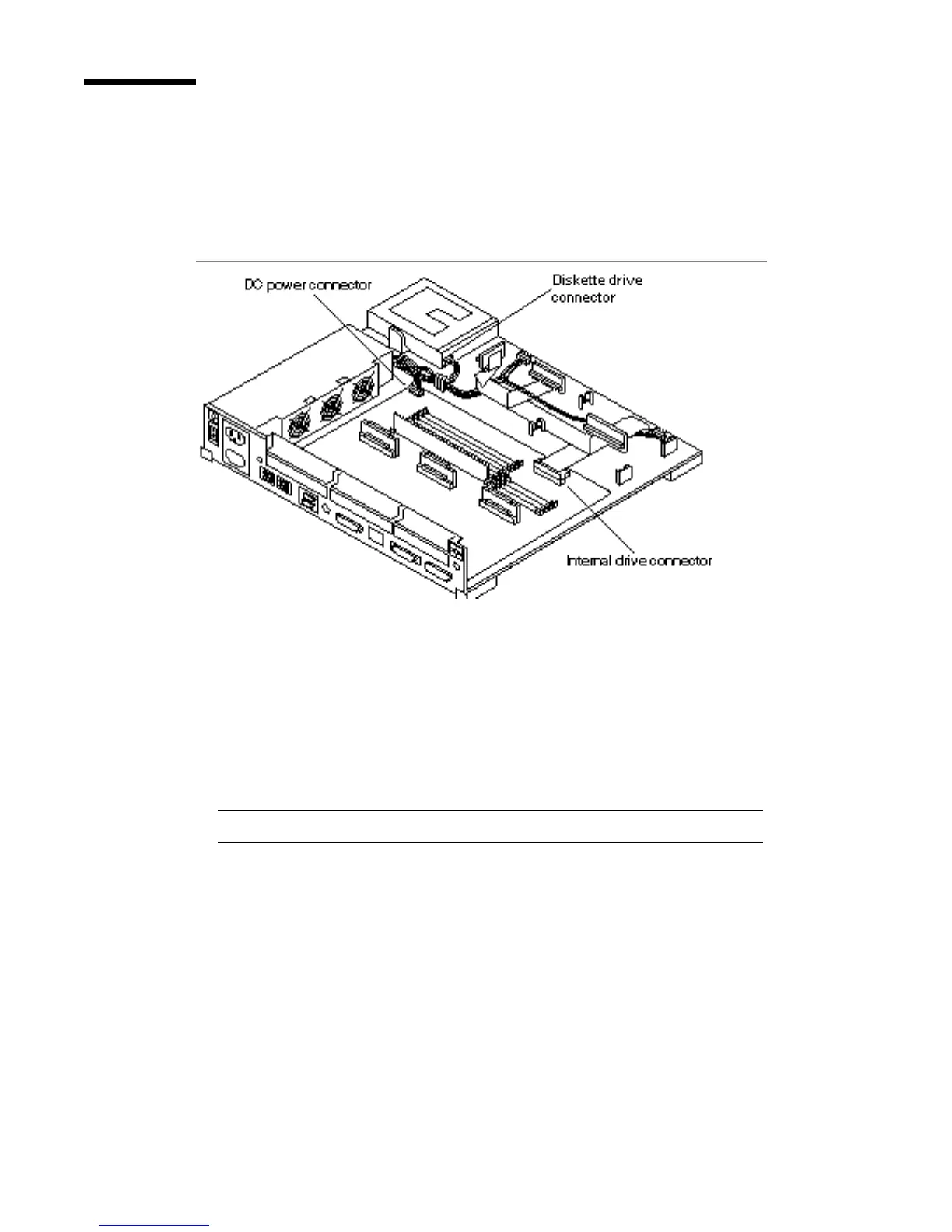
1. Connect the DC power connector to the power supply.
See Figure 14–3.
Figure 14–3 DC Power Harness and Drive Connectors
2. Connect the DC power connector to the diskette drive.
See Figure 14–3.
3. Route the DC power harness through the cable clips.
See Figure 14–2.
Note - Make sure that the DC power harness and the internal drive cable lay flat.
4. Verify that the jumper setting is correct for the drive location.
Figure 14–4 shows the proper jumper settings for drive 0 and drive 1.
144
SPARCstation 10 Service Manual ♦ Revision A, July 1993














 To Next Page