f. Disconnect the DC power connector from the disk drive.
See Figure 14–1.
g. Disconnect the internal disk connector from the disk drive.
See Figure 14–1.
h. Lift the hard disk drive out of the chassis and put it on an antistatic surface
for future use.
i. Note the drive location.
j. Repeat steps e to i if a second drive is installed.
2. Disconnect the DC power connector from the power supply.
See Figure 14–2.
3. Disconnect the DC power connector from the diskette drive.
See Figure 14–2.
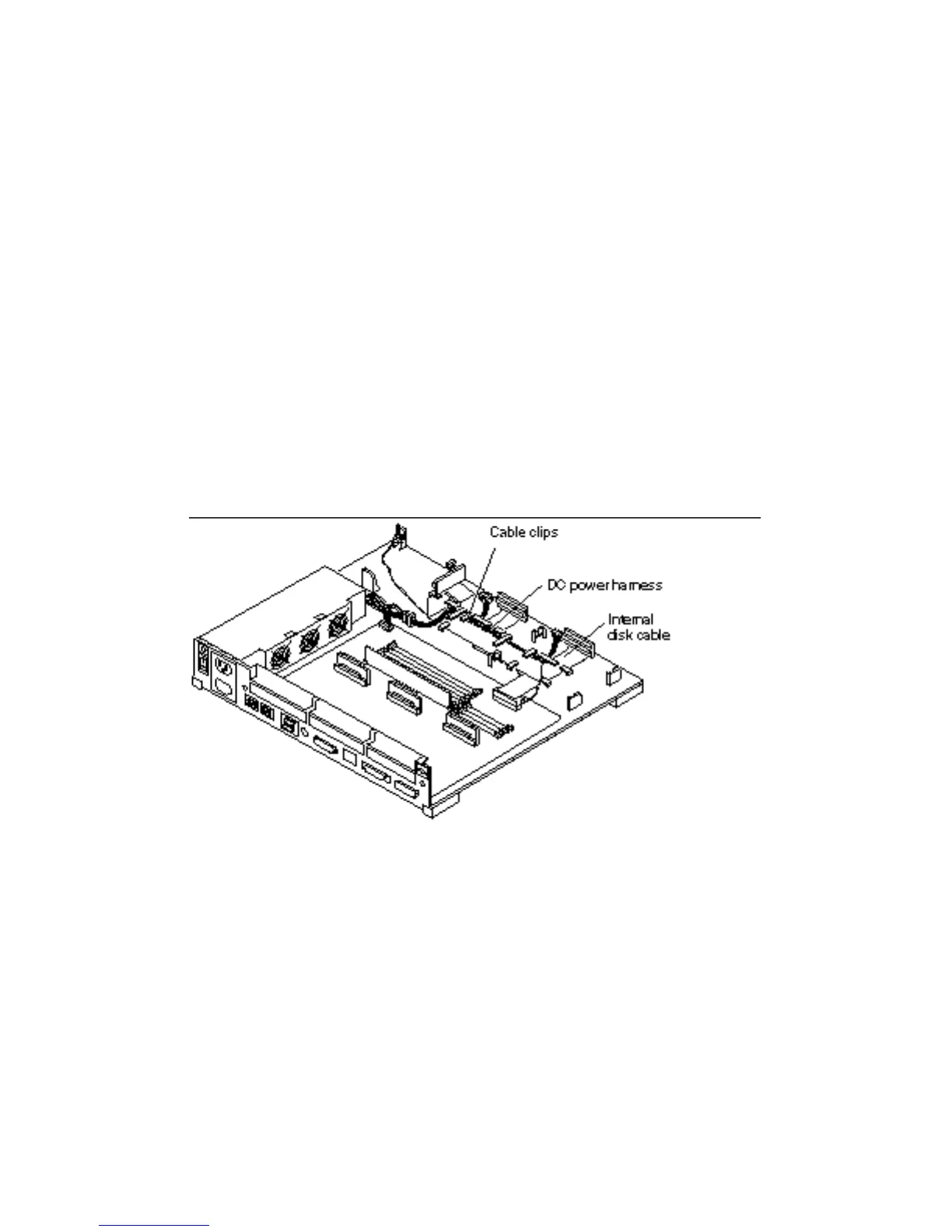
4. Slide the DC power harness out of the cable clips in the base of the system and
remove the DC power harness from the chassis.
Figure 14–2 DC Power Harness and Internal Disk Cable Layout
DC Power Harness 143














 To Next Page