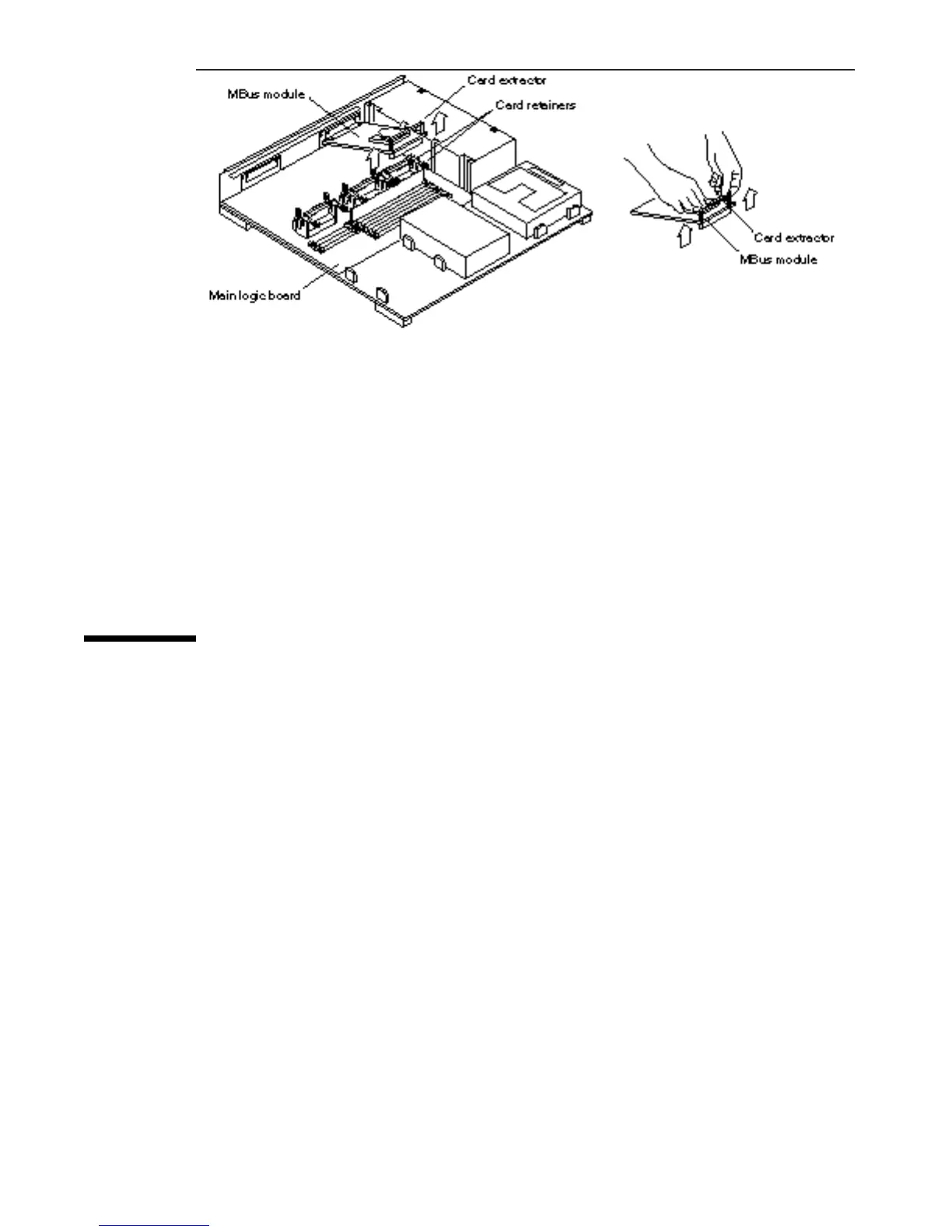
Figure 5–8 Removing an MBus Module
4. Remove the card extractor from the MBus module.
Save the card extractor for future use.
5. Place the MBus module on the antistatic surface.
6. If your system has another MBus module, remove the module from slot 0.
Repeat steps 1 through 6.
Disconnecting the Internal Cables
1. Disconnect the internal drive connector (J0101) from the MLB (J0601).
See Figure 5–9.
2. Disconnect the DC power connector from the MLB (J1501).
See Figure 5–9.
46
SPARCstation 10 Service Manual ♦ Revision A, July 1993














 To Next Page