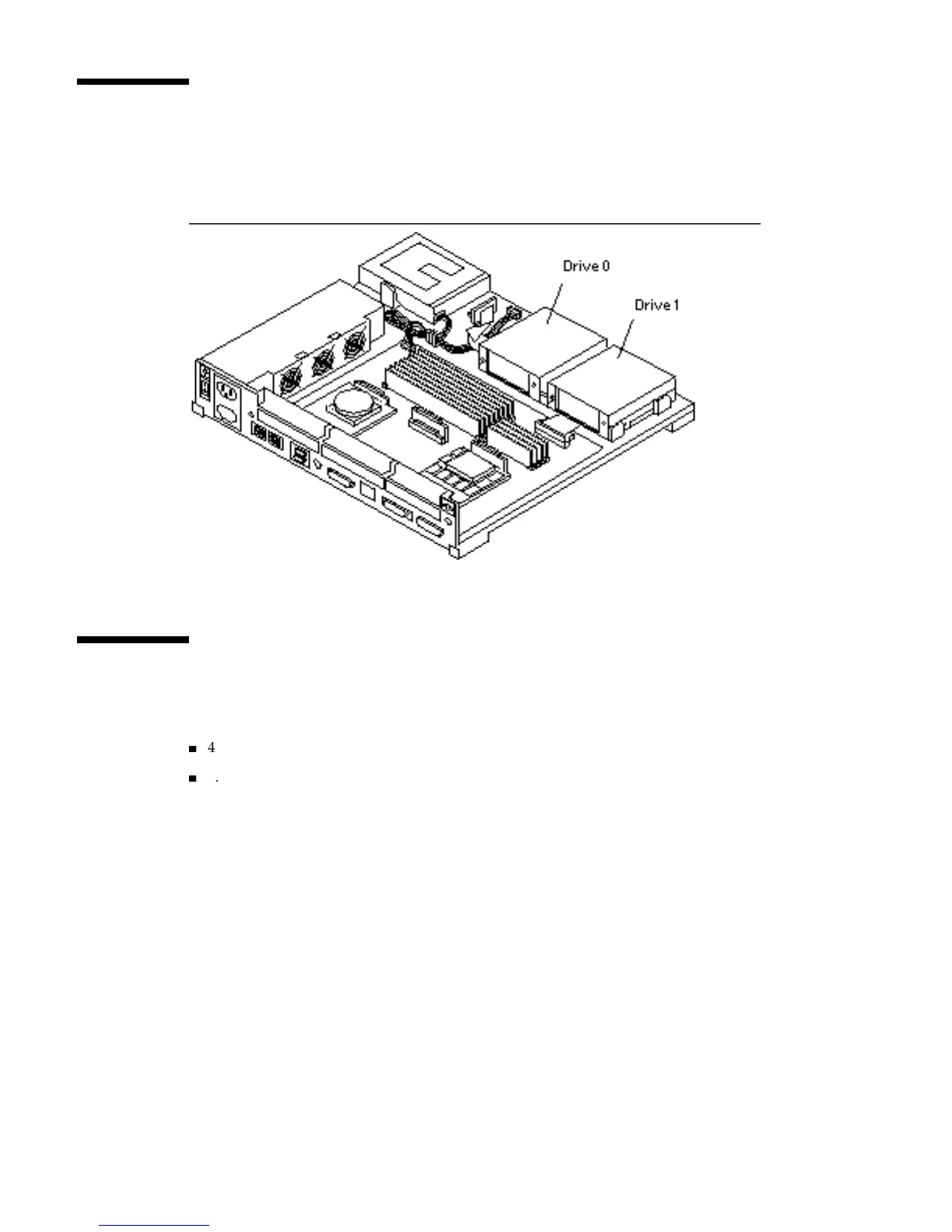
Drive Locations
Find the correct disk drive location. See Figure 12–3. Use position 0 if you are
installing only one drive.
Figure 12–3 Hard Disk Drive Locations
Supported Hard Disk Drives
The following hard disk drives are supported for the SPARCstation 10:
4
424-Mbyte hard disk drive
4
1.05-Gbyte hard disk drive
Depending on the drive, the jumpers are either located near the lower right corner of
the drive controller board, or near the lower left corner.
See the figure(s) that correspond to your drive(s) and verify the jumper settings for
the appropriate drive position. In the figures, the black jumper spaces indicate a
jumper is in that position. The white jumper spaces indicate no jumper for that
position. See Figure 12–4.
Hard Disk Drives 123














 To Next Page