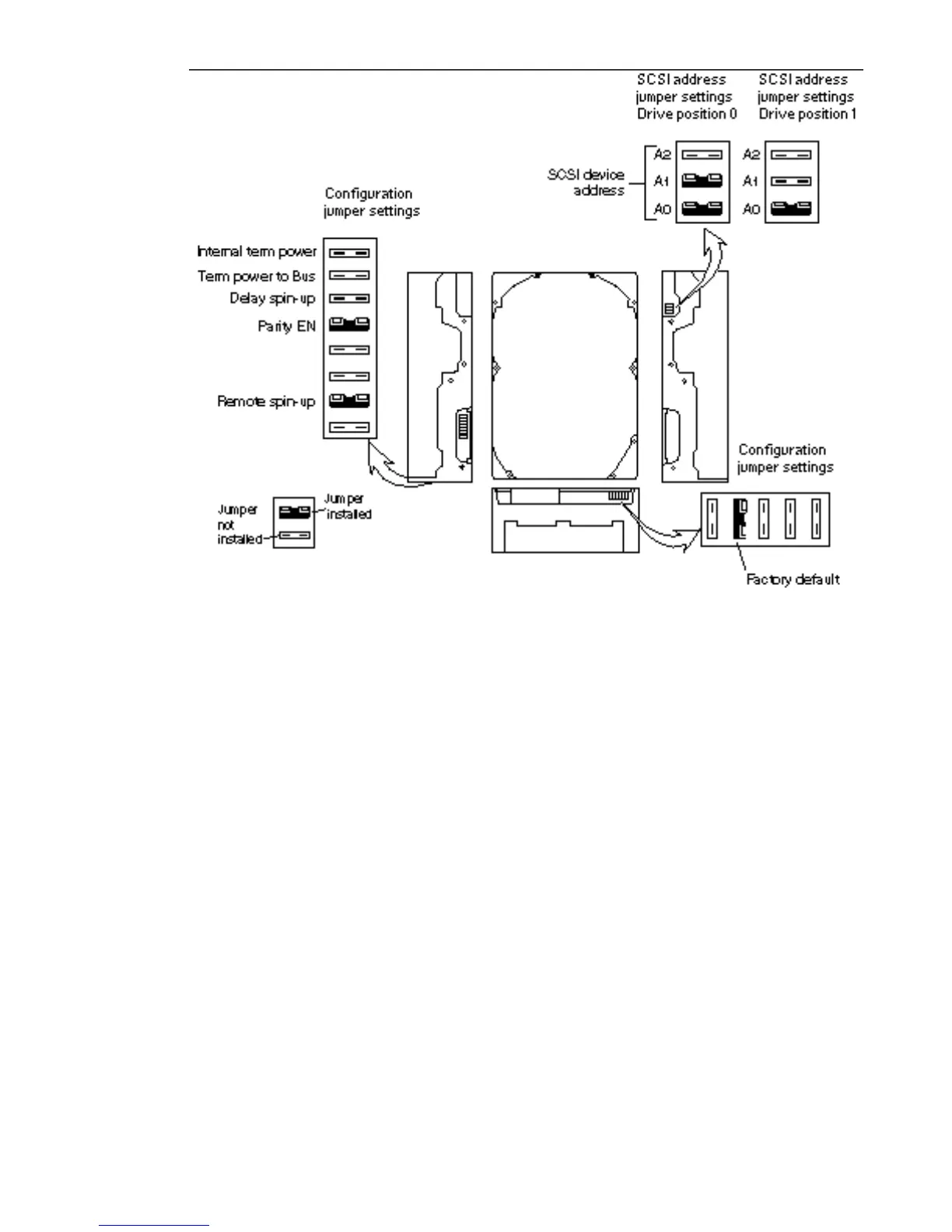
Figure 12–5 SCSI Address and Configuration Jumper Settings for 424-Mbyte Drive
Position 0 and 1
Installing a 424 Mbyte Drive
1. Complete the procedure for setting drive jumpers. See the “Checking and
Setting SCSI Jumpers” on page 124.
2. Remove the drive grommets from the defective drive.
3. Set the replacement hard disk drive on an antistatic mat or the antistatic bag
the drive was shipped in.
Hard Disk Drives 125














 To Next Page