Installing MBus Modules
If the system has two MBus modules (slot 1 on the top of slot 0), you must install the
first module in slot 0. Then, repeat steps 1 through 4 to install the second module in
slot 1.
Note - If there is an MBus module installed in slot 1 (the upper MBus slot), you
must remove it before you can install an MBus module in slot 0. Refer to the section
“Removing an MBus Module” in this chapter.
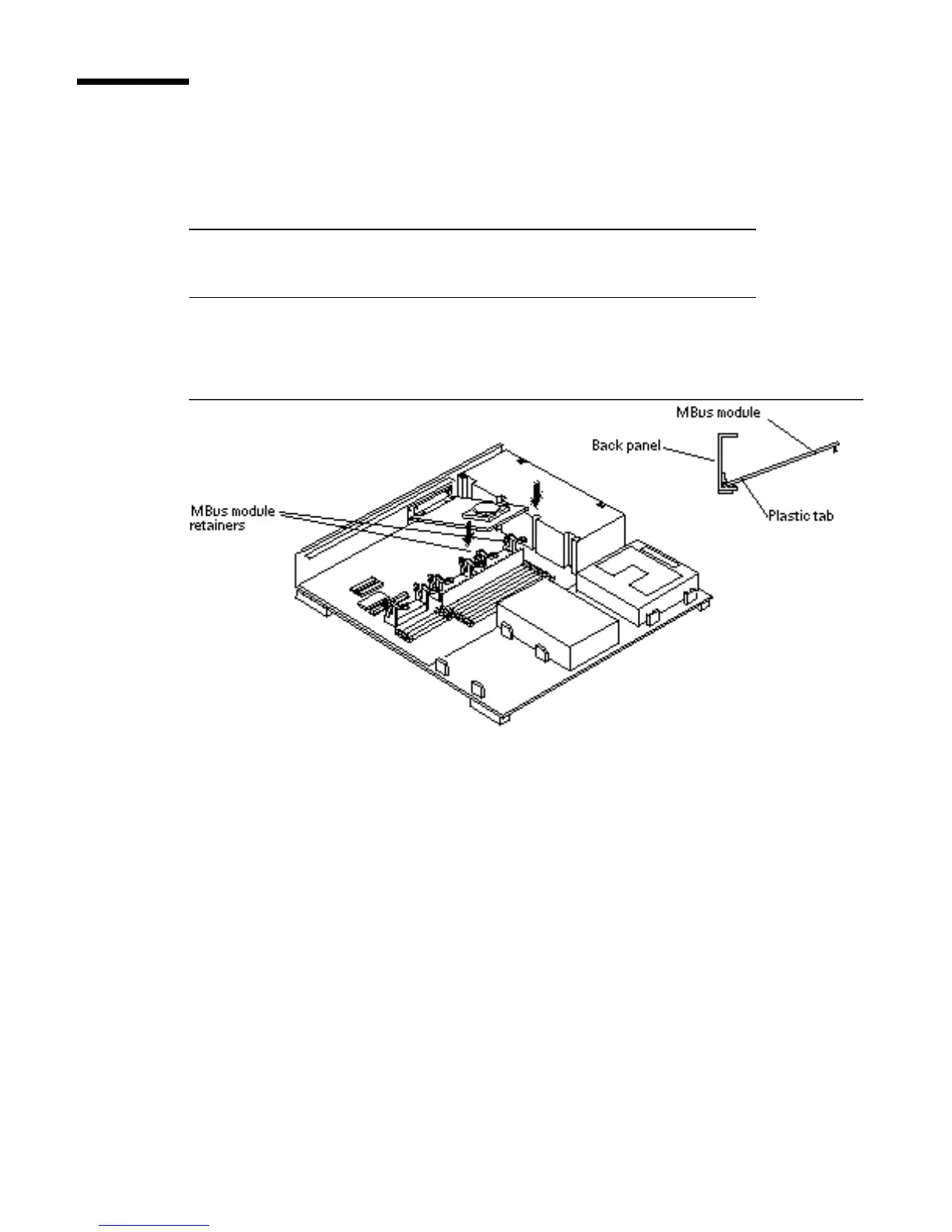
1. Push the MBus module retainers back.
See Figure 5–26.
Figure 5–26 Installing an MBus Module
2. Insert the first MBus module in the lower slot (MBus slot 0). To insert an MBus
module:
Insert the back edge of the module between the metal (lower) and plastic (upper)
tabs on the back panel. The MBus module connector should face the appropriate
MBus connector on the MLB. See Figure 5–26.
Main Logic Board 61














 To Next Page