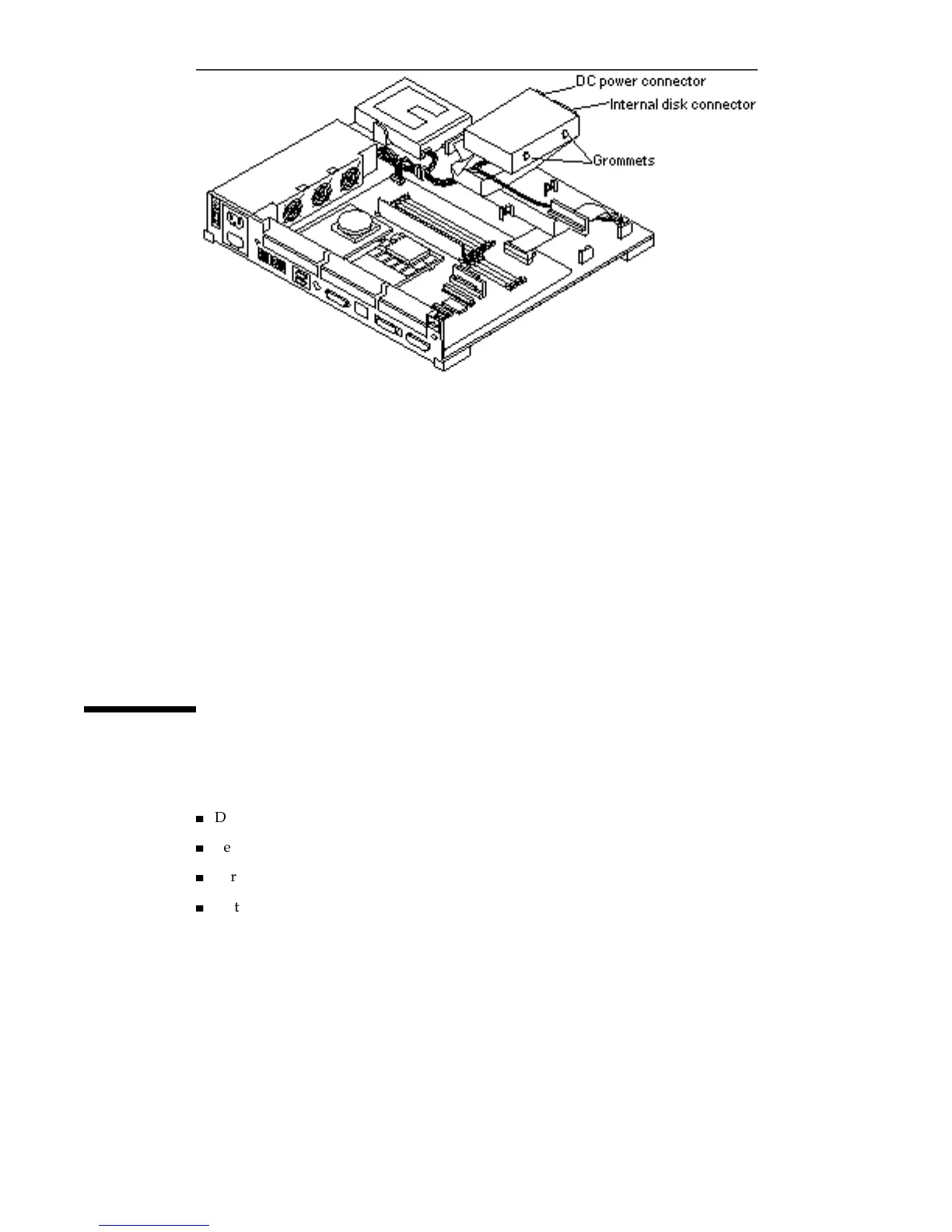
Figure 12–2 Removing a Hard Disk Drive
8. Disconnect the DC power connector from the drive.
See Figure 12–2.
9. Disconnect the internal disk connector from the drive.
See Figure 12–2.
10. Lift the hard disk drive out of the chassis.
Place it on the antistatic surface.
Installing a Hard Disk Drive
To install a hard disk drive you must do the following:
4
Determine the location and type of drive to be installed
4
Verify, and if necessary, change the SCSI address jumpers
4
Verify that the configuration jumpers are set correctly
4
Install the disk drive
122
SPARCstation 10 Service Manual ♦ Revision A, July 1993














 To Next Page