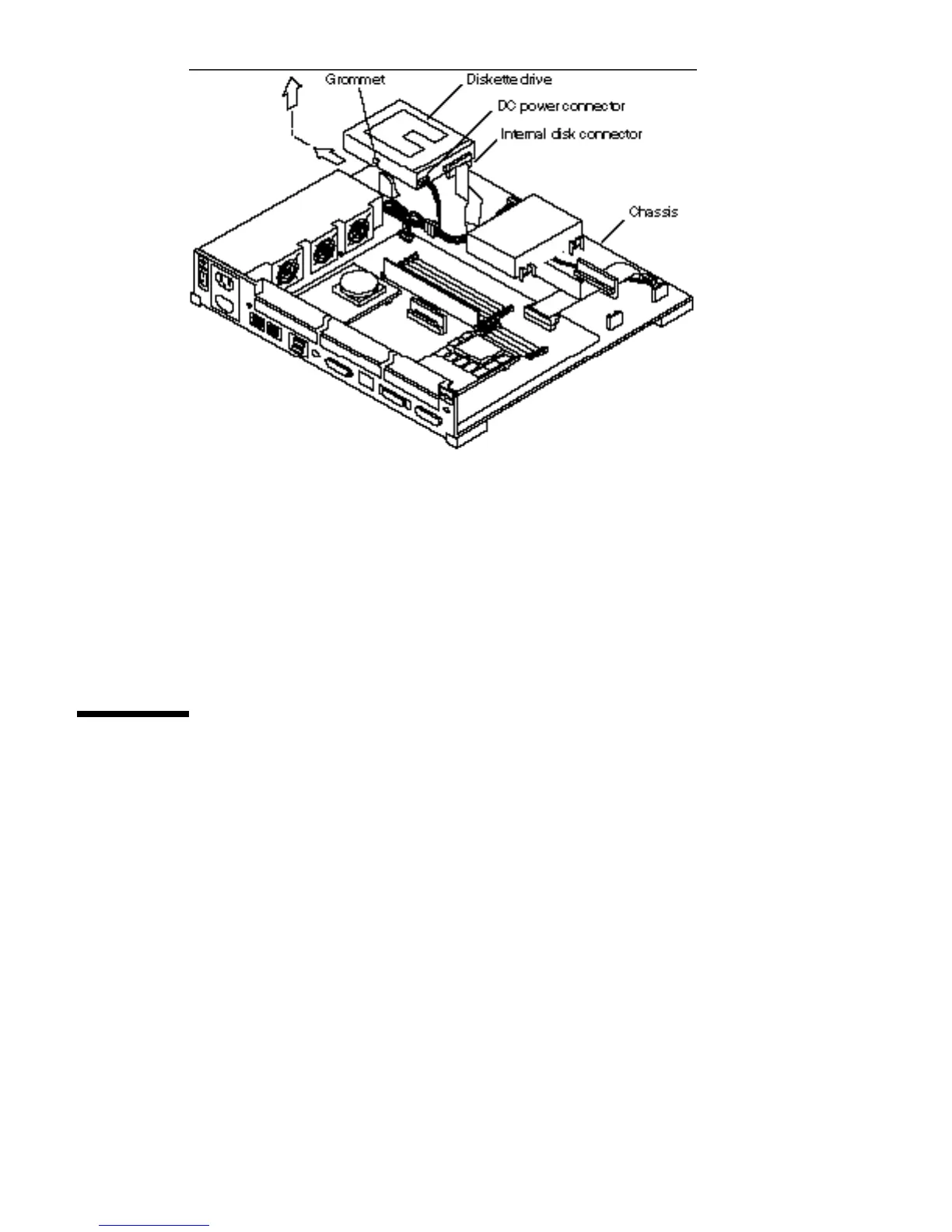
Figure 13–2 Removing a Diskette Drive
7. Disconnect the DC power connector and the internal disk connector from the
diskette drive.
See Figure 13–2.
8. Lift the diskette drive out of the chassis and put it on an antistatic surface.
Preparing the Diskette Drive
Before installing a diskette drive, you must check the diskette drive switch setting
and make sure that the switch is set correctly, as shown in Figure 13–3.
Diskette Drive 137














 To Next Page