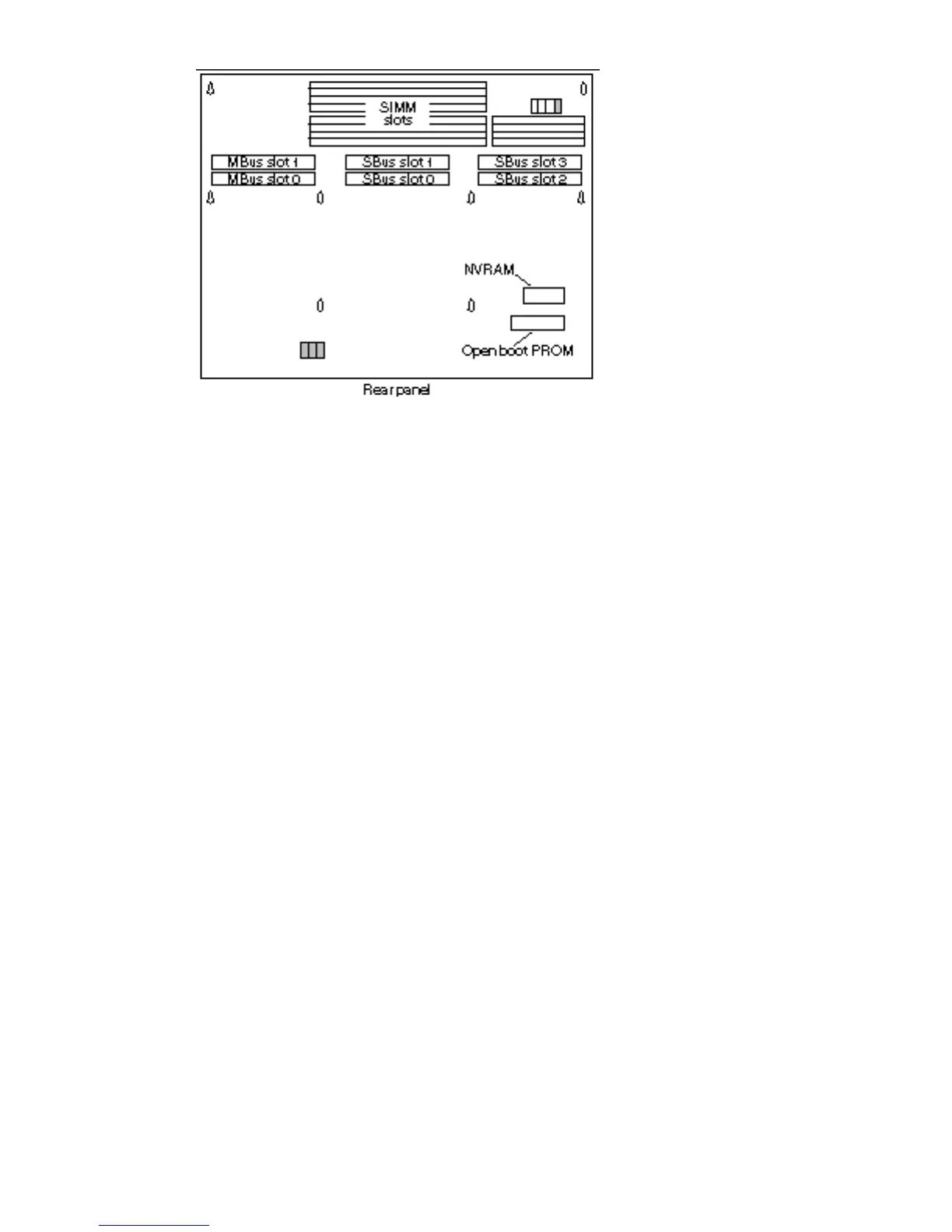
Figure 5–25 NVRAM Location
2. Hold the NVRAM chip carrier on both ends and lift it straight up.
Gently wiggle the chip carrier as necessary.
3. Put the NVRAM in its chip carrier on an antistatic surface.
It is to be sent back with the defective system board to Sun.
Installing the NVRAM Chip
1. Locate the NVRAM chip and remove it from the defective system board.
See Figure 5–25.
2. Carefully align the pins and insert the NVRAM chip into the socket on the
MLB in the chassis.
The carrier is keyed so the NVRAM can be installed only one way.
3. Push the NVRAM chip into the carrier until it sits tightly in the socket.
60
SPARCstation 10 Service Manual ♦ Revision A, July 1993














 To Next Page