Setting Jumpers
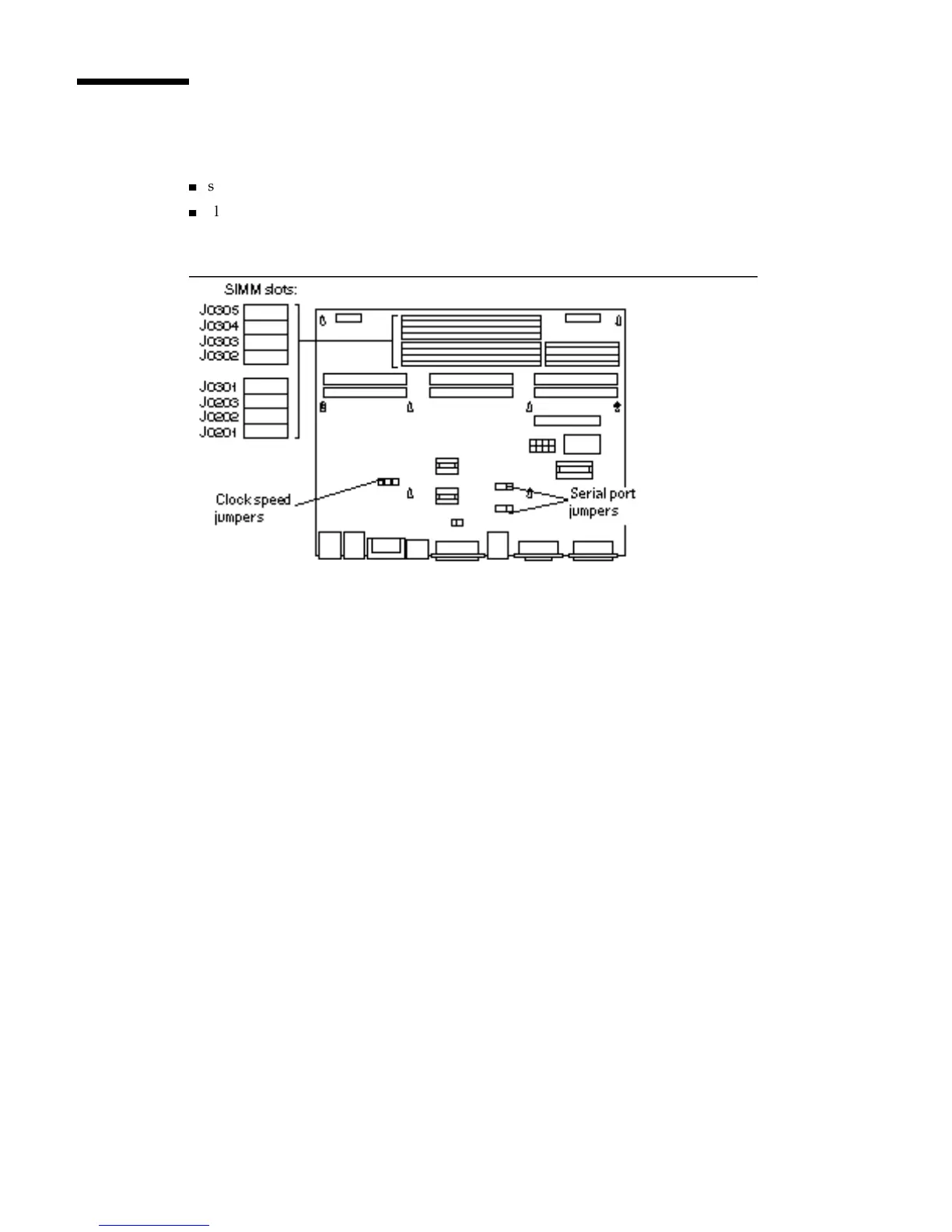
The Main Logic Board has two types of jumpers. See Figure 5–15.
4
serial port jumpers
4
clock speed jumpers
Figure 5–15 Jumper Locations on the MLB
Serial Port Jumpers
The serial port jumpers are preset from the factory in RS-423 mode. The ports can be
set either as RS-232 mode (for users in the Federal Republic of Germany and
Australia) or as RS-423 mode for other users. If you use your SPARCstation 10
system for connection to a public X.25 network in Europe, you must configure the
serial ports on your system to operate in the RS232 mode.
Make sure the serial port jumpers are set correctly. Figure 5–16 shows the correct
setting for the serial port jumpers. If the jumpers need to be changed, use a pair of
needle nose pliers to move both jumpers to the correct positions.
Main Logic Board 51














 To Next Page