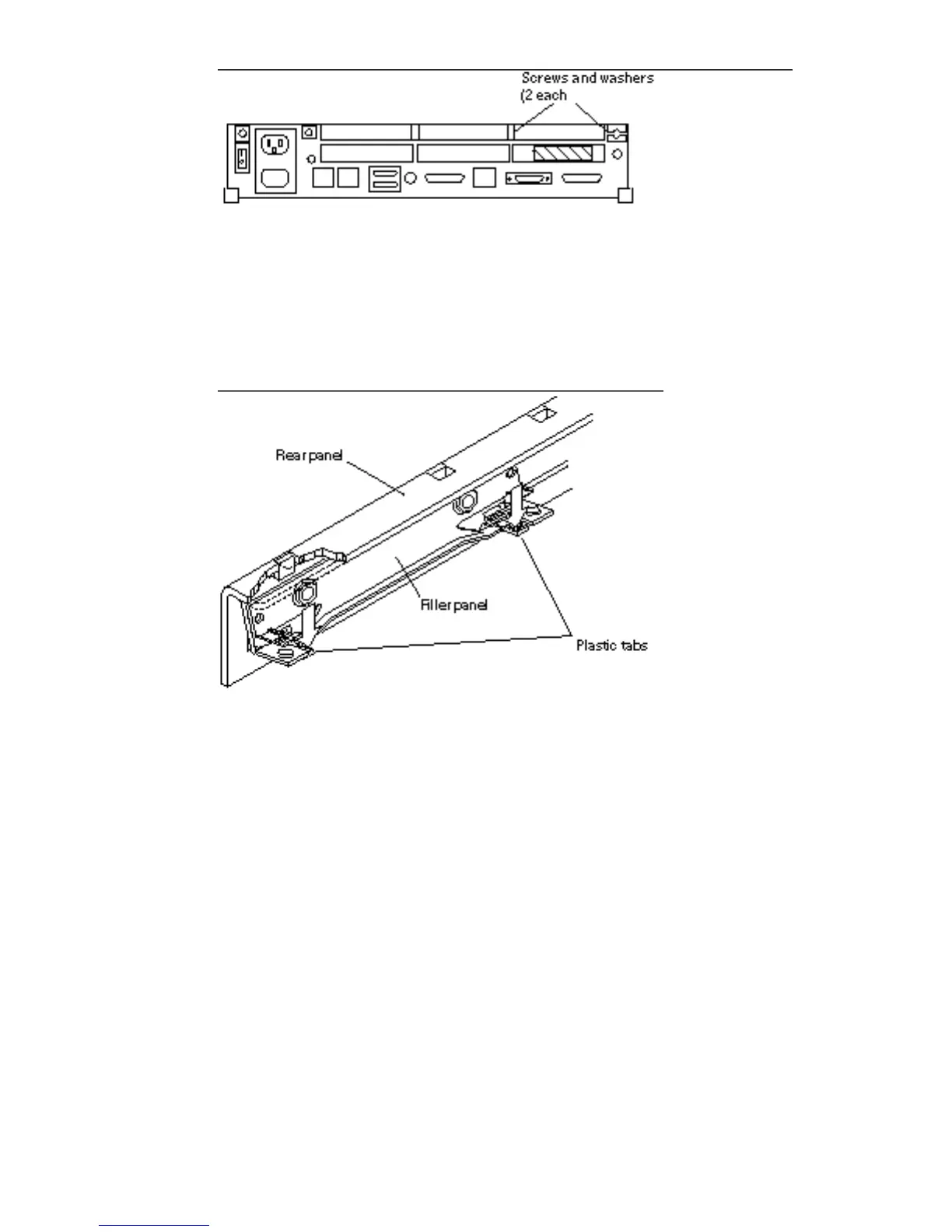
Figure 5–13 Filler Panel Fastening Hardware
b. The filler panel may have two plastic tabs holding it into the rear panel.
Push down the two plastic tabs on the filler panel.
Use both hands. See Figure 5–14.
Figure 5–14 Removing the Filler Panel
c. Pull the filler panel away from the rear panel.
Use both hands. The panel releases toward the front of the system.
d. Put the filler panel aside.
2. Repeat Step 1.a through Step 1.d for each filler panel that must be removed.
50
SPARCstation 10 Service Manual ♦ Revision A, July 1993














 To Next Page