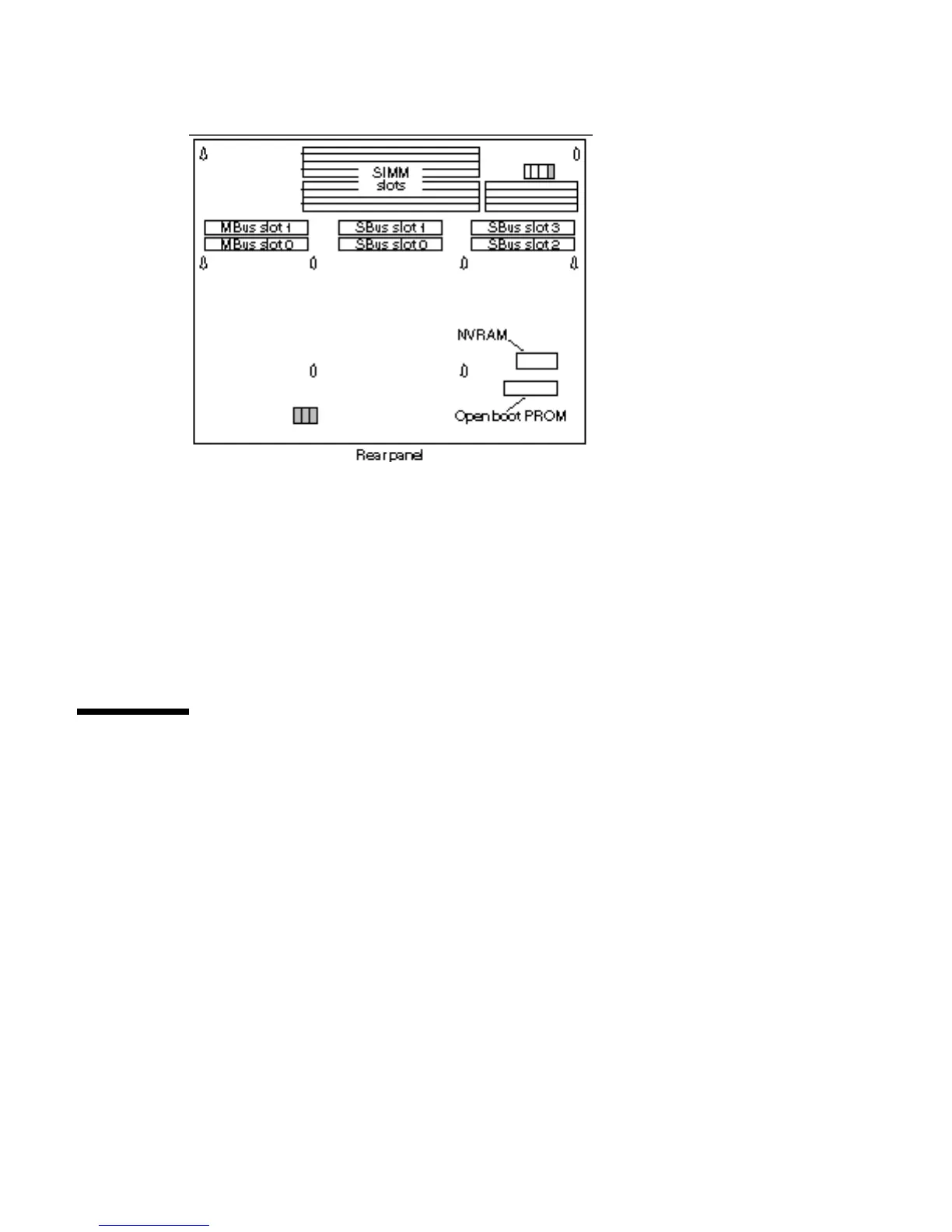
6. Locate the NVRAM chip on the MLB. See Figure 7–5.
Figure 7–5 Location of the NVRAM on the MLB
7. Hold the NVRAM chip carrier on both ends and lift it straight up.
Gently wiggle the carrier as necessary.
8. Place it on the antistatic surface.
Installing the NVRAM
1. Unpack the replacement NVRAM chip. The NVRAM comes with its chip
carrier.
2. Hold the NVRAM chip on both sides of the carrier.
3. Carefully align the pins and insert the NVRAM chip in the socket.
The carrier is keyed so the NVRAM can be installed only one way.
Non-Volatile RAM (NVRAM) 85














 To Next Page