4. Push the NVRAM chip into the carrier until it sits tightly in the socket.
5. Install the SBus card in slot 2 or 3 (if you removed one).
Go to step 11 otherwise.
6. Make sure that the card retainers are pushed back.
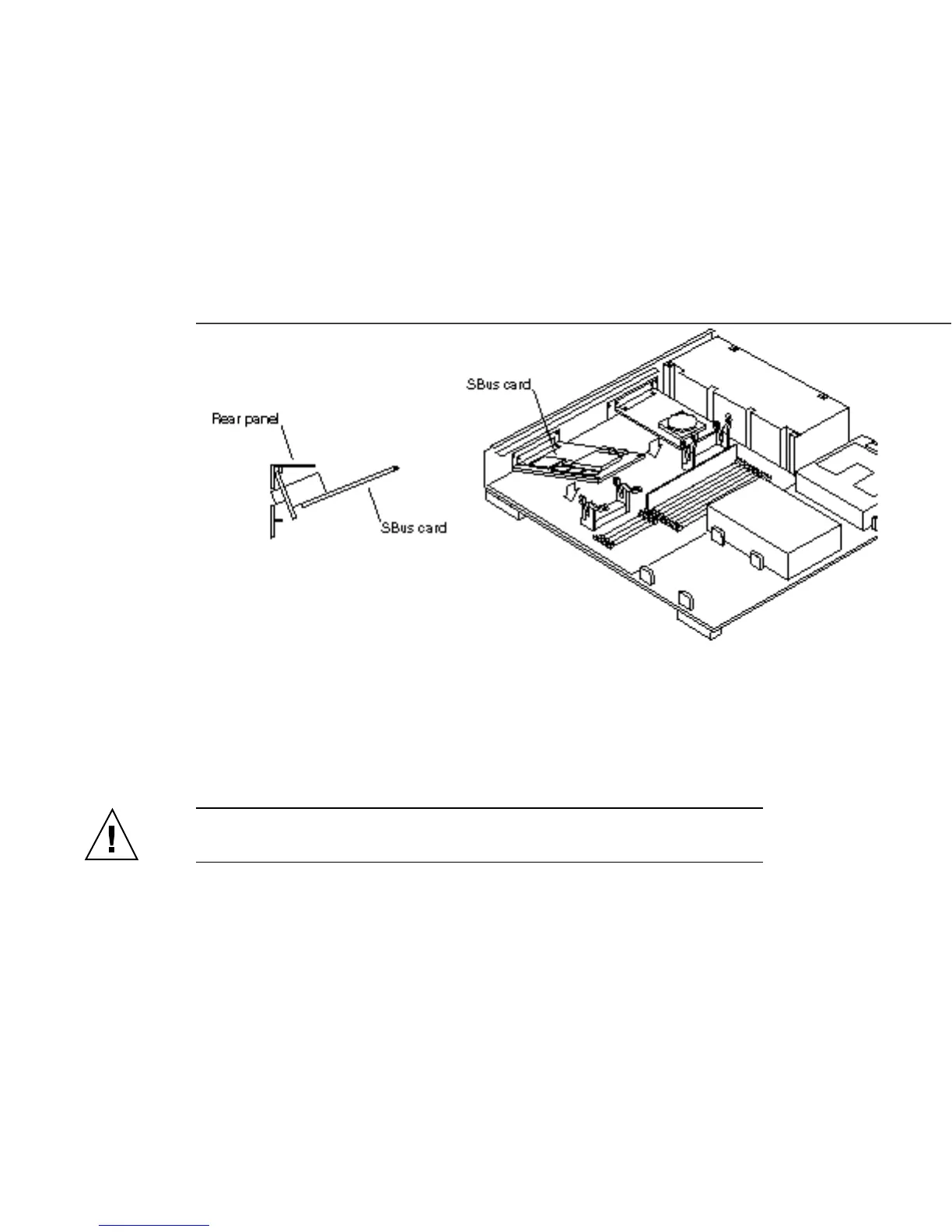
7. Slide the SBus card at an angle into the back panel of the system unit. See
Figure 7–6.
Make sure the mounting plate on the SBus card hooks upward into the holes at
the back panel of the system unit.
Figure 7–6 Installing the SBus Card in Slot 2 or 3
8. Push the SBus card against the back panel.
Align the plug with the socket of the SBus slot and gently press the plug into the
socket by pressing with your fingers on the corners of the SBus card.
Caution - Excessive force may bend or damage the pins.
9. Slide the card retainers over the edge of the SBus card.
86
SPARCstation 10 Service Manual ♦ Revision A, July 1993














 To Next Page