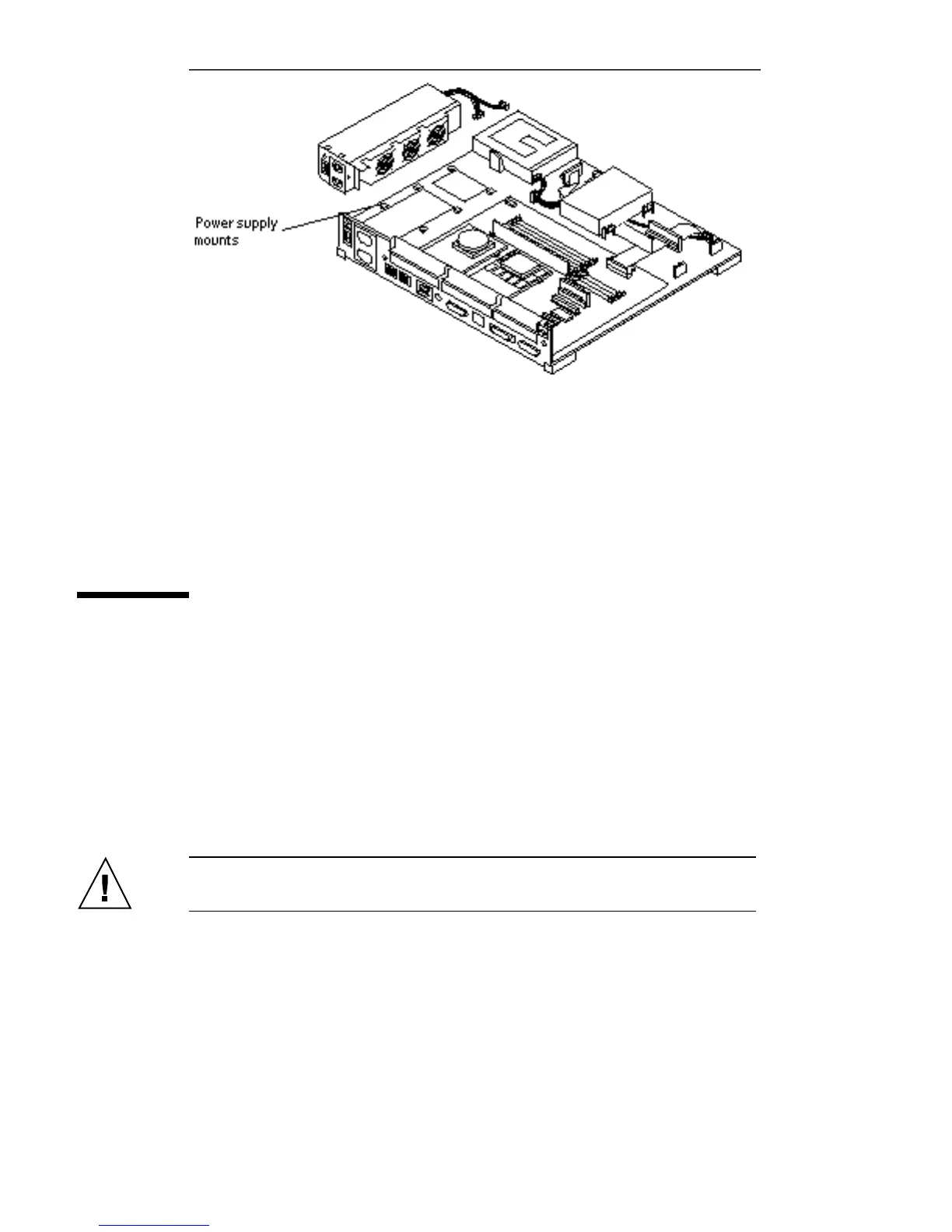
Figure 11–2 Power Supply Chassis Mounts
10. Lift the power supply assembly from the chassis.
Installing the Power Supply Assembly
1. Align the power supply assembly in the chassis.
2. Slide the power supply assembly toward the rear of the chassis until it locks in
the power supply mounts.
See Figure 11–2.
3. Secure the power supply assembly to the chassis by tightening the captive
screw.
See Figure 11–3.
Caution - Overtightening the captive screw may damage the chassis.
Power Supply Assembly 117














 To Next Page