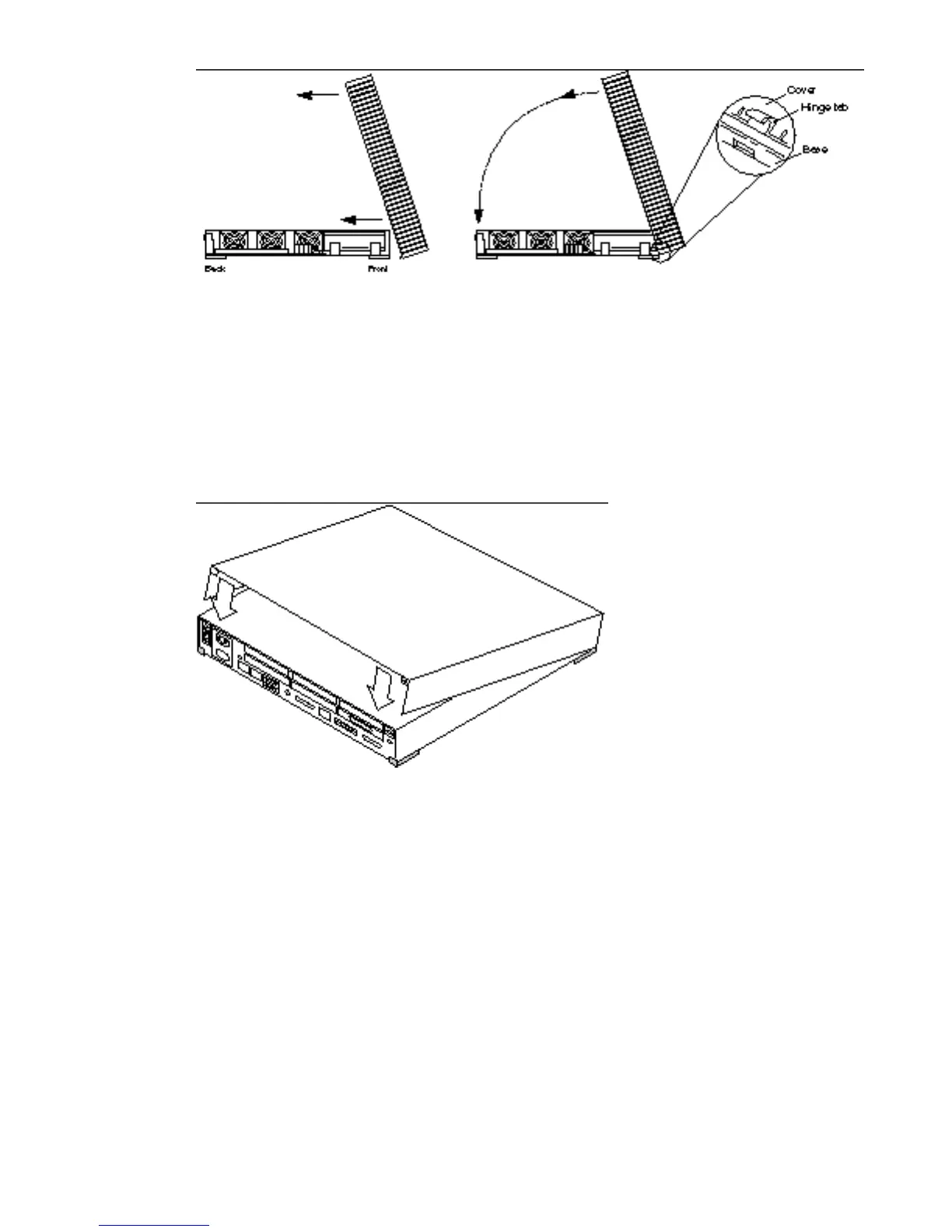
Figure 17–1 Installing the System Unit Cover
2. Slowly lower the cover onto the system unit.
3. Place your hands on the top rear of the cover. Push down on both sides of the
cover.
See Figure 17–2.
Figure 17–2 Pushing Down on the Rear Cover Edges
4. Guide the cover down so that the plastic retainer clip snaps the cover to the
rear panel.
See Figure 17–2.
170
SPARCstation 10 Service Manual ♦ Revision A, July 1993














 To Next Page