Caution - Hot surfaces are present. Use care when opening the system chassis or
handling components.
1. Make sure that the power to your system unit is turned off, but that the power
cord remains plugged into the system unit and to the power source.
See “Halting the System” on page 29 earlier in this chapter.
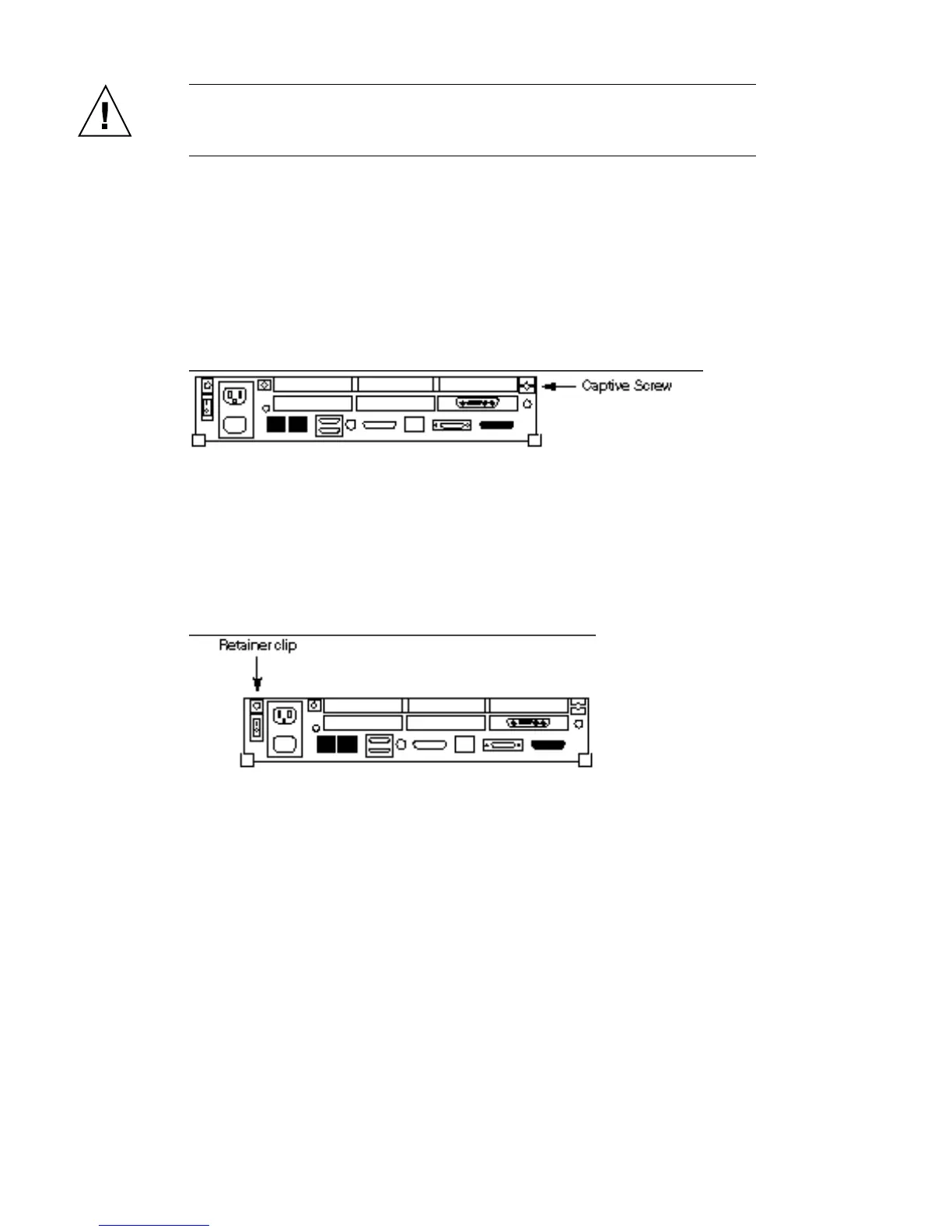
2. Use a Phillips screwdriver to fully loosen the captive screw holding the cover
to the back panel.
The screw remains attached to the back panel after it is fully loosened from the
cover. See Figure 4–1.
Figure 4–1 Rear Panel Captive Screw Location
3. Press the plastic retainer clip with a Phillips screwdriver as you loosen the
cover from the back panel with your other hand.
See Figure 4–2.
Figure 4–2 Plastic Retainer Clip Location
4. Face the back panel. Grasp the sides of the cover from the rear. Lift the cover.
Push the cover forward until its hinge tabs are free of the system unit.
See Figure 4–2.
Preparing the System 33














 To Next Page